Organic traffic tells you how effectively your website attracts visitors through unpaid search results. However, increasing visitor numbers is only part of the picture. Businesses also need to understand which searches bring people to their websites, which pages attract attention, and whether those visitors become potential customers.
At Leemjaz, Google Search Console organic traffic insights provide an important starting point for understanding search performance. By reviewing clicks, impressions, search queries, and average positions, businesses can identify opportunities to improve their SEO strategies. The real value comes from turning those findings into practical improvements that support long-term business growth.
What Is Google Search Console Organic Traffic?
Google Search Console organic traffic refers to the clicks your website receives from unpaid Google Search results. These visits happen when someone searches for information, finds one of your pages, and clicks its listing.
Google Search Console helps website owners understand how their pages perform in Google Search. It provides information about search visibility, user queries, clicks, impressions, and average rankings.
For example, a digital marketing agency might receive impressions when its website appears for searches related to SEO services. When someone clicks its listing, that interaction contributes to its organic search clicks.
Businesses can use this information to understand whether their content reaches the right audience.
Leemjaz approaches organic growth through a combination of keyword research, technical improvements, content strategy, and authority building. The objective is not simply to attract more visitors. It is to make the website visible for searches that matter to the business.
How to Check Organic Traffic in Google Search Console
You do not need expensive SEO software to begin understanding your website’s Google search performance. Google Search Console provides several useful reports at no cost.
Follow these steps to examine your website’s organic search activity.
1. Open the Performance Report
Sign in to your Google Search Console account and select the correct website property.
Open Performance, then select Search results.
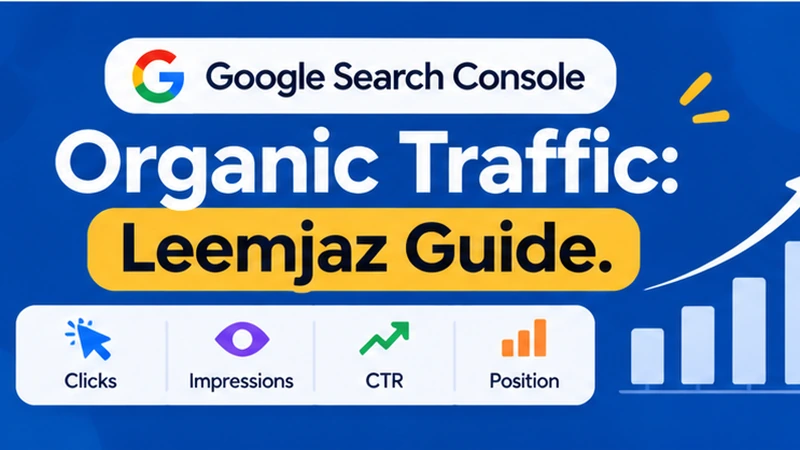
You will see a performance chart containing four important metrics: total clicks, total impressions, average CTR, and average position.
These figures provide an overview of how your website appears in Google Search.
2. Review Organic Clicks and Impressions
Clicks represent the number of times users select your website from Google Search results.
Impressions represent how often your website appears in those results.
For instance, imagine a service page receives 2,000 impressions and 100 clicks during a selected reporting period. This means the page appeared 2,000 times and generated 100 clicks.
The relationship between these numbers helps you understand whether your search listings attract attention.
3. Examine Search Queries and Pages
Scroll below the performance chart to find the detailed data tables.
Select the Queries tab to discover which search terms bring visibility to your website.
Then select Pages to identify the URLs receiving clicks and impressions.
This information can reveal opportunities that may not be obvious from your overall traffic numbers.
For example, a business might discover that an existing blog post receives impressions for a valuable service-related keyword. Improving that page could help it reach a more relevant audience.
4. Compare Different Reporting Periods
Choose a suitable date range and compare it with an earlier period.
You can examine the last 28 days against the previous 28 days or compare performance year over year when sufficient data is available.
Look for meaningful changes rather than reacting to individual daily fluctuations.
This process helps identify pages that are improving, losing visibility, or attracting new search queries.
Four Google Search Console Metrics Every Business Should Monitor
Understanding individual metrics helps businesses make better SEO decisions. However, these numbers become more valuable when you examine them together.
1. Total Organic Clicks
Organic clicks show how many times people visited your website through Google Search results.
An increase in clicks may indicate improved rankings, stronger search demand, or more appealing search listings.
However, more clicks do not automatically mean more customers.
A business should also examine the queries and landing pages responsible for generating those visits.
2. Search Impressions
Impressions measure how often your website appears in Google Search results.
A page can receive thousands of impressions without attracting many visitors.
This may happen when the page ranks for broad searches, appears in lower positions, or has a title that does not communicate its value clearly.
For Leemjaz, impressions can help identify topics and service-related searches where additional content optimization may be worthwhile.
3. Average Click-Through Rate
Click-through rate (CTR) represents the percentage of impressions that result in clicks.
You can calculate it using this formula:
CTR = (Total Clicks ÷ Total Impressions) × 100
For example, if a page receives 80 clicks from 2,000 impressions, its CTR is 4%.
A low CTR does not always indicate poor content. Search position, query intent, competition, and search result features can all influence whether someone clicks.
Review the actual queries and positions before changing your page title or meta description.
4. Average Position
Average position provides an estimate of where your website appeared in Google Search results for the selected reporting period.
A lower numerical position generally represents stronger visibility.
However, average position combines performance across different searches and URLs. It should not be treated as the exact ranking for every individual keyword.
Leemjaz recommends examining this metric alongside clicks, impressions, and query-level performance rather than treating rankings as the only measure of SEO success.
How to Find Organic Traffic Opportunities Using Google Search Console
The most useful part of analyzing search data is discovering what needs improvement.
Instead of checking numbers without a clear purpose, businesses should look for patterns that reveal practical SEO opportunities.
1. Find Pages With High Impressions but Low Clicks
When a page receives impressions but very few clicks, review its search performance carefully.
Check whether the page appears for relevant queries and whether its average position gives it a reasonable opportunity to attract clicks.
If the queries are relevant, consider improving the SEO title and meta description. Make sure they explain the page’s value accurately.
Avoid rewriting a page simply because its CTR appears lower than another URL. Different search queries and positions produce different results.
2. Identify Keywords With Ranking Potential
Open the Queries report and examine keywords where your website already receives impressions.
Pay attention to relevant searches where your pages appear outside the strongest positions.
Review the competing results and determine whether your page needs more useful information, clearer headings, better search intent alignment, or stronger internal links.
This can help businesses prioritize existing opportunities instead of publishing new articles without a clear strategy.
3. Discover Content That Needs Updating
Some articles gradually lose search visibility because their information becomes outdated or competing resources provide better answers.
Compare historical performance to identify pages experiencing a consistent decline.
Then investigate the possible reasons.
The issue could involve outdated examples, changing search intent, missing information, technical problems, or stronger competition.
Leemjaz also discusses this process in its guide on optimizing old blog posts for SEO.
4. Find Opportunities to Strengthen Internal Links
Your Search Console data can help identify pages that deserve more attention.
Once you find important articles or service pages, review your website for relevant internal linking opportunities.
For example, an informational article about organic traffic can naturally connect readers with your SEO services page.
This creates a clearer path between educational content and commercial information.
Leemjaz explains this approach in its article about how internal linking improves organic traffic.
Google Search Console vs Google Analytics 4: What’s the Difference?
Both platforms help businesses understand website performance, but they measure different parts of the visitor journey.
Google Search Console focuses on how your website performs in Google Search. Google Analytics 4 (GA4) focuses on what happens after visitors arrive.
Consider the following comparison:
| Metric | Google Search Console | Google Analytics 4 |
|---|---|---|
| Search impressions | Yes | No |
| Google Search clicks | Yes | No |
| Search queries | Yes, subject to reporting limitations | No equivalent complete query report |
| Average search position | Yes | No |
| Organic sessions | No | Yes |
| User engagement | Limited search performance context | Yes |
| Conversion tracking | No direct website conversion reporting | Yes, when configured |
One important distinction is that Search Console clicks and GA4 organic sessions will not necessarily match.
A click and a session are different measurements. Reporting time zones, attribution, consent settings, tracking implementation, and visitor behavior can also contribute to differences.
For a more complete picture, businesses should use both platforms.
Search Console explains how people discover your website. GA4 helps explain what they do after arriving.
At Leemjaz, this distinction matters because successful SEO should connect search visibility with meaningful website activity.
How Leemjaz Turns Organic Traffic Data Into SEO Improvements
Collecting performance data is useful, but data alone does not improve a website.
Businesses need a strategy that connects reporting with the right optimization activities.
Leemjaz approaches organic search growth through several connected areas.
Keyword Research and Search Intent
The process begins with understanding what potential customers search for and why they perform those searches.
A keyword with high search volume may attract visitors who have no interest in a company’s services.
Leemjaz focuses on identifying relevant search opportunities and matching content with the needs of the intended audience.
Technical SEO Improvements
Search engines need to access and understand important website pages.
Technical SEO reviews can identify problems involving crawling, indexing, redirects, duplicate URLs, and website performance.
Addressing relevant technical issues helps establish a stronger foundation for organic visibility.
Content Optimization
Useful content should answer the questions visitors actually have.
Leemjaz connects content planning with keyword research, on-page optimization, clear headings, and relevant internal links.
Rather than adding keywords unnecessarily, the focus should remain on making each page more informative and relevant.
Authority and Link Building
Relevant backlinks can help people discover your website and provide additional context about its resources.
Leemjaz also incorporates link-building activities into its broader SEO offering, with an emphasis on relevant, editorial placements rather than manipulative link schemes.
Businesses looking for a coordinated approach can explore Leemjaz’s organic search engine optimization services.
The aim is to connect search visibility with qualified visitors and business objectives rather than chase traffic numbers without considering their value.
How to Measure AI Overviews and AI Search Visibility
Organic search is evolving as Google introduces AI-powered experiences that provide summarized answers alongside links to relevant websites.
For businesses, this creates another reason to monitor search visibility and maintain useful, accessible content.
Google’s guidance makes an important point: the established SEO fundamentals still apply to AI Overviews and AI Mode. There is no special markup or guaranteed technique that secures inclusion.
Google also announced dedicated generative AI performance reporting in Search Console in 2026.
This reporting provides visibility into how website URLs appear in supported generative AI search experiences.
Businesses should pay attention to several areas:
AI search visibility: Review whether your website appears in supported AI search experiences.
Helpful explanations: Answer important questions directly and provide useful supporting information.
Original insights: Include practical examples, documented experience, and information that adds something beyond generic explanations.
Technical accessibility: Ensure that important website content can be crawled and indexed.
Content accuracy: Support factual claims with reliable sources and keep important information up to date.
For more detailed guidance, consult Google’s official documentation on AI features and your website.
Leemjaz views AI search visibility as part of a broader organic search strategy. Strong technical foundations, relevant content, and clear website structure remain important.
Common Google Search Console Mistakes That Can Affect SEO Decisions
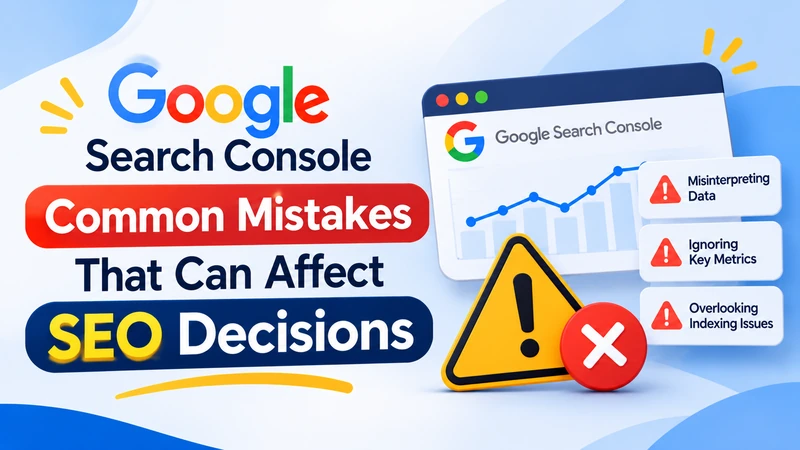
Even when businesses have access to accurate reporting, they can misunderstand the information or make unnecessary changes.
Here are some mistakes worth avoiding.
Focusing Only on Total Clicks
A growing click count may look encouraging, but it does not explain whether the visitors are relevant.
Review the search queries and landing pages to understand the quality of your organic traffic.
Changing Content Too Quickly
Search performance naturally fluctuates.
Avoid rewriting articles or changing URLs after a small temporary decline. Investigate the underlying cause before making substantial changes.
Ignoring Search Intent
A page may receive impressions for keywords that do not match its purpose.
Adding more keywords will not necessarily solve this problem.
Review what users expect from the search and make sure the content answers their actual questions.
Treating Average Position as an Exact Ranking
Average position is an aggregated metric, not a fixed ranking for every search.
Use query and page filters to understand performance more accurately.
Ignoring Conversions
A website can attract substantial organic traffic without generating meaningful business enquiries.
Connect Search Console insights with GA4 and appropriate conversion tracking to understand whether your SEO strategy attracts potential customers.
Conclusion
Google Search Console organic traffic data gives businesses a practical way to understand how their websites perform in Google Search. By examining clicks, impressions, CTR, average position, and search queries, website owners can identify opportunities and make more informed SEO decisions.
However, successful organic growth requires more than monitoring performance reports. Businesses need relevant keyword targeting, useful content, technical improvements, strong internal linking, and consistent measurement.
Leemjaz brings these activities together through a broader organic search strategy focused on search visibility, relevant visitors, and business growth. Instead of chasing traffic for its own sake, the goal is to attract people who are genuinely interested in what a business offers.
To explore more practical SEO insights and strategies, visit the Leemjaz blog and discover resources that can help you make better decisions about your website’s organic performance.
Frequently Asked Questions
1. How do I check organic traffic in Google Search Console?
Open your Google Search Console property, select Performance, and then choose Search results. Review total clicks, impressions, average CTR, and average position. The Queries and Pages tabs show which searches and URLs contribute to your website’s search performance.
2. Is Google Search Console organic traffic free?
Yes. Google Search Console is a free service from Google. Website owners can verify their properties and access search performance information without paying for a subscription.
3. What is the difference between clicks and impressions in Google Search Console?
Impressions represent how often your website appears in Google Search results. Clicks count how many times users select your website from those results. A page can receive many impressions but relatively few clicks.
4. Why is my organic traffic decreasing in Google Search Console?
Organic traffic may decline because of ranking changes, reduced search demand, stronger competitors, technical problems, changing search intent, or seasonal trends. Compare clicks, impressions, queries, and affected pages before deciding what to fix.
5. Can Google Search Console help improve organic traffic?
Yes. It helps identify relevant search queries, underperforming pages, CTR opportunities, and changes in search visibility. Businesses can use these insights to improve content, technical SEO, and internal linking. However, the tool itself does not increase traffic automatically.