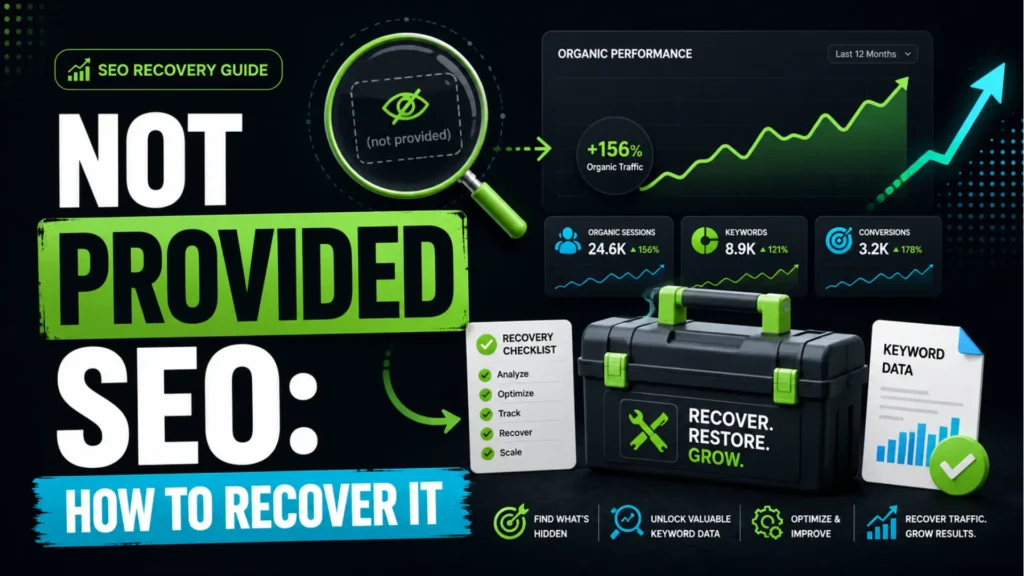
If you have gone looking for organic keyword data lately and come up empty, you have run into Not Provided SEO, the long-running problem where Google withholds the search query that brought someone to your site. It started in 2011 when Google encrypted searches for signed-in users, and it never went away. What changed is where the gap now shows up, because the report most people remember checking no longer exists.
This guide covers what the problem actually is in 2026, the second layer of hidden data almost nobody mentions, and the five methods that genuinely recover useful query insight.
What Is Not Provided SEO?
Not Provided SEO refers to organic search visits where Google tells your analytics platform that a user arrived from search but withholds the search term they typed. The visit is counted. The keyword is stripped.
The mechanism is simple. When someone clicks a search result, the browser normally passes the query to your site in the referrer header, and analytics reads it from there. Google stopped passing that data over encrypted connections. Universal Analytics had nothing to read, so it logged the session as “(not provided)” and moved on. By the end, that label sat on roughly 80 to 95 percent of organic traffic for most sites.
Google’s stated reason was user privacy. The practical effect was that keyword-level attribution, which had been the foundation of SEO reporting for a decade, disappeared.
Why GA4 Changed How Not Provided SEO Looks
Here is the part that trips people up. GA4 does not have an organic keyword dimension at all. Universal Analytics showed you the gap and labelled it. GA4 removed the column.
So if you are searching for “(not provided)” inside GA4 and finding nothing, your setup is not broken. There is no keyword report to be missing. The underlying problem is identical, because the query is hidden upstream in Google’s encryption and no analytics tool can read it. Only the reporting surface changed.
This matters when you are explaining performance to a client or a manager. The honest framing is that GA4 measures what happens after the click, and Search Console measures what happened before it. Neither one alone answers “which keyword drove that sale,” and joining them is your job, not the platform’s.
The Second Layer of Not Provided SEO: Anonymized Queries
Every guide on this topic tells you to use Search Console instead. That advice is correct and incomplete, because Search Console withholds data too.
Google suppresses low-volume queries in the query report to protect user anonymity. Those clicks still appear in your page and site totals, but the search term attached to them never shows up. An Ahrefs study of 22 billion clicks across more than 880,000 Search Console properties found that close to 47 percent of clicks were tied to anonymized queries, with most sites falling somewhere between 45 and 80 percent.
Two more limits compound it. The Search Console interface caps the query table at 1,000 rows, and data retention runs 16 months. So the free fix everyone recommends can be showing you well under half the picture, over a limited window, with a hard row ceiling.
Knowing this changes how you report. If your query data covers 30 percent of clicks, say so, and treat the visible queries as a directional sample rather than a full account of demand.
Five Ways to Recover Keyword Data
Ranked by return on effort, starting with what everyone should do first.
1. Link Search Console to GA4, then publish the collection
Connecting the two properties creates two reports inside GA4: Google Organic Search Queries and Google Organic Search Traffic. The step most people miss is that the Search Console collection sits unpublished in the Reports Library until you manually publish it, which is why so many people link the accounts and then conclude nothing happened.
Worth understanding what this does and does not give you. It surfaces Search Console data inside GA4. It does not recover anything GA4 never received, and Search Console dimensions cannot be freely combined with every GA4 metric because the two platforms measure at different scopes.
2. Pull full query data through the API or Looker Studio
The 1,000-row cap applies to the interface, not the underlying data. Exporting through the Search Console API, or connecting the property to Looker Studio, gets you well past it. This single change often triples the number of queries an SEO can see, and it costs nothing.
If you have BigQuery available, the bulk data export removes the retention limit too, which lets you build year-over-year comparisons that Search Console cannot show on its own.
3. Work at landing page level instead of keyword level
This is the practical workaround, and honestly it is often better than what it replaced. Pull your top organic landing pages from GA4, pull the queries Search Console associates with each one, and treat each page as a small keyword cluster rather than chasing individual terms.
You lose exact attribution. You gain something more useful: a view of which topics generate revenue, which is the question most businesses were trying to answer with keyword data anyway.
4. Mine first-party sources Google cannot hide
Your own site holds intent data that no encryption touches. Internal site search queries tell you exactly what visitors wanted in their own words. Form fields, live chat transcripts, and sales call notes do the same. Adding a single optional question at checkout or enquiry, asking what someone searched to find you, produces qualitative data more specific than any keyword report.
5. Tag every link you control
Not Provided SEO applies to organic search. It does not apply to traffic you send yourself. Consistent UTM parameters on email, social, paid, and partner links keep those channels fully attributed, which narrows the unattributed pool considerably. If your tagging is inconsistent across the team, a UTM link builder enforces one naming convention and stops the same campaign appearing under four different labels.
Which Tools Are Worth Paying For
Search Console and GA4 cover most of what you need at no cost. Beyond that:
Keyword Hero models the connection between Search Console queries and GA4 sessions using machine learning, and reports matching roughly 93 percent of keywords. Useful, with one caveat: it estimates the join. It does not retrieve the original query, because that data was never transmitted.
Ahrefs, Semrush, and SE Ranking do not recover your hidden queries either. What they give you is the competitive layer: which terms your pages rank for, what competitors rank for that you do not, and how positions move over time. For most teams this is the more valuable spend, since it answers what to target next rather than what happened last month. Our breakdown of the best digital marketing tools with real pricing compares the options if you are choosing between them.
Looker Studio is free and does more for this problem than most paid tools, because it removes the row cap and lets you blend Search Console and GA4 into one view.
The Newest Layer: AI Search Is Making Attribution Harder
Worth knowing where this is heading. Search Console does not separate AI Overview impressions and clicks from standard web results, so that traffic sits blended into your existing organic numbers with no way to isolate it. Meanwhile, visits arriving from ChatGPT, Perplexity, and similar assistants land in your reports as referral or direct traffic, outside organic search entirely.
The result is a new version of the same problem. You can see that visitors arrived. You cannot always see what they asked. The response is the same one that works for Not Provided SEO generally: build your reporting around pages, topics, and conversions rather than around individual query strings, because that framework survives whatever Google changes next.
How We Handle Not Provided SEO at Leemjaz
Our approach is deliberately unglamorous, because the honest version of this problem has no magic recovery step.
We start by measuring the gap rather than ignoring it. On every account we calculate what share of organic clicks have a query attached, so the client knows upfront whether they are looking at 60 percent of their demand or 25 percent. Reporting that percentage openly is unusual, and it prevents decisions being made on a sample that nobody realised was a sample.
From there, we set up the full data pipeline: Search Console connected to GA4 with the collection published, query exports running through the API rather than the interface, and a Looker Studio view blending both. Then we rebuild the analysis around landing pages and query intent groups, splitting branded from non-branded, informational from commercial, so the client can see which type of demand converts even when individual terms stay hidden.
Alongside that we capture what Google cannot encrypt: internal site search, enquiry form language, and the actual words prospects use. That qualitative layer routinely surfaces phrasing the keyword tools missed entirely. It feeds directly into content planning as part of our wider SEO services, and it is usually where the useful discoveries come from.
Not Provided SEO FAQs
What does Not Provided SEO mean?
Not Provided SEO means Google has recorded that a visitor came from organic search but has withheld the exact search term they used. It began in 2011 when Google encrypted queries for signed-in users and now applies to effectively all organic search traffic. The session is tracked; the keyword is not.
Why is there no “not provided” in GA4?
Because GA4 has no organic keyword dimension. Universal Analytics had a keyword column and filled it with “(not provided)” when Google withheld the term. GA4 removed the column entirely, so the label has nowhere to appear. The data is hidden exactly as before; only the reporting has changed.
Can Not Provided SEO keyword data ever be fully recovered?
No. The query is stripped before it reaches any analytics platform, so nothing can reconstruct it after the fact. What you can do is approximate it by combining Search Console query data with GA4 landing page and conversion data. That gives you an estimated keyword-to-outcome map rather than the original attribution.
Does Google Search Console show all my keywords?
No. Search Console suppresses low-volume queries for privacy, and industry analysis across billions of clicks found that roughly 47 percent of clicks were linked to anonymized queries, with many sites losing considerably more. The interface also caps the table at 1,000 rows and retains 16 months of data. Use the API or Looker Studio to get past the row limit.
How do I fix Not Provided SEO in Google Analytics?
You cannot fix it, but you can work around it in four steps: link Search Console to GA4 and publish the Search Console collection from the Reports Library, export query data through the API rather than the interface, analyse performance by landing page rather than by keyword, and tag all non-organic traffic with consistent UTM parameters so the unattributed pool shrinks.
Is keyword data still worth tracking if most of it is hidden?
Yes, provided you track the right unit. Individual keyword attribution is gone permanently, so tracking it wastes effort. Tracking topic clusters, landing page revenue, branded versus non-branded query share, and intent categories gives you the same strategic answers from data that is actually visible, and it does not break the next time Google changes what it reports.
Conclusion
Not Provided SEO is not a bug to be solved, and any tool promising to unlock your hidden keywords is selling a model, not the original data. What it is is a permanent constraint that rewards teams who stop reporting on keywords and start reporting on pages, intent, and revenue. If your organic reporting still has gaps you cannot explain, we are happy to look at how your Search Console and GA4 setup is configured and tell you how much of your data you are actually seeing.