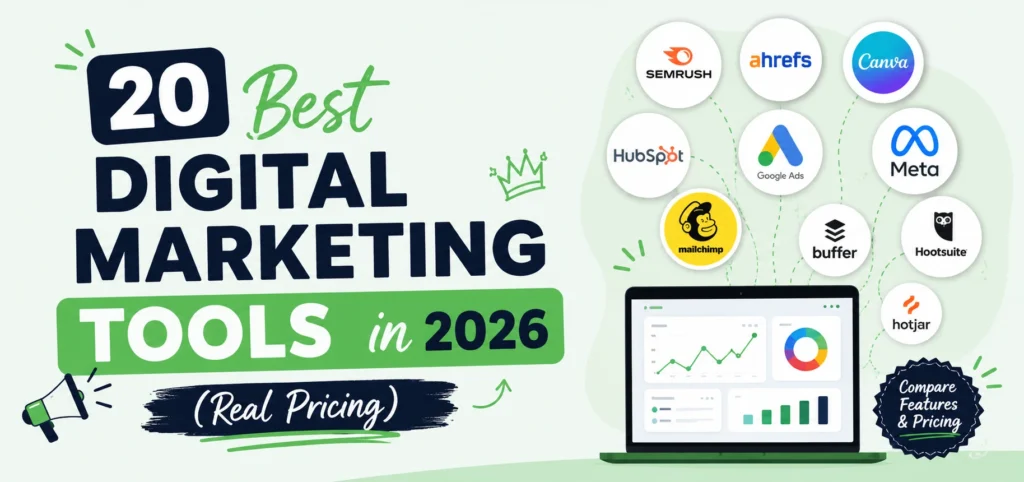
Every list of digital marketing tools has the same two problems: the prices are missing, and every tool sounds perfect. We run a marketing agency, we pay for these tools with our own money every month, and perfection is not our experience. Some are worth every dollar, some are worth zero dollars because they are genuinely free, and every single one has a catch the vendor’s homepage will not mention. This guide covers the 20 digital marketing tools that actually earn their place in a working stack in 2026, organized by category, with real pricing, the honest downside of each, and the exact order to build your stack in if budget is tight.
The best digital marketing tools in 2026 start free: Google Search Console, Google Analytics 4, Microsoft Clarity, Canva, and Buffer cover measurement, creative, and social at zero cost. Paid essentials follow by function: Semrush or SE Ranking for SEO ($55 to $140 monthly), MailerLite or Brevo for email (from $9), Google Ads and Meta Ads Manager for paid reach, ChatGPT and Surfer for AI-assisted content, and HubSpot plus Zapier for automation. Most small businesses need 5 to 8 tools, not 20, and the right build order is measurement first, one channel tool second, automation last.
What Are Digital Marketing Tools?
Digital marketing tools are software platforms that help you plan, execute, measure, and improve marketing across online channels: search, social, email, paid ads, and content. They replace guesswork with data and manual grunt work with automation, which is why every serious marketing operation runs on a stack of them.
The categories map to the channels themselves, the same channels covered in the full internet marketing system: SEO tools for search visibility, social tools for content and scheduling, email platforms for retention, ad managers for paid reach, AI tools for production speed, and automation tools to connect everything. Most businesses need one good tool per active channel, not one of everything.
How We Chose These 20 Digital Marketing Tools
Three filters, applied honestly. First, we use these tools in real client work, so every recommendation comes from paid experience rather than a features page. Second, every tool needed either a genuinely useful free plan or paid pricing a small business can justify. Third, every entry includes a real con, because a tool list without downsides is an ad, not advice. Prices reflect published 2026 rates and shift with plans and billing cycles, so confirm on each vendor’s page before buying.
Best Free Digital Marketing Tools
The strongest free digital marketing tools are not trials or teasers. These four are permanently free and form the foundation everything else builds on.
1. Google Search Console: Free Search Performance Data
Google Search Console shows exactly how your site performs in Google: which queries bring impressions and clicks, which pages are indexed, and what technical problems block visibility. It is the ground truth for everything SEO, straight from the source, and understanding its reports gets much easier once you know how a search engine works underneath them.
Pricing: Free, always.
The catch: Data is limited to your own site, and the interface buries useful reports under unintuitive menus.
2. Google Analytics 4: Free Website Analytics
GA4 tracks who visits your site, where they came from, and what they did, across web and app. Event-based tracking, conversion measurement, and audience insights, all at the depth paid tools charge hundreds for. Google’s official Analytics platform includes free training through its academy, which most users skip and should not.
Pricing: Free for virtually all small and mid-sized businesses.
The catch: The learning curve is real. GA4’s interface frustrates even experienced marketers, and useful reporting requires setup time.
3. Microsoft Clarity: Free Heatmaps and Session Recordings
Clarity shows you actual recordings of visitors using your site, plus heatmaps of where they click, scroll, and rage-click. Insights that used to cost $100+ monthly, free and unlimited.
Pricing: Free, unlimited traffic.
The catch: Analysis is manual. Clarity shows you the behavior but does not tell you what to fix.
4. Canva: Free Design for Non-Designers
Canva turns anyone into a passable designer: social graphics, ads, presentations, and short videos from templates with drag and drop editing. The free tier covers most small business needs.
Pricing: Free plan; Pro from about $15 per month.
The catch: Template popularity means your designs can look like everyone else’s unless you customize properly.
Best SEO Tools for 2026
Search visibility runs on data, and these are the platforms that provide it.
5. Semrush: Best All-in-One SEO Platform
Semrush covers keyword research, competitor analysis, site audits, rank tracking, backlinks, and content optimization in one place. The Keyword Magic Tool alone (billions of keyword ideas with volume and difficulty) justifies the price for content-driven businesses.
Pricing: From about $139 per month (Pro).
The catch: Expensive for solo users, and the feature sprawl means most people use 20 percent of what they pay for.
6. Ahrefs: Best Backlink Analysis
Ahrefs owns the deepest backlink database in the industry (over 1.5 trillion links), making it the tool for competitor link research and serious off-page work. Site Explorer remains the sharpest competitive research tool available.
Pricing: From $99 per month (Lite).
The catch: The credits-based model introduced in 2023 frustrates users, charging credits for actions as small as sorting data.
7. SE Ranking: Best Value SEO Tool
SE Ranking delivers roughly 90 percent of what the big two offer at about half the price, with an exceptional rank tracker that handles up to 3x more keywords than similarly priced rivals. The full head-to-head in our SE Ranking vs Ahrefs comparison shows exactly where each wins.
Pricing: From $55 per month (Essential).
The catch: The backlink database, while solid, is smaller and slower to update than Ahrefs.
Best Social Media Management Tools
Consistency wins on social, and these tools make consistency survivable.
8. Buffer: Best Simple Scheduler
Buffer schedules posts across Instagram, TikTok, Facebook, LinkedIn, and X from one clean dashboard, with a free plan covering 3 channels. The gentlest learning curve in the category.
Pricing: Free for 3 channels; paid from $6 per channel per month.
The catch: Analytics stay basic, and deeper reporting requires the pricier tiers.
9. Hootsuite: Best for Teams and Volume
Hootsuite manages high post volumes, team approvals, social listening, and unified inboxes across every major platform. Built for agencies and multi-brand teams rather than solo owners.
Pricing: From about $99 per month.
The catch: Expensive for what small businesses actually use, and the interface feels heavier every year.
10. CapCut: Best Short Form Video Editor
Short form video dominates every algorithm, and CapCut is the fastest way to produce it: templates, auto-captions, effects, and mobile editing that turns raw phone footage into publishable Reels and TikToks in minutes.
Pricing: Free; Pro from about $10 per month.
The catch: Watermarks and feature limits push serious users to Pro, and exports occasionally compress quality.
Best Email Marketing Tools
Email still delivers among the highest returns of any channel, and these three cover every budget.
11. MailerLite: Best Overall Email Platform
MailerLite pairs a clean drag and drop editor with automation, landing pages, and popups at prices that embarrass bigger names. Over 700,000 businesses send more than a billion emails monthly through it.
Pricing: Free for 500 contacts; paid from about $10.80 per month.
The catch: Strict compliance screening can hold new account imports in review for up to 24 hours.
12. Brevo: Best for Large Lists
Brevo charges by emails sent rather than contacts stored, which rewrites the economics for big lists that send selectively. A built-in CRM and SMS round out unusual value. The full landscape of options sits in our Mailchimp alternatives comparison with benchmark pricing.
Pricing: Free plan; paid from about $9 per month.
The catch: The free tier caps at 300 sends per day, and the editor feels plain for heavily designed layouts.
13. Mailchimp: Best Known, No Longer Best Value
Mailchimp remains the household name with polished templates and a huge integration directory. It stays on this list because its familiarity has real onboarding value, but repeated price increases since the Intuit acquisition changed the math.
Pricing: Free for roughly 500 contacts; paid from $20 per month.
The catch: It bills for unsubscribed contacts unless you archive them manually, and costs climb steeply as lists grow.
Best Paid Advertising Tools
Both platforms are free to use. You pay for the ads, not the tool.
14. Google Ads: Best for High-Intent Reach
Google Ads puts your business in front of people actively searching for what you sell, which makes it the highest-intent advertising available. Search, display, YouTube, and Performance Max campaigns run from one account.
Pricing: Free platform; you set the ad budget (realistic minimum around $500 monthly to learn anything).
The catch: The interface pushes automated settings that favor Google’s revenue over yours, and unmanaged accounts burn budgets fast.
15. Meta Ads Manager: Best for Demand Creation
Meta Ads Manager runs Facebook and Instagram campaigns with the deepest audience targeting in social advertising. Where Google captures existing demand, Meta creates it.
Pricing: Free platform; ad budget separate.
The catch: Privacy changes weakened tracking, so accurate measurement now requires first-party data setup (Conversions API) that most beginners skip.
Best AI Marketing Tools
AI tools earn their place by speeding up production, not replacing judgment.
16. ChatGPT: Best AI Marketing Assistant
ChatGPT drafts outlines, ad variations, email subject lines, and research summaries in seconds, functioning as a junior marketing assistant that never sleeps. The skill is in the prompting and the editing, because raw AI output ranks poorly and reads generically.
Pricing: Free; Plus at $20 per month.
The catch: Unedited output is detectably generic, and facts require verification every single time.
17. Grammarly: Best Writing Quality Control
Grammarly catches the errors that quietly damage credibility across emails, posts, and pages, with tone suggestions that tighten marketing copy.
Pricing: Free; Pro from about $12 per month.
The catch: Its suggestions flatten distinctive voice if you accept them all, so treat it as an editor, not an author.
18. Surfer SEO: Best AI Content Optimization
Surfer analyzes top-ranking pages for your target keyword and scores your draft against them in real time: word count, headings, terms to include. It turns content optimization from guesswork into a checklist.
Pricing: From about $79 per month.
The catch: Chasing a perfect Surfer score produces over-optimized content, and the tool works best as a guide rather than a target.
Best Automation and CRM Tools
The connective tissue that turns separate tools into a system.
19. HubSpot: Best Free CRM With Marketing Tools
HubSpot’s free tier bundles a genuinely capable CRM with email marketing, forms, and ad tracking, making it the standard starting point for lead management.
Pricing: Free CRM; Marketing Starter from $20 per month.
The catch: The price cliff is brutal: Professional jumps to $890 per month, so plan your growth path before committing deep.
20. Zapier: Best Workflow Automation
Zapier connects your tools to each other: new lead in a form triggers a CRM entry, an email, and a Slack alert, no code required. It quietly eliminates hours of weekly copy-paste work.
Pricing: Free plan; paid from about $20 per month.
The catch: Costs scale with task volume, and complex multi-step automations get expensive quickly.
All 20 Digital Marketing Tools Compared (Pricing Table)
| Tool | Category | Free Plan | Paid From | Best For |
| Google Search Console | SEO | Yes, fully | Free | Search performance truth |
| Google Analytics 4 | Analytics | Yes, fully | Free | Website measurement |
| Microsoft Clarity | CRO | Yes, fully | Free | Heatmaps, recordings |
| Canva | Design | Yes | ~$15/mo | Fast on-brand creative |
| Semrush | SEO | Trial | ~$139/mo | All-in-one SEO |
| Ahrefs | SEO | No | $99/mo | Backlink research |
| SE Ranking | SEO | Trial | $55/mo | Value + rank tracking |
| Buffer | Social | Yes (3 channels) | $6/channel | Simple scheduling |
| Hootsuite | Social | Trial | ~$99/mo | Teams and volume |
| CapCut | Video | Yes | ~$10/mo | Short form video |
| MailerLite | Yes (500) | ~$10.80/mo | Best email value | |
| Brevo | Yes | ~$9/mo | Large lists | |
| Mailchimp | Yes (~500) | $20/mo | Familiarity | |
| Google Ads | Paid ads | Platform free | Ad budget | High-intent reach |
| Meta Ads Manager | Paid ads | Platform free | Ad budget | Demand creation |
| ChatGPT | AI | Yes | $20/mo | Content assistance |
| Grammarly | AI | Yes | ~$12/mo | Writing quality |
| Surfer SEO | AI/SEO | No | ~$79/mo | Content optimization |
| HubSpot | CRM | Yes | $20/mo | Lead management |
| Zapier | Automation | Yes | ~$20/mo | Connecting everything |
How to Build Your Stack on a Small Budget
The order matters more than the tools. Here is the sequence we recommend to every small business.
Phase 1, $0: Google Search Console, GA4, Microsoft Clarity, Canva free, Buffer free, and CapCut. Full measurement, creative, and social presence without spending a dollar.
Phase 2, under $75 monthly: Add SE Ranking ($55) for SEO data and MailerLite (~$11) for email. Now you can find keywords, track rankings, and own your audience.
Phase 3, growth: Add ad spend through Google Ads or Meta (whichever matches your channel), ChatGPT Plus for production speed, and Zapier when manual data shuffling starts costing real hours.
Phase 4, scale: Upgrade to Semrush or Ahrefs when deeper competitive data pays for itself, Hootsuite when a team needs approvals, HubSpot tiers when lead volume demands it.
Most small businesses stop needing new tools at Phase 3. The stack should grow when a bottleneck appears, never before.
The Leemjaz Stack: What We Actually Pay For
Full transparency on what runs our own agency work: Google Search Console and GA4 anchor every client account, SE Ranking handles daily rank tracking across projects, Ahrefs comes out for deep backlink work, Canva and CapCut produce client creative, MailerLite runs email programs, and Zapier stitches the reporting together. Clarity sessions get reviewed before every conversion recommendation we make.
The pattern behind every tool choice: measurement before spend, value tools until data proves the premium tier pays. That same discipline drives client results, like the food business whose bookings doubled on identical ad spend once the measurement foundation exposed where clicks were leaking. Tools do not create strategy, but the right stack makes the strategy visible. If you want your stack audited, or the whole system run for you, the SEO team at Leemjaz maps what you actually need against what you are paying for, and the gap is usually worth the call.
Key Takeaways
- Start with the free foundation: Search Console, GA4, Clarity, Canva, Buffer, and CapCut cover measurement, creative, and social at $0.
- Pay by function, not fame: SE Ranking at $55 beats bigger names on value, MailerLite and Brevo undercut Mailchimp with more generous terms.
- Every tool has a catch: credits models, price cliffs, learning curves, and daily send caps hide in the fine print, and they are all listed above.
- Ad platforms are free; the budget is the cost, and unmanaged accounts burn it.
- Build in phases: measurement, then one channel tool, then automation. Most small businesses need 5 to 8 tools, not 20.
- AI tools speed production but never replace editing and judgment.
Frequently Asked Questions
1. What are digital marketing tools?
Digital marketing tools are software platforms that help businesses plan, run, measure, and improve online marketing across search, social media, email, paid advertising, and content. They range from free essentials like Google Analytics 4 and Search Console to paid platforms like Semrush, MailerLite, and HubSpot, typically combined into a connected stack.
2. What are the best free digital marketing tools?
The best free digital marketing tools in 2026 are Google Search Console (search performance), Google Analytics 4 (website analytics), Microsoft Clarity (heatmaps and session recordings), Canva (design), Buffer (social scheduling for 3 channels), and CapCut (short form video editing). Together they cover measurement, creative, and social presence at zero cost.
3. What tools do digital marketers actually use?
Most working marketers run a stack of 5 to 10 tools: GA4 and Search Console for measurement, Semrush or SE Ranking for SEO, Buffer or Hootsuite for social scheduling, MailerLite or Brevo for email, Google Ads and Meta Ads Manager for paid campaigns, Canva for creative, and Zapier to connect everything.
4. How much do digital marketing tools cost?
A capable small business stack costs $0 to $75 monthly using free foundations plus SE Ranking ($55) and MailerLite (~$11). Mid-sized stacks with Semrush, Hootsuite, and HubSpot tiers run $250 to $500 monthly, and ad spend always sits on top. The free tier alone covers more in 2026 than paid stacks did five years ago.
5. What are the best AI marketing tools?
ChatGPT ($20 monthly for Plus) leads for content drafting and research assistance, Grammarly (~$12) handles writing quality, and Surfer SEO (~$79) optimizes content against top-ranking pages. The honest rule with all three: AI speeds up production dramatically, but unedited AI output reads generic and ranks poorly, so human editing stays mandatory.
6. Which digital marketing tools are best for small businesses?
Small businesses get the most from Google’s free stack (Search Console, GA4), Microsoft Clarity, Canva, Buffer, and CapCut, then SE Ranking for SEO and MailerLite for email as the first paid additions. That complete setup runs under $75 monthly and covers every channel a small business actively uses.
Conclusion
The right digital marketing tools in 2026 are not the ones with the biggest brand names or the longest feature lists. They are the ones matched to your channels, your budget phase, and your honest capacity to use them. Start with the free foundation, because Search Console, GA4, and Clarity deliver more insight at zero cost than most paid dashboards did a few years ago. Add paid tools by function when a real bottleneck appears: SE Ranking when you get serious about search, MailerLite when you start owning your audience, Zapier when manual work starts stealing hours. Respect every catch listed above, because the fine print is where tool budgets go to die. Build the stack in phases, measure everything, and remember the rule that governs all twenty entries here: tools make good strategy faster, and they make no strategy expensive.