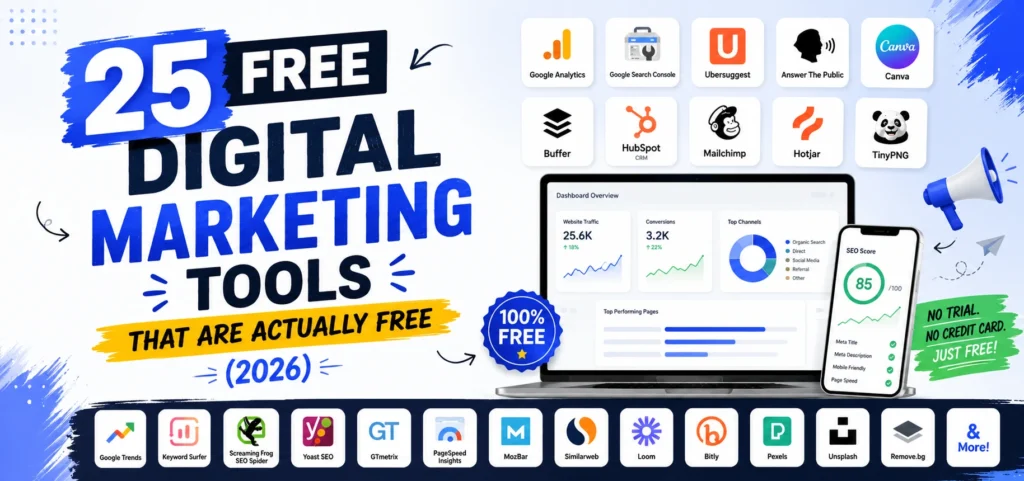
Most lists of free digital marketing tools are padded with software that is not free. A seven-day trial is not a free tool. Neither is a plan that lets you run three searches a day before hitting a paywall, unless someone tells you about the three searches upfront.
This list does tell you. Every tool below includes its actual free tier limit, what it does well, and who it suits. I have split them into two groups: tools that are permanently and genuinely free, and freemium tools whose free tier is still worth using provided you know where it stops.
What Counts as a Free Digital Marketing Tool
Three categories get mixed together on most lists, and the difference matters.
Permanently free. No credit card, no expiry, no meaningful cap. Google Search Console, Google Analytics 4, Microsoft Clarity, and Google Business Profile sit here. These are the foundation of any free stack.
Freemium with a usable free tier. A real free plan with limits you can work within. Canva, Buffer, and Ahrefs Webmaster Tools belong here.
Freemium with a token free tier. Technically free, practically a demo. Ubersuggest’s 3 daily searches and Moz Link Explorer’s 10 monthly queries fall here. Still useful for spot checks, useless as a primary tool.
A time-limited trial is not free and does not appear on this list.
Free Analytics and Measurement Tools
Start here. Measurement costs nothing and everything else depends on it.
1. Google Analytics 4
What it does: Tracks website traffic, user behaviour, conversions, and revenue by source.
Free tier limit: None that a small or mid-sized business will hit.
Best for: Understanding what visitors do after they arrive.
Why it is worth using: It is the only free tool that connects marketing activity to business outcomes. Everything else tells you about clicks. GA4 tells you what those clicks were worth.
2. Google Search Console
What it does: Shows how your site performs in Google search, including queries, impressions, click-through rate, indexing status, and technical errors.
Free tier limit: No query caps at all. Genuinely unlimited.
Best for: Anyone with a website. This is non-optional.
Why it is worth using: It is first-party search data straight from Google, not a third-party estimate. If GA4 tells you what happened after the click, Search Console tells you how Google saw your site before it. It is also where you catch indexing problems that no other tool will surface.
3. Microsoft Clarity
What it does: Heatmaps, session recordings, rage-click detection, and scroll depth tracking.
Free tier limit: None. Unlimited sessions, unlimited recordings, no paid tier at all.
Best for: Working out why a page is not converting.
Why it is worth using: This is the most underused free tool in digital marketing. Competing products charge $30 to $300 monthly for the same functionality. Watching ten real session recordings usually teaches you more about a landing page than a month of analytics.
4. Bing Webmaster Tools
What it does: The Bing equivalent of Search Console, with keyword research and backlink data included.
Free tier limit: Free with no query caps.
Best for: Capturing the traffic most marketers ignore.
Why it is worth using: Bing powers Copilot and feeds several AI assistants, so its index matters more than its market share suggests. It also surfaces backlinks that Google-focused tools miss.
5. Google Tag Manager
What it does: Deploys and manages tracking codes without touching your site’s code.
Free tier limit: Free at any scale.
Best for: Anyone running more than one tracking script.
Why it is worth using: It removes the developer bottleneck from measurement. Adding a conversion pixel becomes a five-minute job rather than a support ticket.
6. Looker Studio
What it does: Builds custom dashboards blending Search Console, GA4, Google Ads, and spreadsheet data.
Free tier limit: Free, with unlimited reports.
Best for: Client reporting and getting past Search Console’s 1,000-row interface cap.
Why it is worth using: It replaces paid reporting software entirely, and connecting Search Console through it unlocks far more query data than the interface shows.
7. UTM Link Builders
What it does: Adds consistent tracking parameters to your campaign links so GA4 can attribute traffic correctly.
Free tier limit: Free.
Best for: Anyone running campaigns across email, social, and paid.
Why it is worth using: Inconsistent tagging is the most common reason analytics data is useless. One campaign appearing under four different labels makes reporting meaningless, and a free UTM link builder enforces a single naming convention across your whole team.
Free SEO Tools for Keyword Research and Site Audits
This category has the most misleading free tiers, so limits are listed prominently.
8. Ahrefs Webmaster Tools
What it does: Site audit and backlink analysis using Ahrefs’ full index, for sites you own and verify.
Free tier limit: Free forever with no credit card and 5,000 crawl credits monthly, restricted to your own verified domains with no historical data.
Best for: Monitoring your own backlink profile and technical health.
Why it is worth using: Ahrefs has not offered a conventional free trial since 2022, so this is the only way to access their data without paying. You cannot research competitors with it, which is the trade.
9. Google Keyword Planner
What it does: Provides search volume ranges and keyword ideas straight from Google.
Free tier limit: Free with a Google Ads account. You do not need to run ads, though volumes show as broader ranges if you never spend.
Best for: Validating search volume before committing to a topic.
Why it is worth using: It is Google’s own data. Third-party volume estimates can vary substantially from it, so this is the number to cross-check against.
10. Google Trends
What it does: Shows relative search interest over time, by region, with rising related queries.
Free tier limit: Free, no restrictions.
Best for: Spotting seasonality and catching topics on the way up.
Why it is worth using: It shows direction, which volume tools do not. A term with modest volume that has tripled in six months is often a better bet than a flat high-volume term.
11. Screaming Frog SEO Spider
What it does: Crawls your site like a search engine, surfacing broken links, redirect chains, duplicate titles, and missing meta data.
Free tier limit: 500 URLs per crawl, which covers most small business sites entirely.
Best for: Technical SEO audits.
Why it is worth using: The free version exports crawl data, which most free tools block. For sites under 500 pages it does essentially everything the paid version does.
12. AnswerThePublic
What it does: Maps the questions, comparisons, and prepositions people search around a topic.
Free tier limit: A small number of free searches daily.
Best for: Finding real questions to build content and FAQ sections around.
Why it is worth using: Question-based content is what gets pulled into featured snippets and AI Overviews, and this surfaces the phrasing people actually use.
13. AlsoAsked
What it does: Visualises People Also Ask data as a branching tree, showing how questions relate.
Free tier limit: A few free searches daily.
Best for: Structuring a piece of content around the full question cluster rather than one query.
Why it is worth using: It shows question hierarchy, which no other free tool does, and that maps directly onto an H2 and H3 structure.
14. Keyword Surfer
What it does: A Chrome extension showing estimated search volumes directly in Google results.
Free tier limit: Completely free.
Best for: Fast keyword validation while browsing.
Why it is worth using: It removes the friction of switching to a keyword tool. Combined with Keyword Planner, Search Console, Trends, and AlsoAsked, this free set covers the large majority of what a small business needs from a paid SEO suite.
15. Moz Link Explorer
What it does: Backlink analysis with Domain Authority scores.
Free tier limit: 10 queries monthly.
Best for: Occasional competitor backlink spot-checks.
Why it is worth using: Ten queries is not a workflow, but it is enough to check a handful of competitors once a month, and Moz’s index surfaces links other free tools miss.
16. Ubersuggest
What it does: Keyword ideas, basic site audit, and competitor data in one dashboard.
Free tier limit: 3 searches per day, resetting every 24 hours.
Best for: Beginners learning keyword research.
Why it is worth using: The free tier was generous years ago and is now tight, and its volume estimates can differ noticeably from Google Keyword Planner. Treat it as directional and cross-check anything important.
17. PageSpeed Insights
What it does: Measures Core Web Vitals and page load performance on mobile and desktop, with specific fixes.
Free tier limit: Free, unlimited.
Best for: Diagnosing slow pages before they cost you rankings and conversions.
Why it is worth using: It uses real Chrome user data rather than a lab simulation, and it tells you exactly which element is causing the delay.
Free Content Creation and Design Tools
18. Canva
What it does: Graphic design with templates preset to correct dimensions for every platform, plus basic video editing and a content planner.
Free tier limit: Generous. Background remover, one-click resize, and the full brand kit are Pro features.
Best for: Any business without a designer.
Why it is worth using: It is the highest-value free tool on this list for most small businesses. The free content planner also lets you schedule directly to social platforms, which many users never discover.
19. CapCut
What it does: Vertical video editing with auto-captions, transitions, and a trending audio library.
Free tier limit: Free, with some templates and effects reserved for Pro.
Best for: Producing Reels, TikToks, and Shorts.
Why it is worth using: Auto-captions alone matter, since most social video is watched without sound and captioned video holds attention significantly longer.
20. Hemingway Editor
What it does: Flags long sentences, passive voice, and unnecessarily complex phrasing.
Free tier limit: The web version is free.
Best for: Tightening writing before publishing.
Why it is worth using: It is a readability check, not a style guide. Following it rigidly makes writing choppy, but it reliably catches the sentences readers will abandon.
21. Unsplash and Pexels
What it does: Free high-quality stock photography and video, licensed for commercial use.
Free tier limit: Free, no attribution required on most assets.
Best for: Blog imagery and social backgrounds.
Why it is worth using: Both remove the licensing risk of pulling images from search results, which is a genuine legal exposure more businesses run than realise.
Free Social Media Marketing Tools
22. Meta Business Suite
What it does: Native scheduling, unified inbox, and full insights for Facebook and Instagram.
Free tier limit: No limits, permanently free.
Best for: Businesses whose entire social presence is Facebook and Instagram.
Why it is worth using: It is unlimited because Meta owns the platform and has no reason to cap you. If those two channels are your whole strategy, you do not need third-party software at all.
23. Buffer
What it does: Cross-platform scheduling with basic analytics and a link-in-bio page.
Free tier limit: 3 channels with 10 queued posts each, refilling as posts publish.
Best for: B2B solo operators, since it is one of the few free plans covering both LinkedIn and X.
Why it is worth using: Several competing free plans quietly exclude LinkedIn or X, which makes them unusable for B2B. If you are choosing between platforms, the differences between social media marketing tools and their pricing models explain why identical-looking tools produce very different bills once you scale.
24. Metricool
What it does: Scheduling plus genuinely strong analytics and basic competitor tracking.
Free tier limit: 1 brand, 50 posts monthly, three months of analytics history. LinkedIn and X are excluded on free.
Best for: Creators and Instagram-first businesses wanting real analytics at no cost.
Why it is worth using: The best free analytics in the scheduling category by a clear margin. The platform exclusions are the deciding factor.
Free Email Marketing and Local SEO Tools
25. Brevo, MailerLite, and Mailchimp
What it does: Email campaigns, signup forms, basic automation, and subscriber management.
Free tier limit: Varies by provider and changes regularly. Brevo limits daily sends rather than contacts, MailerLite caps subscribers with a generous monthly send allowance, and Mailchimp caps both.
Best for: Building an owned audience you do not rent from a social platform.
Why it is worth using: Email is the only channel where no algorithm sits between you and your audience. Check current limits on each provider’s pricing page before choosing, since email free tiers change more often than any other category.
26. Google Business Profile
What it does: Manages how your business appears in Google Maps and the local pack, including hours, photos, posts, reviews, and messaging.
Free tier limit: Free, no restrictions.
Best for: Any business with a physical location or service area.
Why it is worth using: For local businesses this outperforms almost everything else on this list. A complete, active profile with recent photos and reviews affects local pack placement more than most on-site SEO work.
Free AI Tools for Digital Marketing
27. ChatGPT, Claude, and Gemini free tiers
What it does: Research, drafting, outlining, data summarising, and rewriting.
Free tier limit: Message and model limits vary and change frequently across all three.
Best for: Ideation, first drafts, and question mining.
Why it is worth using: Genuinely useful for structure and research. One firm caveat: language models fabricate search volume numbers. Use them for ideas and outlines, and use Google Keyword Planner for actual volumes.
28. Perplexity
What it does: Answers questions with cited sources, showing which pages it drew from.
Free tier limit: Free with limits on advanced models.
Best for: Checking whether your brand appears in AI-generated answers.
Why it is worth using: Run your commercial queries through it monthly and note whether you are cited. As AI search takes more of the discovery journey, this is a free way to monitor visibility that most businesses are not yet tracking.
The Free Digital Marketing Stack We Recommend
Tools only work in combination. Four stacks by business type.
Local service business: Google Business Profile, Search Console, GA4, Microsoft Clarity, Canva, Meta Business Suite. Total cost: nothing. This covers roughly everything a plumber, salon, or restaurant needs.
Content-led small business: Search Console, GA4, Ahrefs Webmaster Tools, Google Keyword Planner, AlsoAsked, Screaming Frog, Canva, one email provider. Still free, and it replaces a substantial share of what a paid SEO suite delivers.
Ecommerce: GA4 with ecommerce tracking, Search Console, Microsoft Clarity, Google Merchant Center, Canva, CapCut, Meta Business Suite, one email provider. Clarity matters most here, because watching real checkout sessions finds revenue leaks nothing else surfaces.
B2B: Search Console, GA4, Buffer for LinkedIn, Ahrefs Webmaster Tools, AlsoAsked, Looker Studio for reporting, one email provider.
Once free tiers stop fitting, the paid options and what they actually cost are covered in our comparison of the best digital marketing tools with real pricing.
What We Have Learned Using Free Digital Marketing Tools at Leemjaz
We use most of these daily, alongside paid software, and a few things have surprised us.
Microsoft Clarity finds problems that paid analytics miss. We have watched session recordings reveal a broken mobile form, a button nobody could see on iPhone, and a checkout step where users repeatedly rage-clicked a non-clickable element. None of those appeared in any dashboard. All three were costing real money. It is free and unlimited, and we have never understood why so few businesses install it.
Search Console is consistently underused. Most clients arrive with it connected and never opened. The Performance report filtered to queries where you rank between positions 8 and 20 is the fastest content win available anywhere, free or paid, because those pages need optimisation rather than creation.
Free tools tell you what to buy. We deliberately run new clients on free tiers for the first month. It establishes real usage patterns, and the answer is frequently that a $30 tool covers them rather than the $200 one they were about to buy. Guessing at requirements is how businesses end up paying for capacity they never touch.
The free stack breaks at competitor research, not at your own data. Everything about your own site is well covered for free. The moment you need to see what competitors rank for, which pages earn their links, and where their traffic comes from, free tools stop. That is the single clearest signal it is time to pay for something.
Free does not mean fast. A free stack takes more manual assembly, and switching between six dashboards to build one report costs hours. For a solo operator that trade is worth it. For a team of five, the salary cost of that time exceeds the subscription.
Free Digital Marketing Tools FAQs
What are the best free digital marketing tools?
Google Search Console and Google Analytics 4 are the foundation, since both are permanently free with no caps and cover search performance and on-site behaviour. Microsoft Clarity adds unlimited free heatmaps and session recordings. Canva handles design, Meta Business Suite covers Facebook and Instagram scheduling, and Google Business Profile drives local visibility. For SEO research, Ahrefs Webmaster Tools, Google Keyword Planner, Google Trends, and AlsoAsked cover most needs at no cost.
Can you actually do digital marketing for free?
Yes, for the software. You can cover analytics, SEO research, design, scheduling, email, and local visibility using free tools alone, and plenty of businesses have grown substantially doing exactly that. What free tools cannot replace is time and skill. Tools do not produce content, write copy, or interpret data. The realistic version is free software plus your own effort, which is a genuine trade rather than a shortcut.
Are free digital marketing tools good enough for small businesses?
For most, yes. Testing has found that a handful of free tools including Google Keyword Planner, Search Console, Google Trends, and Keyword Surfer cover roughly 80 to 90 percent of what a $129 monthly Ahrefs plan delivers for a small business. The gap appears in competitor research, historical data, and bulk exports, none of which most small businesses need weekly.
What is the best free alternative to Ahrefs or Semrush?
There is no single replacement, but a combination works. Ahrefs Webmaster Tools gives you real Ahrefs backlink data for your own verified domains free, with no credit card and no expiry. Pair it with Google Search Console for query data, Google Keyword Planner for volumes, and Screaming Frog’s free 500-URL crawl for technical audits. The limitation is competitor research: Ahrefs Webmaster Tools only works on sites you own, and free tiers of Ubersuggest and Moz cap you at 3 daily searches and 10 monthly queries respectively.
Do free digital marketing tools require a credit card?
The best ones do not. Google Search Console, Google Analytics 4, Microsoft Clarity, Bing Webmaster Tools, Google Business Profile, and Ahrefs Webmaster Tools all require no payment details and never expire. Google Keyword Planner needs a Google Ads account but not active spend, though volumes display as wider ranges if you have never run ads. Be cautious with anything described as a free trial, since those require a card and convert automatically.
When should I upgrade from free digital marketing tools to paid?
Three signals. You need competitor data, which free tools genuinely cannot provide at any useful volume. You are hitting caps consistently, such as Ubersuggest’s 3 daily searches or a social tool’s third channel. Or the time spent moving between free dashboards costs more in salary than a subscription would. Below those thresholds, paying buys convenience rather than capability.
Conclusion
The businesses that get the most from free digital marketing tools are not the ones with the longest list installed. They are the ones running four or five consistently and acting on what the data shows. Pick the stack matching your business type from the section above, install everything in an afternoon, and give it 30 days. You will learn more about where your marketing actually leaks from a week of Clarity recordings and a filtered Search Console report than from any tool you could buy.