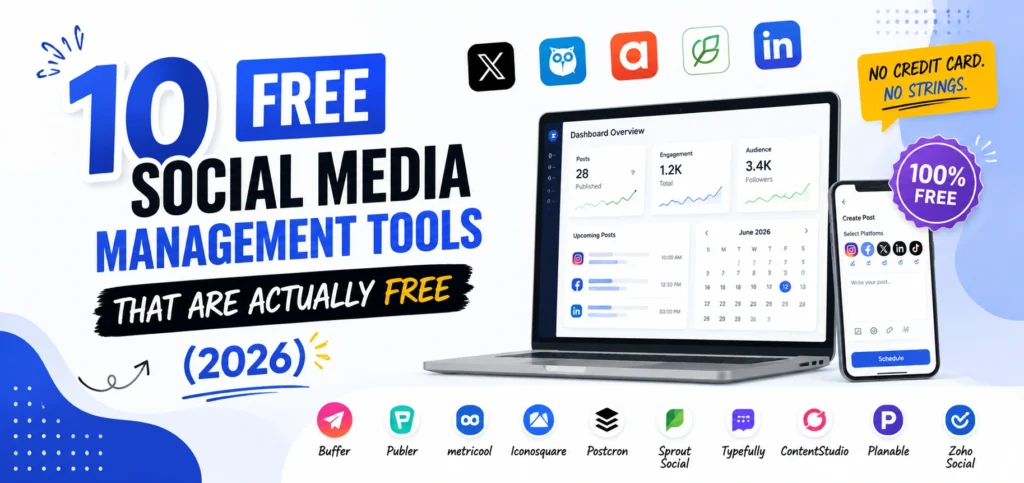
Most lists of free social media management tools are padded with tools that are not really free. A plan capping you at five posts per month is not a free tier, it is a demo. You will hit the wall in week one, which is exactly what it was designed to do.
The ten below are different. Each one can run a real social media presence at zero cost, and for each I have listed what the free plan actually includes, the limit you will hit first, and who it suits. I have also flagged the two most common traps: free plans that quietly exclude LinkedIn and X, and free plans that count posts monthly rather than by queue.
What Free Social Media Management Tools Actually Include
Three restrictions decide whether a free plan works for you. Check these before connecting anything.
Channel count. Almost no free plan allows more than three connected accounts. Buffer gives three channels, Publer three accounts, Agorapulse three profiles. If you run four or more, free tools stop being viable regardless of features.
Which platforms are actually included. This is the trap nobody warns you about. Some tools list a channel as supported but gate it behind a paid plan, and Metricool does exactly this with X and LinkedIn. A free plan that excludes LinkedIn is useless to a B2B business no matter how good the analytics are.
How posts are counted. Queue limits and monthly limits behave completely differently. Buffer’s ten posts per channel is a queue cap, so slots free up as posts publish. Metricool’s is a monthly total that resets. Metricool allows 50 posts monthly, the highest on this list, while Buffer allows 30 in queue across three channels.
Work out your real posting volume first. At four posts weekly across four platforms you need roughly 64 posts monthly, which no free plan handles. Under about 40 posts monthly, free tools work fine.
The 10 Best Free Social Media Management Tools
1. Meta Business Suite
Free plan includes: Unlimited scheduling for Facebook and Instagram, unified inbox for comments and messages, full insights, audience data, and ad creation.
Best for: Any business whose entire presence is Facebook and Instagram.
The limit you will hit: Meta platforms only. No LinkedIn, X, TikTok, or Pinterest.
Verdict: The only genuinely unlimited option here, because Meta owns the platform and has no reason to cap you. If Facebook and Instagram are your whole strategy, you do not need a third-party tool at all. Start with Meta’s own Business Suite before paying for software that mostly wraps the same API.
2. Buffer
Free plan includes: Three channels with ten queued posts each, AI Assistant, basic analytics, community inbox, and best-time-to-post recommendations. The Start Page link-in-bio tool is also included free.
Best for: B2B solo operators and small teams, because it is the only strong free plan that includes both LinkedIn and X.
The limit you will hit: The ten-post queue per channel stops you batching a full month ahead.
Verdict: The most complete free plan overall. It also lets you set posting goals such as three times per week and auto-generates recommended slots, which genuinely helps with consistency. Start here if you are unsure. ZernioZernio
3. Metricool
Free plan includes: Fifty posts monthly, AI assistant, and three months of analytics history with basic competitor tracking, across six platforms.
Best for: Creators and businesses who want real analytics without paying for them.
The limit you will hit: LinkedIn and X are excluded from the free plan entirely.
Verdict: The best free analytics in this list by a clear margin, and the highest post allowance. The platform exclusions are the deciding factor: perfect for an Instagram and TikTok business, unusable for B2B.
4. Publer
Free plan includes: Three connected accounts with ten queued posts each, drafts, and a link-in-bio page that most competitors paywall.
Best for: Creators who want a bio link and a scheduler in one free account.
The limit you will hit: X is excluded on free, and post history is capped at 24 hours.
Verdict: The most generous feature set per free account. If you want the widest functionality without paying and do not need X, this beats Buffer on features while matching it on channels.
5. Agorapulse
Free plan includes: Three social profiles, scheduling, and a social inbox for managing incoming messages and comments.
Best for: Businesses where replying matters more than publishing.
The limit you will hit: Scheduling volume and reporting are thin compared with paid tiers.
Verdict: The only free plan on this list that includes a social inbox. If comments and DMs are your bottleneck rather than posting, this is the one to pick.
6. Zoho Social
Free plan includes: One brand with up to six connected profiles, basic reporting, and a monitoring dashboard.
Best for: Single-brand businesses needing more connected profiles than three.
The limit you will hit: One brand only, and the free tier’s scheduling capability is more restricted than the profile count suggests.
Verdict: The most connected profiles available on any free plan, which matters if you are on six platforms with low volume. Confirm the current scheduling limits on Zoho’s own pricing page before building a workflow around it, since reporting on this plan varies.
7. Postiz
Free plan includes: Everything, if you self-host. Open-source scheduling across all major platforms with no artificial account caps, plus a team workspace.
Best for: Technically confident teams who want no caps and no recurring cost.
The limit you will hit: You own the server, the updates, and the API troubleshooting.
Verdict: The only genuinely unlimited third-party option, and the trade is your time instead of your money. If someone on your team can run a Docker container, this removes every restriction in this article.
8. Planable
Free plan includes: Fifty total posts with unlimited users and full collaboration features.
Best for: Teams and freelancers who need a client or manager to approve posts before they publish.
The limit you will hit: The fifty posts are a lifetime total, not monthly, so it runs out permanently.
Verdict: Unlimited users on a free plan is genuinely rare, and the approval workflow is the best in the category. Treat it as an extended trial for the approval process rather than a permanent home.
9. Pallyy
Free plan includes: Scheduling for one social set, a visual Instagram grid planner, and a bio link page.
Best for: Instagram-first brands where the grid layout is part of the strategy.
The limit you will hit: Post volume, and it is Instagram-centric by design.
Verdict: The best free visual planner now that Later’s free plan sits at around five posts monthly. If you plan your grid before you post, this replaces a paid visual tool.
10. Canva
Free plan includes: Content Planner for scheduling directly to social platforms, plus the full free design library, templates at correct dimensions, and basic video editing.
Best for: Small businesses without a designer who want to create and schedule in one place.
The limit you will hit: Scheduling is basic, with no inbox, no analytics, and no approval flow.
Verdict: The overlooked option. Most people use Canva for design and pay separately for a scheduler, without realising they can publish straight from it. For a business posting a few times weekly, that is one subscription eliminated.
Free Tools Worth Skipping
Three names appear on almost every list of free social media management tools and should not. Loomly and Tailwind both cap free users at around five posts monthly, and Later’s free tier is similarly restricted, which is not enough to maintain a presence on a single platform, let alone several. All three are good paid products. Their free plans exist to demonstrate the interface, not to be used.
Which Free Social Media Management Tool Should You Choose
Pick based on your constraint, not on features.
- Facebook and Instagram only: Meta Business Suite. Nothing else comes close, and it costs nothing forever.
- You need LinkedIn or X: Buffer. It is the only strong free plan that includes both.
- You want to know what is working: Metricool, provided you are not on LinkedIn or X.
- Comments and DMs are the problem: Agorapulse, for the free inbox.
- Someone has to approve posts: Planable, while the 50 posts last.
- You are Instagram-first: Pallyy for the grid planner, or Canva if you also design there.
- You want no limits and can self-host: Postiz.
If you are still deciding between free and paid, the wider comparison of social media marketing tools and their pricing models covers why identical tools produce very different bills depending on whether they charge per channel, per seat, or per brand.
When to Stop Using Free Tools
Three signals, and none of them is a feature you are missing.
You have four or more channels. Every free plan caps at three. At four you are either splitting across two free accounts, which creates errors, or paying.
Two people need to touch the calendar. Free plans are built for one operator. The first time someone publishes the wrong draft, the cost of the mistake exceeds the subscription.
You are posting more than about 40 times monthly. Above that, monthly caps and queue limits turn scheduling into a daily chore, which defeats the purpose of the tool.
Below those thresholds, upgrading buys convenience rather than capability.
What We Have Learned Running Free Tools at Leemjaz
We deliberately start most new clients on free plans, and we have learned a few things that do not appear on any pricing page.
Free tiers tell you your real posting volume. Almost every business overestimates how often it will post. Thirty days on a free plan produces an honest number, and that number determines which paid tier is right. Buying first means guessing, and guessing means overbuying.
Check platform coverage before anything else. We have watched more than one business set up a free tool completely, then discover their main channel was excluded from the tier. Metricool blocking LinkedIn and X on free is the most common version of this. Connect your most important channel first and confirm it works before building anything around the tool.
Native analytics stay the source of truth. Free third-party dashboards estimate; platform insights measure. We schedule through the tool and report from native analytics, which avoids the awkward moment when two dashboards disagree by twenty percent.
Free scheduling does not fix free tracking. Knowing a post published tells you nothing about whether it drove business. Tagging your social links consistently is what closes that gap, and our free UTM link builder enforces one naming convention so your Google Analytics data stays clean across every channel.
Budget for content, not just scheduling. The most common mistake we see is a business solving distribution and ignoring creation. A scheduler moves content. It does not make content worth moving. If you are assembling a full stack rather than solving one problem, our roundup of the best digital marketing tools with real pricing covers what else belongs alongside it.
Free Social Media Management Tools FAQs
Are free social media management tools actually safe to use?
Yes. Established platforms like Buffer, Later, Agorapulse, and Metricool connect through official platform APIs using OAuth, so you never share your password. The real risk is not security, it is whether the free tier’s limits waste your time. Vet the restrictions, not the safety.
What is the best completely free social media management tool?
Meta Business Suite, if you only use Facebook and Instagram, because it is unlimited and permanently free. For multiple platforms, Buffer’s free plan is the most complete, covering three channels including LinkedIn and X with basic analytics and a link-in-bio page. For unlimited use across all platforms, self-hosted Postiz is free but requires technical setup.
How many social accounts can I connect for free?
Three on almost every tool. Buffer gives three channels, Publer three accounts, and Agorapulse three profiles, and no free plan on this list exceeds three. Zoho Social is the exception, allowing six profiles within a single brand. Beyond that, every tool requires a paid plan.
Do free social media management tools include analytics?
Some do, and the depth varies widely. Metricool’s free plan includes three months of analytics history with basic competitor tracking, and Zoho Social includes basic reporting. Buffer provides basic post-level analytics. For accuracy, native platform insights remain better than any free third-party dashboard, because the platform measures rather than estimates.
Can I schedule Instagram posts for free?
Yes, on several tools. Meta Business Suite schedules unlimited Instagram posts for free, and Buffer, Later, Metricool, and Pallyy all support Instagram on their free plans with varying post limits. For visual planning specifically, Pallyy’s free grid preview is the strongest option now that Later’s free allowance is heavily restricted.
When should I upgrade from a free plan?
When you cross one of three thresholds: a fourth connected channel, a second person needing calendar access, or roughly 40 posts monthly. Missing features is rarely the reason people upgrade. Hitting caps is. Use the free plan deliberately for a month to learn where your real limits sit, then buy the tier that matches your actual usage rather than your ambitions.
Conclusion
Free social media management tools are not a compromise for small businesses. For a single operator posting a few times weekly across two or three channels, the free tiers above do everything the paid versions do. The decision that matters is not which tool has the best features. It is which restriction you can live with: three channels, a monthly post cap, or a missing platform. Pick the one whose limit you will not notice, run it for a month, and let your own usage data decide whether you ever need to pay at all.