Getting more Google reviews starts with asking customers at the right time and making the process simple. If you want to know how to get more Google reviews, create a direct review link, share it after successful customer interactions, and follow up politely. A consistent process helps your business collect genuine feedback and build local trust.
What You Need to Know First
- Ask customers for feedback shortly after they receive your product or service.
- Use your Google Business Profile review link to make leaving feedback easier.
- Share QR codes through receipts, packaging, emails, and in-store displays.
- Respond to positive and negative reviews with thoughtful, professional replies.
- Never buy reviews, offer rewards for reviews, or ask only happy customers to leave feedback.
Why Do Google Reviews Matter for Local Businesses?
Google reviews help potential customers understand what it’s like to work with your business before they contact you or make a purchase.
When someone searches for a nearby plumber, dentist, restaurant, or marketing agency, reviews can influence which business they consider first. Customers often look beyond the star rating. They want to know whether a company communicates well, delivers on promises, and handles problems professionally.
Reviews also contribute to your local online presence. Google explains that positive reviews and helpful responses can help businesses stand out in Search and Maps.
However, getting more reviews shouldn’t become your only local SEO priority. Your business also needs accurate contact information, relevant services, useful website content, and a complete Business Profile.
If you want to improve these elements together, start with Google Business Profile optimization and make sure your listing gives customers the information they need.
1. Create a Direct Google Review Link
A direct review link removes unnecessary steps between your business and the customer. Instead of asking someone to search for your company, find your listing, and locate the review button, you can send them directly to the review process. Google provides an official option to create and share review links and QR codes through its Google Business Profile review link instructions.
Here’s how to find your link:
- Open your Google Business Profile on a desktop browser.
- Find the Read Reviews section.
- Select the Get More Reviews option.
- Copy the review link provided by Google.
- Save it somewhere your team can access easily.
You can now include this link in customer emails, text messages, invoices, and other appropriate communication.
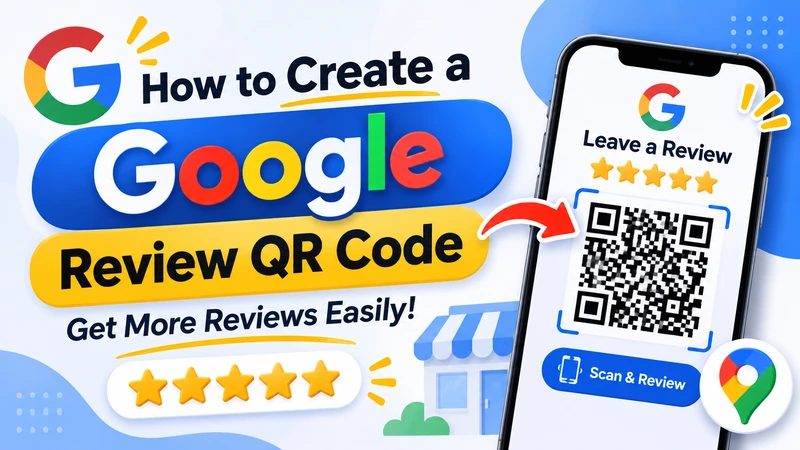
Google also allows businesses to create a QR code from their review-sharing options. According to its current instructions, QR codes must be generated through a computer browser.
A useful tip: Test your review link before sharing it. Open it in a private browser window and check whether it takes you to the correct business listing.
This small step can prevent customers from receiving broken links or landing on the wrong profile.
2. Ask Customers at the Right Time
Timing can make a noticeable difference in whether someone responds to your request.
The best time to request feedback is usually shortly after the customer has experienced your service or received their purchase. At this point, they can remember the details and describe their experience more easily.
For example, a home cleaning company might send a review request after completing a scheduled cleaning. A restaurant could display a QR code on the receipt, while a web design agency might ask for feedback after delivering a completed website.
Consider these opportunities:
| Business type | Suitable time to ask |
| Restaurant | After the dining experience |
| Dental practice | After the appointment |
| Cleaning service | After completing the job |
| Online retailer | After product delivery |
| Digital marketing agency | After completing a project milestone |
| Auto repair shop | After returning the vehicle |
Avoid interrupting customers while they’re busy or pressuring them to leave feedback immediately.
A polite request gives people enough freedom to decide whether they want to participate.
3. Send Personalized Review Requests Through Email
Email is a practical way to collect feedback because you can contact customers after their purchase, appointment, or completed project.
However, avoid sending generic messages that sound like automated advertisements.
Keep your request short, mention the service the customer received, and include a direct review link.
Example email template:
Subject: We’d Appreciate Your Feedback
Hi [Customer Name],
Thank you for choosing [Business Name]. We hope you had a positive experience with our team.
If you have a moment, we’d appreciate it if you could share an honest review of your experience on Google.
Your feedback helps other customers understand what to expect when working with us.
[Leave a Google Review]
Thank you for your support!
Best regards,
[Business Name]
You don’t need to send several emails to the same customer. One initial request and, where appropriate, one gentle follow-up are usually enough.
Also, don’t ask customers to change their feedback in exchange for discounts or special treatment.
4. Use Text Messages to Make Reviewing Easier
Text messages work well for businesses that already communicate with customers through SMS.
A short message with a direct link gives customers an easy way to share their experiences without searching for your business online.
For example:
“Hi [Name], thanks for choosing [Business Name]! We’d appreciate your honest feedback about your experience. You can share it here: [Google Review Link]. Thank you!”
Keep these messages relevant and respectful.
Before sending marketing-related text messages, make sure your communication practices comply with applicable US consent and messaging requirements, including the Telephone Consumer Protection Act where applicable.
Don’t repeatedly message customers who haven’t responded. A review request should feel like a friendly invitation, not an obligation.
5. Display Google Review QR Codes at Your Business
A QR code makes it easier for customers to access your review page using their smartphones.
Customers simply scan the code and follow the link. This works particularly well for businesses with physical locations or regular face-to-face customer interactions.
You can place your QR code in:
- Checkout areas and reception desks.
- Printed receipts and invoices.
- Product packaging and thank-you cards.
- Appointment completion documents.
- Restaurant tables or counter displays.
- Business cards and printed brochures.
Add a short message beside the code, such as:
“Had a good experience? Share your honest feedback on Google.”
Don’t make the QR code the entire message. Explain why customer feedback matters and give people a clear choice.
Also, check that the printed code scans properly before distributing it.
6. Respond to Every Review You Receive
Responding to reviews shows customers that your business pays attention to feedback.
It also gives potential customers an opportunity to see how you communicate with people after a purchase or service.
For positive reviews, thank the customer and mention something relevant about their experience.
For example:
“Thank you for choosing our team! We’re glad you had a positive experience with our website design service. We appreciate your feedback and hope to work with you again.”
Negative reviews need a different approach.
Avoid arguing, blaming customers, or sharing private information. Acknowledge the concern and offer to discuss the issue through an appropriate private channel.
Example response:
“Thank you for sharing your feedback. We’re sorry your experience didn’t meet expectations. We’d appreciate the opportunity to understand what happened and address your concerns. Please contact our team directly so we can look into this.”
You don’t need to agree with every complaint. However, a calm and helpful response can demonstrate that your business takes customer concerns seriously.
7. Build a Consistent Review Request Process
If you want a steady flow of genuine feedback, make review requests part of your normal customer service process.
Don’t depend on remembering to ask customers whenever someone on your team has spare time.
Instead, create a simple workflow that fits your business.
A practical review collection workflow:
- Complete the customer’s purchase, appointment, or project.
- Confirm that the agreed service has been delivered.
- Send a polite review request through an appropriate communication channel.
- Include your direct Google review link.
- Record when the request was sent.
- Check whether the customer responded.
- Reply to any published review professionally.
You can manage this process using tools your business already uses.
For example, HubSpot can help manage customer communication, while Mailchimp can support appropriate email follow-ups. Google Business Profile provides the review link and review management features.
You don’t necessarily need paid reputation management software when you’re starting out.
A spreadsheet can track the basic information:
| Customer or job ID | Request sent | Review received | Response completed |
| Customer A | Yes | Yes | Yes |
| Customer B | Yes | No | Not applicable |
| Customer C | Yes | Yes | Yes |
Avoid storing unnecessary personal information in your tracking sheet. The purpose is to monitor the process, not collect more customer data than you need.
8. What Is the Best Way to Get More Google Reviews?
The best approach combines convenient review links, timely requests, and consistent customer communication.
There isn’t one method that works equally well for every business. A restaurant may benefit from QR codes, while a consulting company may receive better responses through personalized emails.
Here’s a quick comparison:
| Method | Best for | Main advantage |
| Email requests | Agencies and service providers | Personalized communication |
| SMS requests | Appointment-based businesses | Quick and convenient |
| QR codes | Restaurants and retail stores | Easy in-person access |
| Receipts | Retail and hospitality | Reaches customers after purchase |
| Follow-up messages | Existing customers | Creates a consistent process |
Test different channels and monitor which ones receive the most genuine responses.
One important distinction: you can make the opportunity to review easier, but you shouldn’t try to control what customers write.
9. Real Example: How a Small Business Can Improve Its Review Process
Consider an illustrative example of a local home cleaning company in Austin, Texas.
The business completes approximately 40 customer jobs each month but rarely receives Google reviews. The owner realizes that customers are satisfied, yet the team doesn’t have a consistent way to request feedback.
Instead of purchasing reputation management software, the owner introduces a simple process.
Month one:
- Completed jobs: 40
- Customers contacted for feedback: 30
- Genuine Google reviews received: 6
Month two:
- Completed jobs: 40
- Customers contacted for feedback: 36
- Genuine Google reviews received: 10
These figures are illustrative, not actual client results or industry benchmarks.
The business improves its process by sending requests shortly after completing jobs, adding a review link to follow-up emails, and displaying a QR code on printed invoices.
The main improvement isn’t a complicated marketing campaign. It’s the consistency of asking customers at an appropriate time.
The owner can now compare completed jobs, review requests, and published reviews to understand where the process needs improvement.
10. Common Mistakes That Can Hurt Your Google Reviews
Getting more feedback is useful, but certain shortcuts can damage your reputation or put your Business Profile at risk.
Here are mistakes worth avoiding.
Buying Google Reviews
Never purchase reviews from websites offering guaranteed five-star ratings.
These reviews may come from people who have never used your services. Google prohibits fake engagement, and suspicious review activity can lead to content removal or profile restrictions.
Offering Discounts for Reviews
Offering a free product, gift card, or discount in exchange for a Google review violates Google’s review policies.
Don’t offer rewards for positive feedback, negative feedback, or changing an existing review.
Asking Only Happy Customers
Some businesses send review links only to customers they expect to leave five-star feedback.
This practice, often called review gating, creates a misleading picture of customer experiences. Ask customers consistently, regardless of whether you expect positive or negative feedback.
Sending Too Many Reminders
Repeated requests can frustrate customers and make your business look desperate.
Send a reasonable request and avoid unnecessary follow-ups.
Ignoring Negative Feedback
Leaving complaints unanswered can create a poor impression.
Respond professionally, acknowledge legitimate concerns, and try to resolve issues without turning public reviews into arguments.
Forgetting to Check Your Business Profile
Sometimes businesses focus entirely on collecting feedback while ignoring problems with their listings.
Incorrect business hours, outdated phone numbers, duplicate profiles, and missing information can affect customer confidence.
If your listing has been suspended or restricted, address the underlying issue before focusing on review collection. The Google Business Profile suspension guide explains common suspension issues and the steps businesses can take to address them.
11. How Should You Measure Your Google Review Performance?
Review performance should be measured through more than the total number of stars displayed on your profile.
Track a few practical metrics each month:
New reviews: How many genuine reviews did your business receive?
Review request rate: How many completed customer interactions resulted in a request?
Response rate: How consistently does your business respond to published reviews?
Customer feedback themes: What do customers repeatedly mention about your products, communication, pricing, or service quality?
Rating trends: Is your average rating changing over time?
You can monitor your reviews through Google Business Profile and use a spreadsheet to record monthly progress.
For example, if your business sends 50 appropriate review requests and receives 8 reviews, your observed response rate is 16%.
That figure is an example of how to calculate your own results, not a recommended industry target.
Also, don’t judge your local SEO performance by review count alone. Monitor relevant search visibility, website visits, calls, direction requests, and customer inquiries to understand whether your wider local marketing strategy is working.
12. How Leemjaz Can Help You Improve Your Local Visibility
Collecting genuine customer feedback is one part of building a stronger local online presence. Your business also needs an accurate Google Business Profile, relevant website content, and a clear local SEO strategy. Leemjaz helps businesses improve their online visibility through SEO, Google Business Profile optimization, content marketing, and other digital marketing services. A well-planned strategy connects your customer experience with your online presence, helping potential customers find useful information when researching local businesses.
Frequently Asked Questions
1. How do I ask customers for Google reviews?
Ask customers politely after they’ve received your product or service. Send a short email or text message with your direct Google review link. Explain that you value their honest feedback and make it clear that leaving a review is optional. Avoid pressuring customers or asking them to provide a particular star rating.
2. Can I send customers a direct Google review link?
Yes. Google Business Profile allows verified businesses to share a direct review link with customers. You can copy the link from the Get More Reviews option in your profile and share it through email, text messages, receipts, or other appropriate communication channels. You can also generate a QR code for printed materials.
3. How many Google reviews should a small business have?
There isn’t a universal number of reviews that every small business needs. The appropriate target depends on your industry, location, competitors, and customer volume. Focus on consistently collecting genuine feedback rather than trying to reach an arbitrary number. Review quality, recency, and customer experiences also matter when potential customers compare businesses.
4. Can I offer customers discounts for Google reviews?
No. Google prohibits businesses from offering discounts, free products, payments, or other incentives in exchange for Google reviews. You also cannot reward customers for changing or removing negative feedback. The safest approach is to request honest feedback without offering anything in return or influencing what customers write.
5. Why aren’t my Google reviews showing up?
Google reviews may not appear immediately because they can undergo automated checks or moderation. Reviews that violate Google’s content policies may also be removed. Ask the customer whether they successfully submitted the review, check your Business Profile for updates, and avoid repeatedly asking them to repost. Never create replacement reviews on behalf of customers.
Where to Go From Here
Getting genuine customer feedback doesn’t require an expensive reputation management system. Start by creating your Google review link, identifying the right moments to ask customers, and adding a simple follow-up process to your regular operations. Make reviewing optional, respond to feedback professionally, and monitor your progress every month. Your next step is simple: share your review link with your next eligible customer and make collecting honest feedback a regular part of your service process.