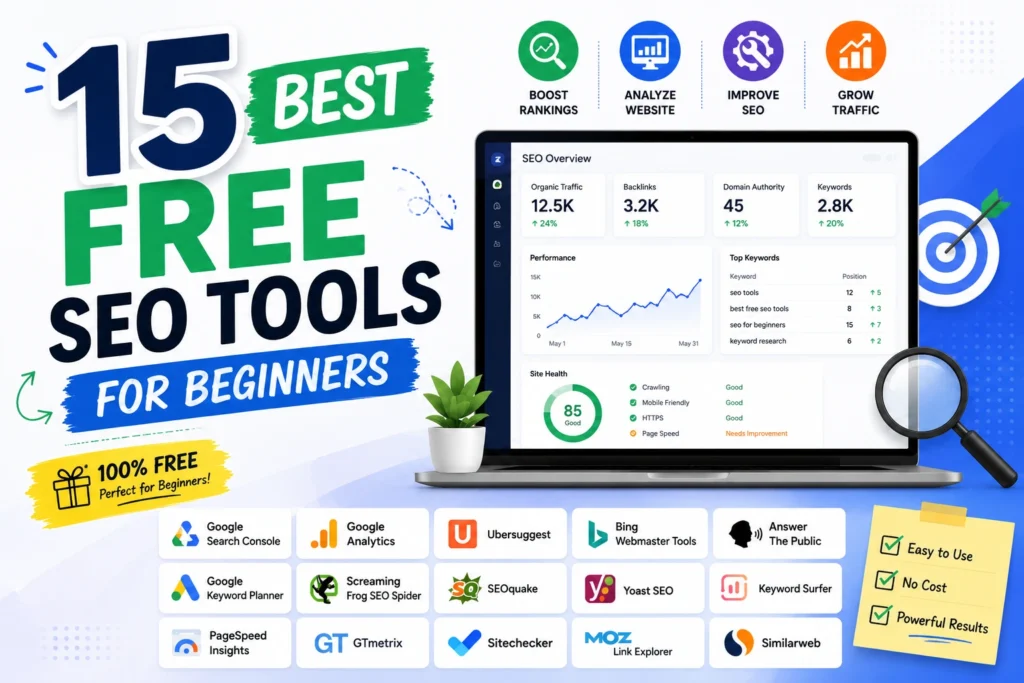
The problem with most lists of the best free SEO tools for beginners is that they hand you fifteen tools and no instructions. You install everything, open each one once, understand none of it, and go back to guessing.
This guide is ordered differently. It starts with the four best free SEO tools for beginners to learn first and in what sequence, then covers the rest by job. Every free tier limit is listed, because a tool that allows three searches a day is not a tool you can build a habit around. At the end there is a 30-minute weekly routine that turns all of it into something you actually do.
Which of the Best Free SEO Tools for Beginners Should You Learn First?
Learn these four, in this order, before installing anything else. Together they cover the majority of what a new site needs.
Week one: Google Search Console. It tells you which searches already bring people to your site. Everything else is theory until you have this data.
Week two: Google Analytics 4. Search Console tells you how people find you. GA4 tells you what they do next.
Week three: Google Keyword Planner. Now that you know what you rank for, this tells you what else people search for.
Week four: a site audit tool. Sistrix Smart or Screaming Frog, to find the technical problems holding pages back.
That is your foundation, and it is free. The remaining eleven tools below fill gaps once you know what your gaps actually are.
Free SEO Tools for Tracking Your Own Performance
1. Google Search Console
What it does: Shows the exact queries bringing people to your site, plus impressions, clicks, click-through rate, average position, and indexing problems.
Free tier limit: No caps on data, though the interface displays 1,000 rows and retains 16 months.
Best for: Every website owner without exception.
Beginner tip: Filter the Performance report to positions 8 to 20. Those pages already rank and need small improvements rather than new content, which is the fastest traffic win available to a beginner. Set it up through Google Search Console before anything else.
2. Google Analytics 4
What it does: Tracks what visitors do after they arrive, including pages viewed, time on site, and conversions by traffic source.
Free tier limit: None at small business scale.
Best for: Working out whether your SEO traffic is worth anything.
Beginner tip: Link it to Search Console in GA4’s settings, then publish the Search Console collection from the Reports Library. Most people link the accounts and never publish the collection, then wonder why no data appears.
3. Bing Webmaster Tools
What it does: The Bing equivalent of Search Console, with keyword research and backlink data built in.
Free tier limit: Free with no caps.
Best for: Beginners who want backlink data without paying.
Beginner tip: Its keyword and backlink tools are more generous than Google’s, and it powers Copilot, so it matters more than Bing’s market share suggests. Takes five minutes to verify.
Free Keyword Research Tools for Beginners
4. Google Keyword Planner
What it does: Search volume ranges, competition levels, and keyword ideas straight from Google.
Free tier limit: Free with a Google Ads account. No spend required, though volumes show as wider ranges if you have never advertised.
Best for: Validating that a topic has real demand.
Beginner tip: Volumes here come from Google itself, so when a third-party tool disagrees, trust this one.
5. Google Trends
What it does: Shows search interest over time, by region, with rising related queries.
Free tier limit: Free, unrestricted.
Best for: Spotting seasonality and catching topics before they peak.
Beginner tip: A term with modest volume that has tripled in six months is usually a better target than a flat high-volume term you cannot compete for.
6. Google Autocomplete and Related Searches
What it does: Google’s own suggestions as you type, plus the related searches at the bottom of every results page.
Free tier limit: Free.
Best for: Finding the exact phrasing real people use.
Beginner tip: This is the most underrated free keyword tool in existence. Type your topic, add each letter of the alphabet after it, and note the suggestions. It costs nothing and produces long-tail keywords no tool surfaces as naturally.
7. AlsoAsked
What it does: Maps People Also Ask questions into a branching tree showing how questions connect.
Free tier limit: A small number of free searches daily.
Best for: Structuring an article around a full question cluster.
Beginner tip: The tree translates directly into your H2 and H3 structure, which is a shortcut most beginners never find.
8. AnswerThePublic
What it does: Visualises the questions, comparisons, and prepositions people search around a topic.
Free tier limit: A few free searches daily.
Best for: Generating content ideas and FAQ sections.
Beginner tip: Question-based content is what gets pulled into featured snippets and AI Overviews, so these outputs are worth more than they look.
9. Keyword Surfer
What it does: A free Chrome extension showing estimated search volumes directly inside Google results.
Free tier limit: Completely free.
Best for: Checking volume without leaving the search page.
Beginner tip: It removes the friction that stops beginners doing keyword research at all. Treat the numbers as directional and confirm anything important in Keyword Planner.
Free Technical SEO and Site Audit Tools
10. Sistrix Smart
What it does: Crawls up to 1,000 pages of your site, checks them against more than 100 criteria, and explains each issue in plain language with the fix.
Free tier limit: One domain, up to 100 tracked keywords, one manual crawl per week.
Best for: Beginners specifically, more than any other tool here.
Beginner tip: Most audit tools flag problems and assume you know what they mean. This one explains what the issue is and why it matters, so you learn technical SEO while fixing it. Almost no beginner guide mentions it, which makes it the most useful tool on this list you have probably never heard of.
11. Screaming Frog SEO Spider
What it does: Crawls your site like a search engine, surfacing broken links, redirect chains, duplicate titles, and missing meta descriptions.
Free tier limit: 500 URLs per crawl, which covers most beginner sites entirely.
Best for: Finding technical problems in one pass.
Beginner tip: The free version exports data, which most free tools block. Start with the Response Codes tab to find broken links, then Page Titles to find duplicates.
12. PageSpeed Insights
What it does: Measures Core Web Vitals and load performance on mobile and desktop, with specific fixes listed.
Free tier limit: Free, unlimited.
Best for: Diagnosing slow pages.
Beginner tip: It uses real Chrome user data rather than a simulation. Focus on the mobile score, since that is what Google indexes with.
13. Ahrefs Webmaster Tools
What it does: Site audit and backlink analysis using Ahrefs’ full index, for domains you own and verify.
Free tier limit: Free forever, no credit card, 5,000 crawl credits monthly, own verified sites only.
Best for: Seeing who links to you.
Beginner tip: Ahrefs stopped offering a conventional free trial in 2022, so this is the only free access to their data. You cannot analyse competitors with it, which is the trade.
14. Rank Math or Yoast SEO
What it does: WordPress plugins handling titles, meta descriptions, schema markup, XML sitemaps, and on-page checks.
Free tier limit: Both free versions cover what a beginner needs.
Best for: Anyone on WordPress.
Beginner tip: Use the on-page score as a checklist, not a target. Chasing a green light by stuffing keywords produces worse content and worse rankings than ignoring the score entirely.
15. Microsoft Clarity
What it does: Unlimited free heatmaps and session recordings.
Free tier limit: None. No paid tier exists.
Best for: Understanding why traffic does not convert.
Beginner tip: SEO brings people to the page. Clarity shows what happens when they get there. Watching ten recordings teaches you more about your site than a month of analytics.
What the Best Free SEO Tools for Beginners Cannot Do
Worth knowing early, so you stop looking for a free tool that does not exist.
Competitor research is the wall. Everything about your own site is well covered free. The moment you want to see which keywords a competitor ranks for, which pages earn their links, and where their traffic comes from, free tools stop. Ahrefs Webmaster Tools only works on sites you own. Ubersuggest allows three searches daily and Moz Link Explorer ten queries monthly, which is enough for spot checks and nothing more.
Historical data is limited. Search Console retains 16 months. Paid tools hold years, which matters for year-over-year analysis but rarely for a beginner.
Bulk exports are restricted on most freemium tiers, so working across hundreds of keywords becomes manual.
None of these limits should stop you starting. They tell you what to buy first when you eventually do.
A 30-Minute Weekly SEO Routine Using Only Free Tools
Tools do nothing without a habit. This is the routine to build.
Minutes 1 to 10: Search Console. Open the Performance report for the last 28 days. Note any query where you rank 8 to 20, and any page where impressions rose but clicks did not, which usually means the title needs rewriting.
Minutes 10 to 15: Indexing check. Open the Pages report and confirm nothing important has dropped out of the index. Fix anything marked as an error.
Minutes 15 to 25: One content improvement. Take one page from your 8 to 20 list. Run its topic through AlsoAsked, add the questions it does not answer, and improve the title. This single habit produces more results than anything else here.
Minutes 25 to 30: GA4. Check which pages produced conversions, not just traffic. Note anything surprising.
Once monthly, add a Sistrix Smart or Screaming Frog crawl and a PageSpeed check on your most important page. That is a complete SEO practice, at zero cost, in half an hour a week.
Do Free SEO Tools Help With AI Search?
Partly, and it is worth knowing what applies now that AI Overviews and assistants answer a growing share of queries.
Search Console does not separate AI Overview impressions from standard results, so that traffic is blended into your existing numbers with no way to isolate it. What you can do free is check manually: run your main commercial queries through ChatGPT, Perplexity, and Google, and note whether your site is cited. Doing this monthly costs nothing and tells you more than any paid tracker currently does reliably.
The practical work is the same as regular SEO with one emphasis. Question-formatted headings with direct answers underneath are what AI systems extract, which makes AlsoAsked and AnswerThePublic more useful in 2026 than they were three years ago.
When to Start Paying for SEO Tools
Three signals, and none of them is missing features.
You need competitor data regularly. This is the genuine wall in the free stack, and the clearest reason to pay.
You are hitting caps every session. Three searches a day stops being workable once keyword research is a weekly habit.
Your time costs more than the subscription. Assembling one report across six free dashboards takes an hour. If that hour is billable, the maths has changed.
When you get there, Mangools at around $29 monthly covers most of what a beginner-turned-intermediate actually uses, and the wider paid landscape with real pricing is compared in our roundup of the best digital marketing tools. Below those three signals, paying buys convenience rather than capability.
What We Tell Beginners at Leemjaz
Patterns we see constantly with people learning SEO.
Almost nobody uses Search Console properly. Most beginners connect it and never open it again. The positions 8 to 20 filter is the single most valuable free report in SEO, and we have watched clients double a page’s traffic by rewriting one title based on it. It requires no tool beyond the one they already had.
Beginners install too many tools too fast. Fifteen dashboards produce paralysis, not insight. We tell people to run Search Console alone for a month before adding anything, because the questions the data raises tell you which tool you actually need next.
On-page plugin scores mislead people. We regularly see content damaged in pursuit of a green light in Rank Math or Yoast, with keywords forced into headings where they read badly. The score is a checklist, not a ranking factor, and Google’s language models penalise the unnatural phrasing it encourages.
The free stack is enough for longer than people expect. We have taken client sites from nothing to consistent organic traffic using only Search Console, Keyword Planner, AlsoAsked, and Screaming Frog. The constraint was always content and consistency, never software.
Fix technical issues before chasing keywords. New sites often have pages that are not indexed at all, and no amount of keyword research helps a page Google cannot see. Run one crawl before writing anything new. This is where our own SEO work starts on every account, and it is free to replicate.
Best Free SEO Tools for Beginners FAQs
What is the best free SEO tool for beginners?
Google Search Console, without close competition. It shows the actual searches bringing people to your site, your click-through rate, and any indexing problems, all as first-party data from Google. Learn it fully before installing anything else.
Can I do SEO with only free tools?
Yes, and plenty of sites have grown to substantial traffic doing exactly that. The best free SEO tools for beginners cover keyword research, technical audits, performance tracking, and on-page optimisation completely. The one genuine gap is competitor research, which no free tool handles at useful volume.
How many SEO tools does a beginner actually need?
Four: Google Search Console, Google Analytics 4, Google Keyword Planner, and one site audit tool such as Sistrix Smart or Screaming Frog. Adding more before you have used these consistently creates confusion rather than insight. Everything else on this list fills a gap you will only notice later.
Do free SEO tools give accurate data?
Google’s own tools do, because the data comes directly from the source rather than being estimated. Third-party free tools like Ubersuggest and Keyword Surfer estimate search volume and can differ noticeably from Google Keyword Planner. Use them for direction and confirm important numbers in Keyword Planner.
What is the best free alternative to Ahrefs or Semrush?
There is no single replacement, but a combination works. Ahrefs Webmaster Tools gives you real Ahrefs backlink data for your own site free, Search Console covers query data, and Screaming Frog’s free 500-URL crawl handles technical audits. The limitation is competitor analysis, which none of these can do.
How often should a beginner check their SEO tools?
Once weekly is enough, and 30 minutes is sufficient. Check Search Console for query and indexing changes, improve one page based on what you find, and glance at GA4 for conversions. Daily checking produces anxiety rather than insight, since rankings fluctuate normally and monthly trends matter far more than daily movement.
Conclusion
The best free SEO tools for beginners are worth nothing installed and unopened, which is how most of them end up. Four tools used weekly will beat fifteen tools installed once, every time. Start with Search Console this week and nothing else. Learn what it tells you, act on one thing it shows you, and add the next tool when a question comes up that Search Console cannot answer. That sequence costs nothing and teaches you SEO faster than any list, including this one.