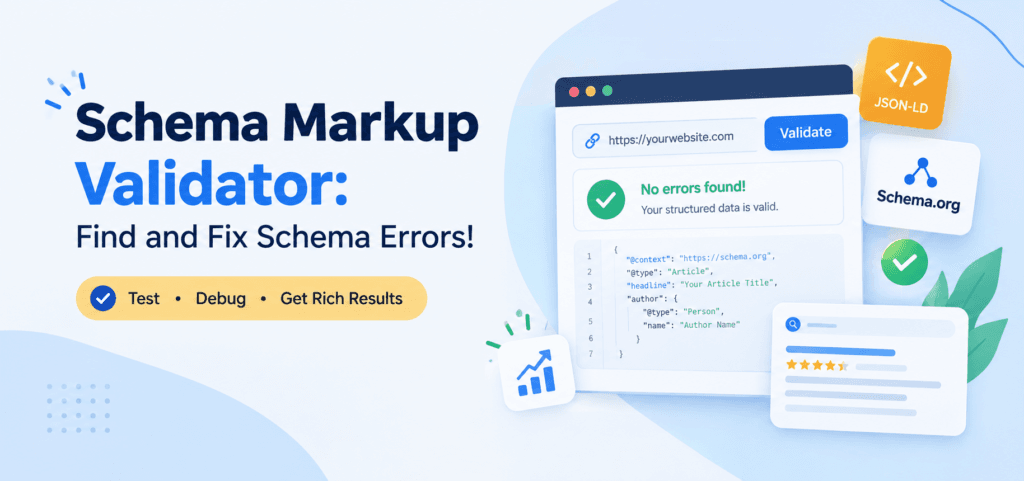
A schema markup validator helps you check structured data on your website, identify markup errors, and understand whether your code follows Schema.org standards. Whether you manage a WordPress blog, an ecommerce store, or a business website, validating schema markup helps you catch technical issues before they create problems.
However, passing a validation test does not automatically guarantee rich results or higher Google rankings. You need to understand what each testing tool checks, how to interpret its results, and how to fix problems correctly. This guide explains how to validate schema markup, troubleshoot common errors, and maintain accurate structured data.
What Is a Schema Markup Validator?
A schema markup validator is a tool that examines structured data on a webpage or within a code snippet. It helps you check whether your markup uses recognized Schema.org types and properties and whether the structured data contains syntax problems.
Websites use schema markup to describe information such as articles, products, organizations, local businesses, and events. Search engines can use these details to better understand the content of a page.
The official Schema Markup Validator supports structured data in JSON-LD, Microdata, and RDFa formats. It can test a webpage URL or markup that you provide directly.
For example, an article might contain structured data identifying its headline, author, publication date, and publisher. A validator helps you inspect those details and identify potential issues with the markup.
In simple terms: A schema markup validator checks your structured data so you can identify and correct problems before relying on it.
Why Is a Schema Markup Validator Important for SEO?
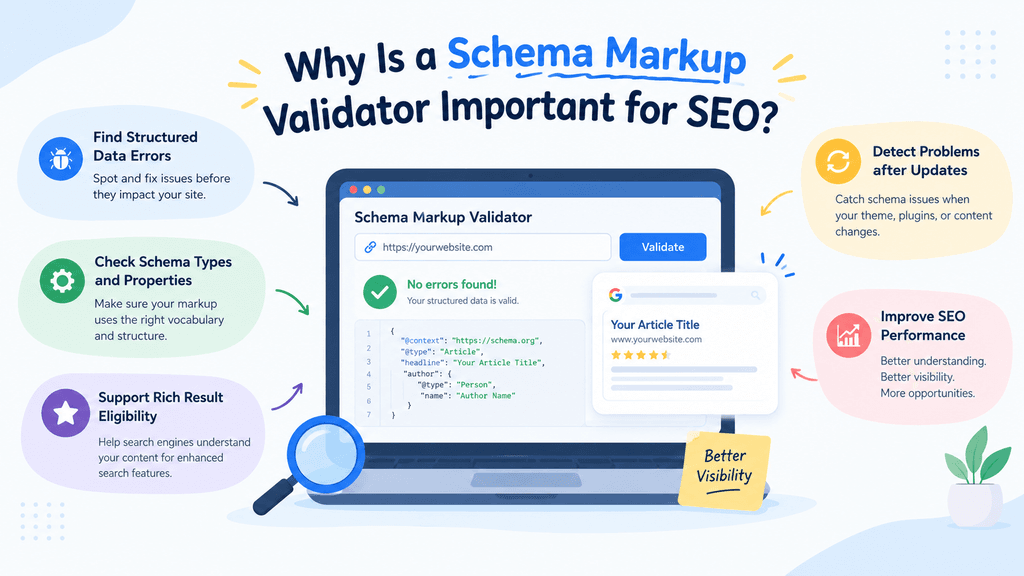
Incorrect structured data can prevent search engines from interpreting your markup as intended. Validation helps you detect problems that might otherwise remain hidden in your website’s code.
Here are the main reasons to test your schema markup regularly.Schema validation is one part of a broader technical SEO process. Learn more about what professional SEO services include, from crawlability and indexability to structured data and website audits.
Find Structured Data Errors
A missing quotation mark, incorrect property value, or malformed JSON-LD block can cause validation problems. A validator helps you identify these issues so you can correct the code.
Check Schema Types and Properties
Schema.org defines types and properties for describing different entities. Validation helps you determine whether your markup uses recognized terms and appropriate structures.
For example, a Product entity should describe a product rather than an unrelated article. Choosing an appropriate type makes the structured data more meaningful.
Support Google Rich Result Eligibility
Some schema types can support enhanced search appearances when they meet Google’s requirements. Testing helps you identify relevant technical problems, missing required properties, and eligibility issues.
However, valid schema does not guarantee that Google will display a rich result. Google makes its own decisions about eligibility and presentation.
Detect Problems After Website Updates
Theme changes, plugin updates, content edits, and redesigned templates can affect structured data. Regular testing helps you detect problems before they spread across multiple pages.
For websites that publish content frequently, schema validation should be part of the technical SEO workflow.
How to Use a Schema Markup Validator
You can validate structured data without being an experienced developer. Follow these steps to test an existing webpage or inspect a code snippet.
Step 1: Open the Official Schema Markup Validator
Visit the Schema.org Markup Validator.
The tool allows you to inspect structured data from a webpage URL or provide markup directly. Choose the option that matches what you want to test.
Step 2: Enter Your Website URL or Code
If you want to check a published page, enter its publicly accessible URL.
If you are testing new markup before publishing it, use the code-input option and paste your structured data.
For example, you might test an article page, product page, service page, or homepage. Make sure you test the specific URL where the markup appears.
Step 3: Run the Test
Start the validation process and wait for the tool to analyze the page or code.
The validator extracts the structured data it can identify and displays the detected entities, properties, and relevant syntax issues.
Review the results instead of assuming that the test has passed simply because the page loads correctly in a browser.
Step 4: Review the Detected Schema
Check which schema types the tool identifies and whether their properties accurately describe the page.
For an article, you might expect to find Article or BlogPosting markup. A product page might contain Product and Offer entities, depending on its implementation.
Confirm that the information matches the visible page and that the markup does not describe facts that are missing or incorrect.
Step 5: Fix Errors and Test Again
Correct the problems reported by the validator. Depending on the issue, you might need to fix JSON syntax, use a recognized property, correct a value, or adjust the relationships between entities.
Run the test again after making changes.
Finally, test the live URL after publishing your fix. A code snippet can pass validation even when the website still serves an older version of the markup.
Schema Markup Validator vs. Google Rich Results Test
The Schema Markup Validator and Google’s Rich Results Test serve different purposes. Understanding the difference helps you choose the correct tool for each stage of your SEO workflow.
| Feature | Schema Markup Validator | Google Rich Results Test |
| Main purpose | Check Schema.org structured data | Check eligibility for supported Google rich results |
| Schema vocabulary | Broad Schema.org coverage | Google-supported rich result features |
| Syntax and structure | Helps identify markup issues | Checks markup relevant to rich result features |
| Rich result eligibility | Not its primary purpose | Yes |
| Best use | General schema validation | Google search appearance testing |
Use the Schema Markup Validator to check your structured data against Schema.org. Then use Google’s Rich Results Test to check whether your page supports eligible Google rich results.
Google recommends these tools for their respective purposes. Passing one test does not mean that your page will necessarily pass the other.
For a more reliable workflow, use both tools instead of treating them as alternatives.
Common Schema Markup Errors and How to Fix Them
A validator can identify many technical issues, but you still need to understand what caused them. The following examples cover common problems worth checking during structured data testing.
Invalid JSON-LD Syntax
JSON-LD must follow valid JSON syntax. Missing quotation marks, extra commas, unmatched brackets, and incorrect formatting can make the code invalid.
How to fix it: Check the opening and closing braces, quotation marks, commas, and brackets. Use a JSON validator if you need help identifying a syntax error, then test the corrected markup again.
Missing Required Properties
Some Google rich result features require specific properties. If those fields are missing, your page may not qualify for the relevant enhancement.
How to fix it: Check Google’s documentation for the particular rich result type you want to support. Add accurate information for the required properties and retest the page.
Do not invent values just to make the test pass.
Incorrect Schema Types or Properties
A page may use an unsuitable type or attach a property to the wrong entity. This can make the markup confusing or inconsistent with the Schema.org vocabulary.
How to fix it: Choose the most appropriate schema type for the page and review the property’s definition in the Schema.org documentation.
Duplicate Schema Markup
Multiple plugins, themes, or custom code snippets can output overlapping schema. Duplicate markup is not always an error, but conflicting entities or inconsistent values can create confusion.
How to fix it: Inspect the page’s complete structured data output. Identify which plugin or template generates each block, remove unnecessary duplication, and preserve the useful relationships between entities.
Schema Data Does Not Match the Page
Structured data may contain outdated prices, incorrect availability, inaccurate publication dates, or information that users cannot find on the page.
How to fix it: Compare the markup with the visible content. Update incorrect values and ensure that your structured data represents the actual page accurately.
For ecommerce websites, pay particular attention to product prices, stock status, variants, and review information.
How to Validate Schema Markup in WordPress
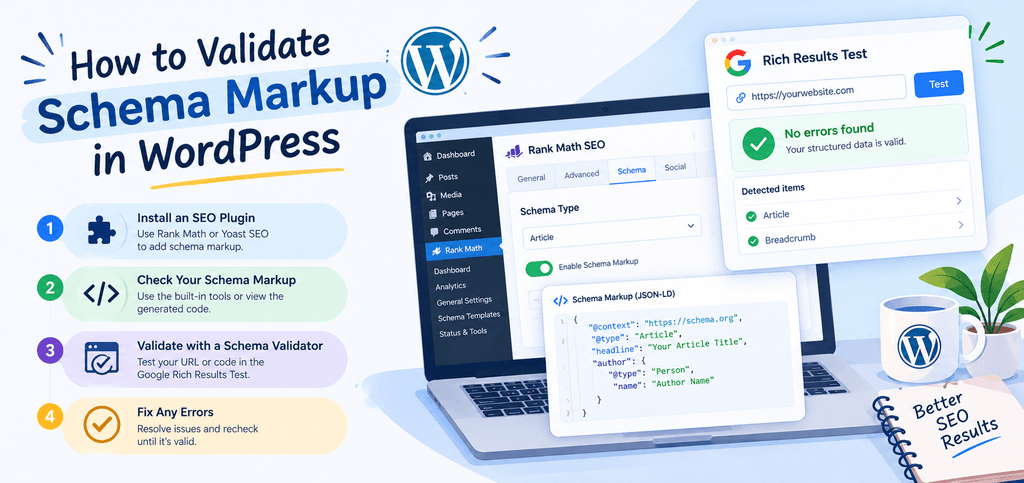
WordPress websites often generate structured data through SEO plugins, themes, ecommerce extensions, or custom code. This makes validation especially useful after configuration changes.You can also use Google’s site search operator to find indexed pages on your domain and identify URLs that may need closer inspection.
Check Your Existing Schema Output
Open the published page in the Schema Markup Validator and review the detected entities. Confirm that the output matches the type of page you are testing.
For example, a blog post should have appropriate article information, while a service page should describe the relevant organization or service where applicable.
Review Your SEO Plugin Settings
Plugins such as Rank Math and Yoast SEO can generate structured data automatically. Check their settings before adding custom markup.
Using multiple plugins to generate the same schema can introduce duplicate or conflicting output. Disable redundant implementations only after confirming which component supplies the required data.
Test After Every Significant Change
After changing a theme, plugin, template, or custom code snippet, test representative pages again. If you use the same template across hundreds of URLs, test several examples before assuming the change works everywhere.
Once the changes are live, use Google Search Console to monitor relevant structured data and search enhancement reports where available.
If you need help identifying indexing or crawling issues alongside schema problems, see Google’s Search Console documentation.
Schema Markup Best Practices for Search and AI Systems
Structured data can help search engines interpret the meaning of your content. It also provides a standardized way to describe entities and relationships that may be useful to other machine-processing systems.
However, schema markup alone does not guarantee visibility in AI Overviews, citations from large language models (LLMs), or recommendations from answer engines.Structured data works best alongside clear headings, useful content, and other on-page improvements. Explore these on-page SEO tips to strengthen the page’s overall optimization.
Follow these practices to build a more reliable structured data foundation.
Use Accurate, Relevant Schema
Choose schema types that describe the actual content of each page. Avoid adding unrelated types merely because a plugin or generator makes them available.
A relevant implementation provides clearer information than a large collection of unnecessary markup.
Keep Structured Data Consistent
Make sure your organization name, website URL, author details, product information, and other important properties remain consistent across the site.
Where appropriate, use stable entity identifiers and connect related entities through valid references. This helps maintain a coherent representation of your website.
Support Schema With Helpful Content
Structured data complements the visible content; it does not replace it. Publish original, accurate information that answers real user questions.
Use descriptive headings, clear explanations, credible sources, and meaningful internal links. Make important facts easy for both people and search engines to understand.
Validate and Monitor Regularly
Run schema tests after significant changes and periodically review important templates. Follow Google’s structured data guidelines to understand implementation requirements and eligibility for supported search features. For larger websites, use crawling and monitoring tools to identify recurring problems across multiple URLs.. For larger websites, use crawling and monitoring tools to identify recurring problems across multiple URLs.
Google’s structured data documentation explains supported search features, eligibility requirements, and implementation guidelines.
The practical goal is to make your website technically sound and its information easy to interpret. No validator or schema implementation can guarantee higher rankings or AI citations.
Frequently Asked Questions
1. What is the best free schema markup validator?
The official Schema Markup Validator is a strong free option for checking Schema.org structured data. Google’s Rich Results Test is also free and checks eligibility for supported Google rich result features.
2. How do I validate schema markup on a website?
Open the Schema Markup Validator, enter your publicly accessible webpage URL, and run the test. Review the detected schema types, properties, and reported issues. Fix errors and test the live page again after publishing changes.
3. What is the difference between a schema markup validator and a rich results test?
A schema markup validator checks structured data against Schema.org. Google’s Rich Results Test checks whether markup supports eligible Google rich result features. Each tool answers a different question, so using both provides a more complete check.
4. Can schema markup errors affect SEO?
Schema errors can prevent search engines from interpreting your structured data as intended or make a page ineligible for certain rich results. However, not every validation warning affects rankings, and fixing schema does not automatically improve a page’s position in search results.
5. Does schema markup help with AI Overviews and LLM visibility?
Schema markup can provide structured information about page content, organizations, products, and other entities. This may support machine understanding, but it does not guarantee inclusion in AI Overviews or citations by LLMs. Helpful content, accessibility, accuracy, and overall site quality remain important.
Conclusion
A schema markup validator is an essential tool for checking structured data, finding technical problems, and maintaining reliable schema implementation. Start with the official Schema.org validator, use Google’s Rich Results Test for supported search features, and retest your live pages after making changes.
The best results come from accurate markup that matches useful content and stays consistent as your website evolves. Treat validation as an ongoing part of technical SEO rather than a one-time task.