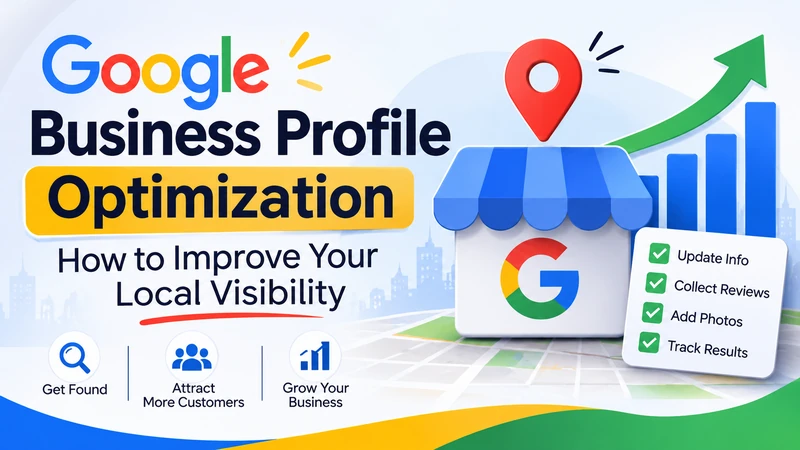
Google Business Profile optimization helps your business appear in relevant local searches and makes it easier for nearby customers to contact you. By improving your business information, selecting accurate categories, collecting genuine reviews, and uploading useful photos, you can strengthen your presence on Google Search and Google Maps.
What You’ll Learn
- How to complete and improve your Google Business Profile.
- Which business categories and details matter most.
- How photos, reviews, and services influence customer decisions.
- How to measure calls, website visits, and customer enquiries.
- Which mistakes can damage your local search presence.
What Is Google Business Profile Optimization?
Google Business Profile optimization means improving your business listing so Google and potential customers can understand what you offer, where you operate, and how to contact you.
Google Business Profile is a free platform that allows eligible businesses to manage their information across Google Search and Maps.
When someone searches for a service near them, Google may display local businesses with useful details, including:
- Business name and category.
- Address or service area.
- Phone number and website.
- Opening hours.
- Customer reviews and ratings.
- Business photos and videos.
- Available products and services.
For example, someone searching for a plumber in Chicago might see local business listings before traditional organic search results.
An accurate profile helps your business compete for this visibility while giving potential customers important information before they visit your website.
Why Does Your Google Business Profile Matter for Local SEO?
Your business profile matters because it helps customers discover your services when they search for nearby businesses.
Google identifies three main factors behind local search rankings: relevance, distance, and prominence.
Relevance measures how closely your business matches someone’s search. Accurate categories, services, and business information help Google understand your offerings.
Distance refers to how far your business is from the person searching. You cannot directly control the searcher’s location.
Prominence describes how well-known your business is. Google considers information such as reviews, links, and other signals when evaluating prominence.
These factors explain why completing your profile is only one part of local SEO.
Your website, customer reputation, and presence across relevant websites also contribute to your online visibility.
You can learn more about these ranking factors in Google’s official guide to improving local rankings.
For more practical SEO resources, explore the Leemjaz digital marketing blog.
How to Optimize Your Google Business Profile Step by Step
The best approach is to improve your profile in a logical order. Start with the information Google needs to identify your business, then work on the details that help customers choose you.
1. Claim and Verify Your Business Profile
First, make sure you own and control your business listing.
Visit Google Business Profile and sign in using the Google account you want to manage the business with.
Search for your business name and check whether an existing listing already appears.
If you find one, follow Google’s ownership process. Otherwise, create a new profile.
Google may offer different verification methods depending on your business and account. These can include video verification, phone, text, or email verification.
Follow the verification method Google provides.
Avoid creating multiple listings for the same business simply to increase visibility. Duplicate profiles can create confusion and cause problems with your business information.
2. Choose the Right Primary and Additional Categories
Your primary category tells Google what your business mainly does.
It helps Google understand your services and connect your listing with relevant searches.
For example, a company providing residential plumbing services should select the most accurate plumbing-related category available.
You can also add additional categories when your business genuinely provides other services.
| Business | Primary category | Possible additional category |
| Dental practice | Dentist | Cosmetic dentist |
| Plumbing company | Plumber | Drainage service |
| Marketing agency | Marketing agency | Advertising agency |
| Hair salon | Hair salon | Beauty salon |
Choose categories based on your actual operations, not every service you hope to offer in the future.
Google recommends selecting as few categories as necessary to describe your main business accurately.
Read Google’s business category and profile guidelines before making major changes.
3. Complete Your Business Information
Accurate business details make it easier for customers to contact you and understand what you offer.
Review every available field instead of completing only the basic information.
Pay particular attention to these details:
Business name: Use your real-world business name. Avoid adding extra keywords, locations, or promotional phrases.
Address: Enter your actual business location if customers can visit you there.
Phone number: Add a number customers can use to reach your business directly.
Website: Link to your official website or the most relevant business landing page.
Business hours: Include accurate opening and closing times.
Special hours: Update holiday schedules and temporary closures when necessary.
Service areas: If you travel to customers, specify the locations you genuinely serve.
Keep your business name, address, and phone number consistent across your website and important online directories.
This consistency makes your business information easier for customers and search platforms to understand.
4. Write a Helpful Business Description
Your business description should explain what you do, who you serve, and what makes your services useful.
Google allows a business description of up to 750 characters.
Use this space to communicate relevant information instead of repeating keywords.
For example, a local cleaning company could write:
Example business description:
“We provide residential and commercial cleaning services throughout Austin, Texas. Our services include deep cleaning, regular home cleaning, move-in and move-out cleaning, and office cleaning. Our team focuses on reliable scheduling, clear communication, and quality service to help customers maintain clean and comfortable spaces.”
Notice how the description explains the services and location without sounding like an advertisement.
Avoid promotional claims, excessive keywords, and website links in this section.
Google’s official business description instructions explain what information you can include.
5. Add Your Products and Services
Your services section helps customers understand exactly what they can purchase or book.
Instead of listing everything under one general heading, organize your offerings into clear service names.
For example, a digital marketing agency might include:
- Search engine optimization.
- Local SEO services.
- Google Ads management.
- Social media marketing.
- Website design.
- Content marketing.
Where available, add short descriptions and accurate pricing information.
Retail businesses can also use eligible product features to showcase their offerings.
Keep these details updated whenever your prices, services, or product availability change.
6. Upload Real Business Photos and Videos
Photos give potential customers a better idea of what to expect before contacting you.
A restaurant can show its dining area and menu items. A contractor can upload pictures of completed projects. A salon can display its interior and actual services.
Consider adding:
- Exterior photos that help customers recognize your location.
- Interior photos showing your business environment.
- Product images.
- Completed project photographs.
- Team and service-related images.
- Short videos demonstrating your work.
Use original, clear images that accurately represent your business.
Avoid stock photos that create expectations your business cannot meet.
Google recommends using clear, well-lit photographs that accurately represent your business. Its official photo guidelines also provide recommended image specifications.
You should review your photos occasionally and replace outdated images when they no longer represent your services.
7. Collect Genuine Customer Reviews
Customer reviews help people decide whether your business deserves their trust.
They also contribute to Google’s understanding of your business’s prominence in local search.
Make reviewing your business easy by sharing your official Google review link with customers after a completed purchase or service.
You can request feedback through follow-up emails, text messages, thank-you messages, receipts, or in-person conversations.
However, never purchase reviews, offer rewards for positive ratings, or pressure customers to leave favorable feedback.
Respond to both positive and negative reviews.
For a positive review, thank the customer and mention something specific about their experience.
For a negative review, acknowledge the concern, remain professional, and offer an appropriate way to resolve the issue.
A thoughtful response shows potential customers that your business takes feedback seriously.
8. Publish Relevant Google Business Profile Posts
Google Business Profile posts allow eligible businesses to share updates, offers, events, and announcements.
These updates can help customers understand what’s happening at your business.
Useful post ideas include:
- New service announcements.
- Seasonal offers.
- Upcoming events.
- Business updates.
- New product arrivals.
- Important holiday information.
For example, a landscaping company could publish an update about spring lawn maintenance services before the busy season.
Use a clear image, a short explanation, and an appropriate action button when available.
Posting every day isn’t necessary. Focus on publishing information that customers might find useful.
Remember that posting regularly is not a guaranteed ranking strategy. The main purpose is to keep customers informed and encourage useful interactions.
9. Add Relevant Business Attributes
Attributes provide additional details about your business.
Depending on your category and location, Google may offer options such as:
- Wheelchair accessibility.
- Free Wi-Fi.
- Outdoor seating.
- Online appointments.
- Available payment methods.
- Women-owned business attributes.
Only select attributes that accurately describe your business.
These details can help customers decide whether your business meets their needs before making a visit or booking.
10. Connect Your Website and Customer Channels
Your Google listing should lead customers toward a useful next step.
Make sure the website link directs visitors to a relevant page rather than an unrelated destination.
For example, a dental practice could link to its appointment information, while a home repair company could direct visitors to its service page.
If your profile supports booking, ordering, or other customer action links, add the appropriate destination.
You should also review your website’s local information.
Your location, contact details, services, and business hours should match the information displayed on your profile.
Your website also needs a clear structure. Relevant internal links help visitors discover related information and important service pages.
Learn how internal linking improves organic traffic and supports a better website experience.
How Do You Measure Google Business Profile Performance?
You should measure whether your profile attracts potential customers, not simply whether it appears in search results.
Google Business Profile Performance provides information about how customers find and interact with your listing.
Depending on the available reporting features, you can monitor:
| Metric | What it tells you |
| Search terms | What customers searched before finding you |
| Profile views | How often customers viewed your profile |
| Calls | Call interactions generated through your profile |
| Website clicks | How many visitors selected your website link |
| Direction requests | How often customers requested directions |
| Bookings | Available booking-related customer activity |
Review these metrics regularly to understand which improvements deserve attention.
For example, an increase in profile views without an increase in calls might indicate that customers need clearer service information, better reviews, or a more useful website destination.
You can also add UTM parameters to your website link to identify Google Business Profile traffic in Google Analytics 4.
This gives you a better understanding of what visitors do after reaching your website.
Real Example: How a Local Business Can Improve Its Profile
Consider an illustrative example of a residential cleaning company operating in Dallas, Texas.
The company already has a verified profile, but it hasn’t updated its information for several months.
Its services section is incomplete, the business description is vague, and its photos no longer reflect its current work.
Instead of changing everything randomly, the owner follows a simple improvement plan.
Week 1: Correct business details
Update business hours, contact information, service areas, and categories.
Week 2: Improve the customer experience
Add service descriptions, upload original photos, and review the website link.
Week 3: Build customer trust
Request honest feedback from recent customers and respond to existing reviews.
Week 4: Review performance
Compare calls, website visits, direction requests, and customer enquiries with the previous reporting period.
Suppose the business receives 40 calls, 25 website clicks, and 18 direction requests in its first reporting period.
After implementing the changes, it records 52 calls, 34 website clicks, and 23 direction requests in the next comparable period.
These figures are hypothetical, not actual client results or guaranteed outcomes.
The important point is that the owner can evaluate whether the changes improved customer engagement instead of relying entirely on keyword rankings.
Common Google Business Profile Mistakes to Avoid
Even a complete business listing can underperform when its information is inaccurate or its management practices violate Google’s guidelines.
Watch out for these common mistakes.
1. Adding keywords to your business name: Your profile name should match your real-world business name. Adding service keywords or city names unnecessarily can violate Google’s guidelines.
2. Choosing too many categories: Select categories that accurately describe your business. More categories don’t automatically mean better visibility.
3. Ignoring customer reviews: Leaving feedback unanswered can make your business appear less responsive to potential customers.
4. Using misleading addresses: Never use a virtual office or an address where your business doesn’t genuinely operate to create a listing.
5. Creating duplicate profiles: Multiple listings for the same business can create confusion and management problems.
6. Ignoring website optimization: Your business profile and website should support each other. An incomplete website can weaken the customer experience after someone clicks through.
7. Expecting immediate rankings: Local search visibility depends on several factors. Completing your profile doesn’t guarantee a particular Google Maps position.
8. Tracking views instead of enquiries: More profile views don’t automatically mean more customers. Pay attention to calls, bookings, and qualified enquiries.
How Leemjaz Can Help Improve Your Local Search Visibility
Leemjaz helps businesses improve their online presence through SEO, local SEO, website optimization, and content marketing.
Our approach focuses on identifying visibility gaps, improving relevant website pages, strengthening local search signals, and tracking meaningful customer actions.
Rather than focusing only on profile activity, we consider how your business appears across Google Search, Maps, and its website.
Businesses looking for professional support can explore our search engine optimization services to understand how these activities can support a wider marketing strategy.
Where to Go From Here
A well-maintained Google Business Profile can help your business reach customers who are already searching for your services. Start with accurate business information, relevant categories, genuine reviews, and useful photos. Then connect your profile with a well-optimized website and monitor the actions customers take. Make improvements based on actual performance rather than chasing rankings alone.
Frequently Asked Questions
1. How do I optimize my Google Business Profile?
Start by claiming and verifying your profile. Choose the correct primary category, complete your business information, add services, upload original photos, and collect genuine customer reviews. Keep your hours accurate and review your performance regularly to identify opportunities for improvement.
2. Is Google Business Profile optimization free?
Yes. Creating and managing a Google Business Profile is free for eligible businesses. You can update business information, upload photos, respond to reviews, and publish posts without paying Google. However, businesses may choose to hire an SEO agency for additional optimization and local marketing support.
3. How do I rank higher on Google Maps?
Improve your relevance and prominence by maintaining accurate business information, selecting appropriate categories, earning genuine reviews, and building a trustworthy online presence. Distance also affects local rankings, so you cannot guarantee visibility in every nearby search. Google does not offer paid placements that guarantee better organic local rankings.
4. How often should I update my Google Business Profile?
Update your profile whenever business information changes, including operating hours, services, contact details, or location information. Review your profile at least monthly to identify outdated information. You can publish posts when you have useful announcements, offers, or updates that customers should know about.
5. Can I optimize my Google Business Profile without a physical storefront?
Yes, if your business meets Google’s eligibility requirements. Service-area businesses can create profiles when they make in-person contact with customers at their locations. You should hide your residential address if customers don’t visit your home. Online-only businesses that don’t meet Google’s in-person contact requirements aren’t eligible.