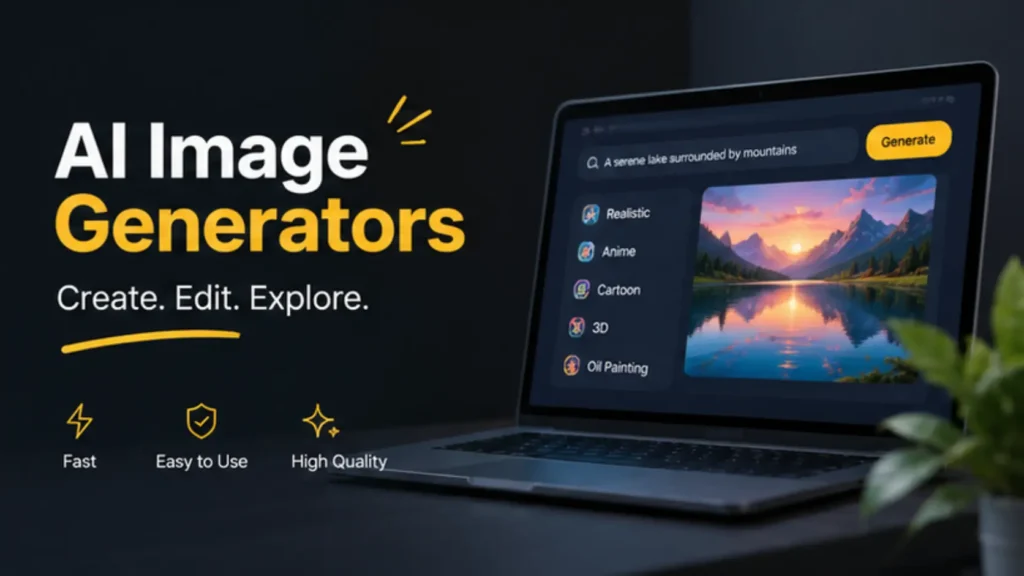
Creating eye-catching visuals is important for brands, creators, and marketers who want to keep up with social media trends. AI image generators make it easier to turn simple text prompts into images for social posts, ads, blogs, and other digital content.
But not every tool produces the same results. Some focus on quick, ready-to-use designs, while others offer more creative control over image styles and details.
In this listicle, we’ll compare five AI image generators in 2026: Design.com, Canva, Adobe Express, Leonardo.AI, and Artlist.io. We’ll use the same prompt for all five tools to compare their results and see how each platform handles trend-driven visual content.
Let’s get started!
Quick Comparison
Please refer to the table below for a quick comparison:
| AI Image Generator | Best For | Free Access |
| Design.com | Quick, ready-to-use visuals for businesses and brands | Free access available |
| Canva | Creating images and social media designs in one platform | Free plan with limits |
| Adobe Express | Generating images for branded content and marketing materials | Free plan with limits |
| Leonardo.AI | Creative image generation with more control over visual styles | Free plan with limits |
| Artlist.io | High-quality visuals for creative projects and content production | Plan-dependent access |
Note: Features, usage limits, and pricing may change. Check each platform for its latest plan details.
Choose an AI Image Generator If…
- You want quick, business-ready visuals? Choose Design.com to generate images that support your branding and marketing content.
- You want to create images and social media designs together: Choose Canva for its combination of AI image generation and design tools.
- You want AI-generated images for marketing materials: Choose Adobe Express for image generation, along with its editing and content creation features.
Best AI Image Generators for Creating Trend-Driven Content in 2026
To compare the five tools fairly, we’ll use the same prompt for every generator. This gives us a consistent starting point for looking at each tool’s image quality, visual style, and ability to interpret a creative brief.
Prompt used for all five tools:
“A trendy coffee shop on a rainy day, with warm lighting, green plants, people working on laptops, and a cozy modern interior. Realistic photography, soft natural colors, and an inviting atmosphere.”
1. Design.com: Best for Quick, Business-Ready Visuals
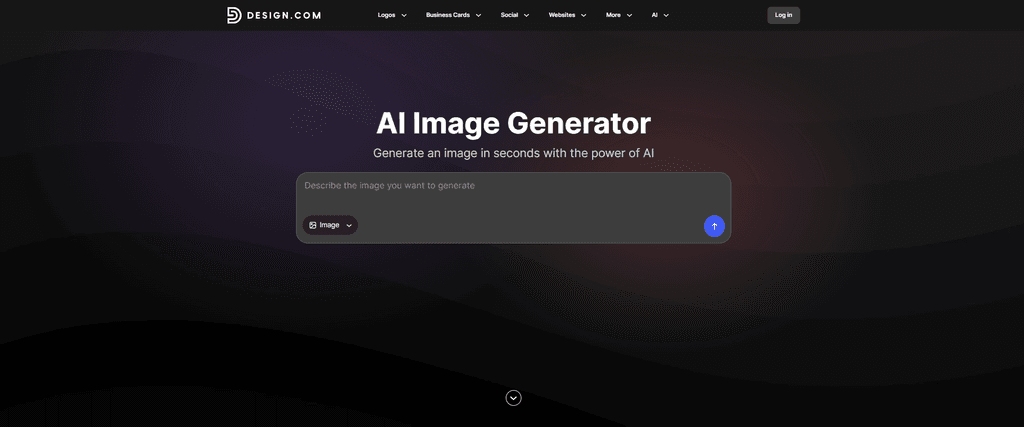
Design.com AI Image Generator page
Design.com offers an AI Image Generator that turns text prompts into visuals for different creative projects. It’s worth considering for small businesses, marketers, and creators who need images for branding, promotional materials, or online content.
The tool provides a straightforward way to describe the image you want without needing advanced design skills. For users creating trend-driven content, this can be a practical starting point for producing visuals that fit a campaign or brand aesthetic. Businesses can also pair these visuals with logo design to create a more consistent look across their branding and marketing materials.
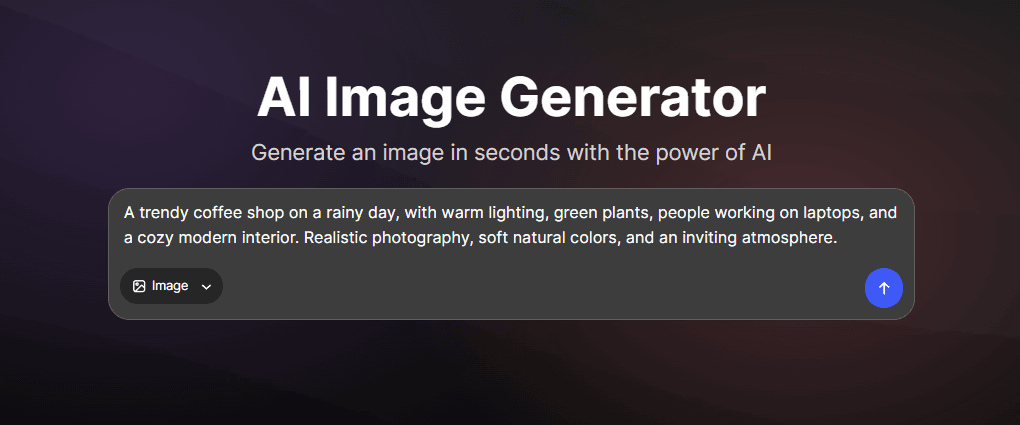
Entering the coffee shop prompt in Design.com
For this comparison, we entered the same coffee shop prompt into Design.com’s AI Image Generator. The prompt describes the setting, lighting, people, and overall mood to give the tool a clear creative direction.
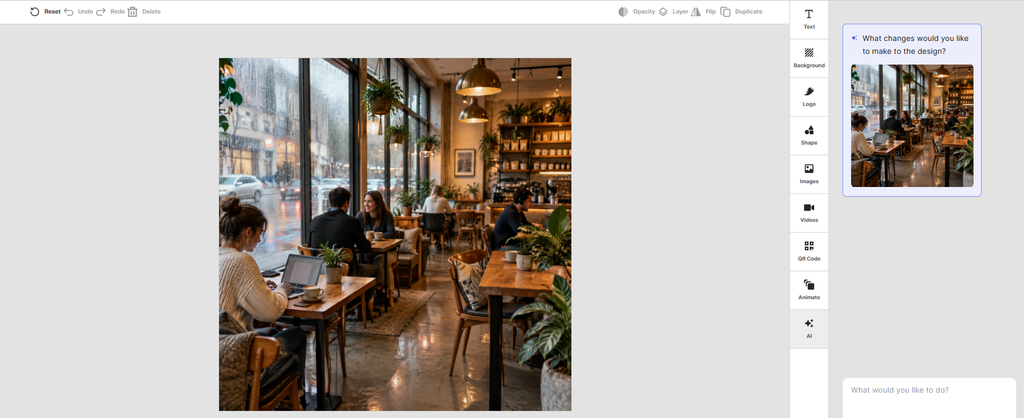
Design.com AI-generated coffee shop image
Design.com did a great job of following our prompt. The generated image captured the cozy coffee shop atmosphere we described, with warm lighting, green plants, people working on laptops, and a modern interior. It brought the key details together in a cohesive, inviting scene that closely matched our vision.
The result looks polished and versatile, making it a good fit for social media posts, promotional graphics, and other branded content.
Pricing
Design.com offers a free starter plan to explore its AI-powered design tools. Its paid plans start at $3/month when billed annually or $9/month when billed monthly. The platform also provides additional design tools that let users turn generated images into social media graphics, marketing materials, and other branded content.
Verdict: 10/10
Design.com gets a 10/10 from us for this test. It followed our prompt exceptionally well, capturing the cozy coffee shop atmosphere and including the key details we requested. The result looked polished, cohesive, and ready to inspire social media posts or marketing visuals. Its simple workflow also makes image generation accessible to users without design experience.
For anyone who wants to quickly turn an idea into an appealing visual, Design.com is an excellent option.
2. Canva: Best for Images and Social Media Designs
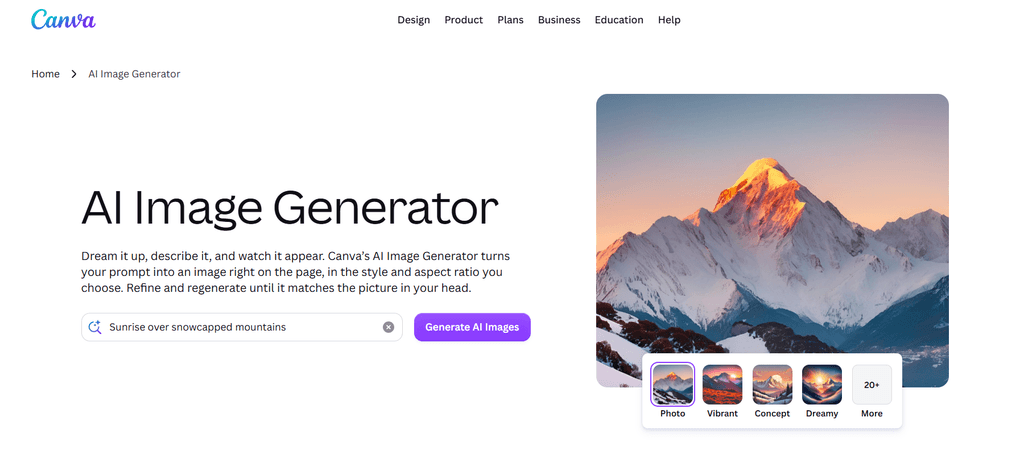
Canva AI Image Generator page
Canva combines AI image generation with a broader design platform. Users can create visuals from text prompts and then incorporate them into social media posts, presentations, posters, and other marketing materials.
This makes Canva useful for creators who want to generate an image and continue working on the finished design in the same platform. Its templates and editing tools can also help users adapt visuals to different content formats.
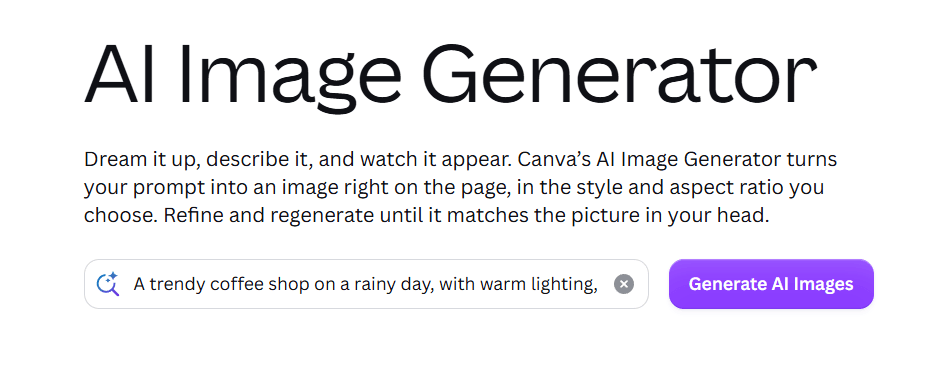
Entering the coffee shop prompt in Canva
We used the same coffee shop prompt in Canva to see how it interpreted the requested setting and atmosphere. Keeping the wording consistent helps us compare its output with the other generators.
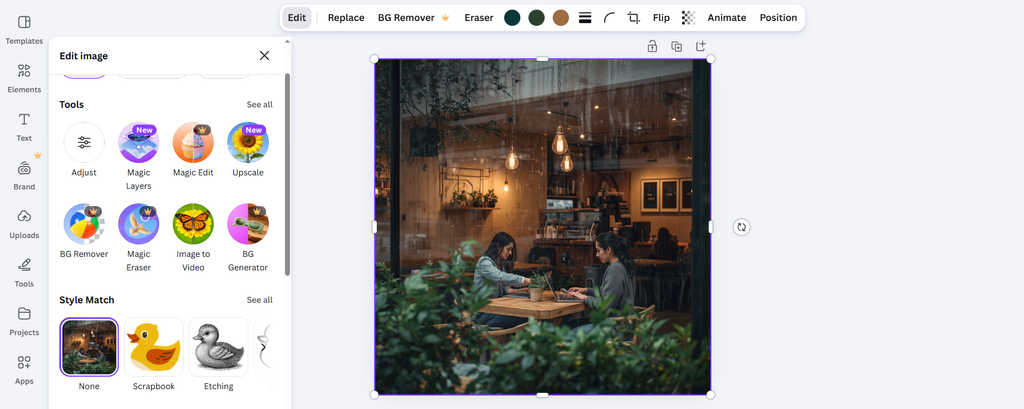
Canva AI-generated coffee shop image
Canva also did a great job of following our prompt and capturing the cozy coffee shop atmosphere we described.
However, we noticed a few differences in the generated image. The composition focused heavily on two people, while the hanging lights appeared to be positioned outside the coffee shop rather than inside. The rainy weather was also not clearly visible.
Despite these minor issues, the image looked appealing and captured much of the mood and setting we requested.
Pricing
Canva offers a free plan with limited AI usage, templates, and design features. Canva Pro costs $15/month or $120/year for an individual subscription, based on its standard US pricing. It includes more AI usage, premium templates, stock assets, and additional editing tools. Pricing may vary by region.
Verdict: 8/10
Canva earns an 8/10 in our test. It produced an attractive image that largely followed our prompt, particularly the cozy interior and overall atmosphere. However, the misplaced hanging lights and unclear rainy weather kept it from matching our description perfectly.
Still, Canva is a strong option for creators who want to generate images and turn them into social media posts or marketing designs using the same platform.
3. Adobe Express: Best for Marketing and Branded Content
Adobe Express AI Image Generator page
Adobe Express brings AI image generation into a design platform built for creating digital content. Users can generate images and use them alongside editing tools and design features for social media graphics, advertisements, and other marketing assets.
It’s a useful option for creators who want to produce visuals for campaigns and make additional adjustments before publishing. The platform also supports a range of content formats, making it easier to work on different types of promotional materials.
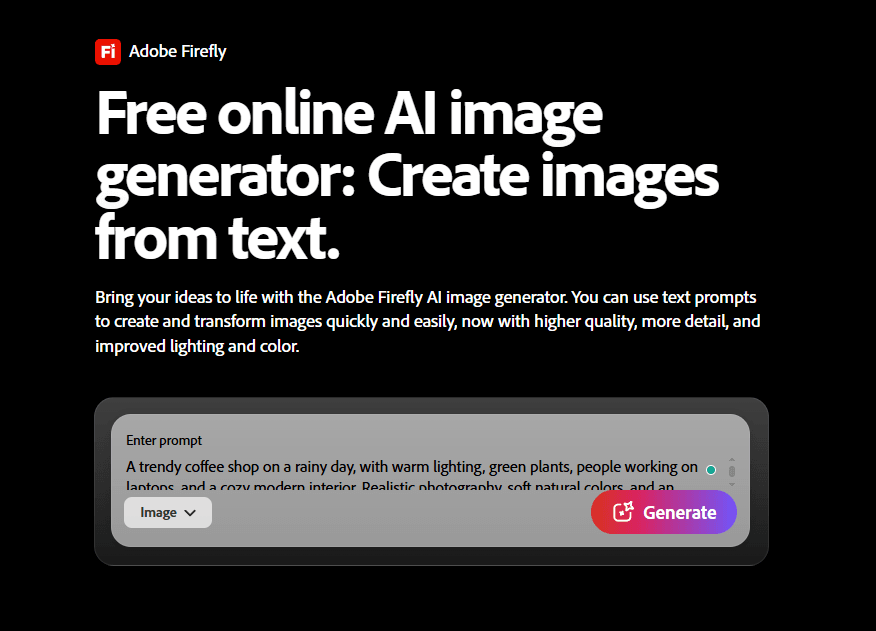
Entering the coffee shop prompt in Adobe Express
We entered the same prompt into Adobe Express, keeping the description unchanged to maintain a fair comparison. This lets us assess how the generator interprets the requested scene, lighting, and mood.
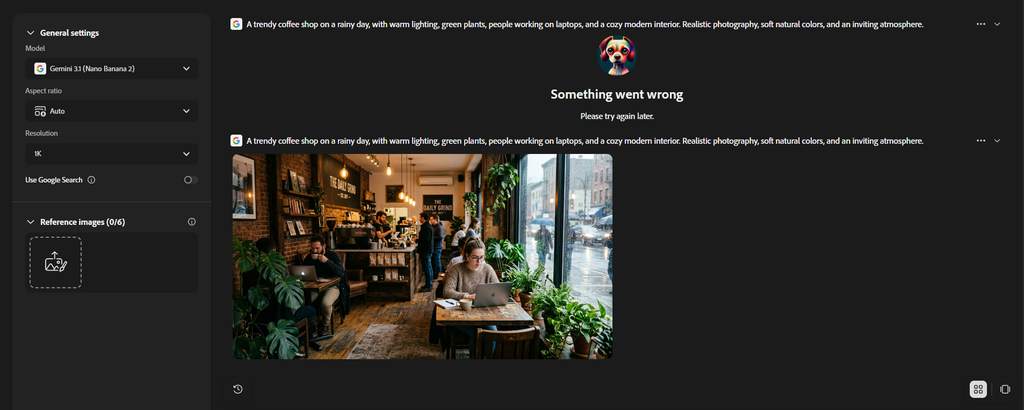
Adobe Express AI-generated coffee shop image
After entering our prompt in Adobe Express, the page displayed a loading state. After refreshing the page once, the tool successfully generated the image.
The result was impressive and captured nearly every detail in our prompt. It showed people working inside the cafe, customers placing orders, and rain falling outside. The cafe even had its own name, adding a realistic touch to the scene. Overall, the image closely matched what we had asked for and created the cozy, lively atmosphere we wanted.
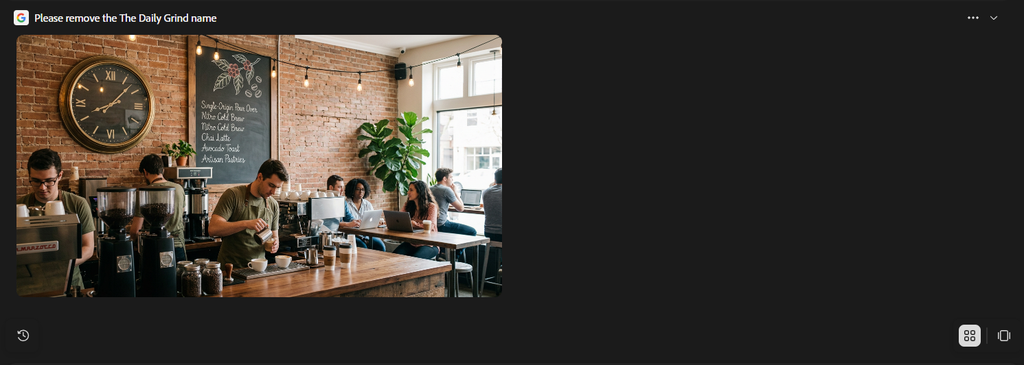
Adobe Express AI-generated coffee shop version 2 image
However, we encountered an issue when we asked Adobe Express to remove the cafe’s name. Instead of editing the existing image, the tool generated a completely different one. The new result was a close-up image that no longer showed the cafe setting, people working or ordering, or the rainy weather described in our original prompt. This made it difficult to make a simple adjustment while keeping the elements we liked.
Pricing
Adobe Express offers a free plan with basic design tools, templates, and limited generative AI features. Adobe Express Premium costs $9.99/month and includes additional premium assets, templates, editing features, and greater access to generative AI tools. Pricing and included features may vary by region.
Verdict: 8/10
Adobe Express earns an 8/10 in our test. Its initial image was one of the stronger results, accurately capturing the cafe’s atmosphere and the specific details in our prompt. However, the follow-up editing attempt was disappointing: removing a simple text element produced an entirely different image. Adobe Express is a strong choice for generating detailed visuals, though users may need to experiment with their prompts when making changes to an existing result.
4. Leonardo.AI: Best for Creative Styles and Visual Detail
Leonardo.AI image generation page
Leonardo.AI is an AI image-generation platform for users who want to explore diverse visual styles and create detailed images from text descriptions. It can be useful for creators developing campaign concepts, editorial visuals, digital artwork, and other creative assets.
Compared with tools built around broader design workflows, Leonardo.AI puts more emphasis on image creation itself. Its available generation settings can also give users more ways to experiment with an image’s look.
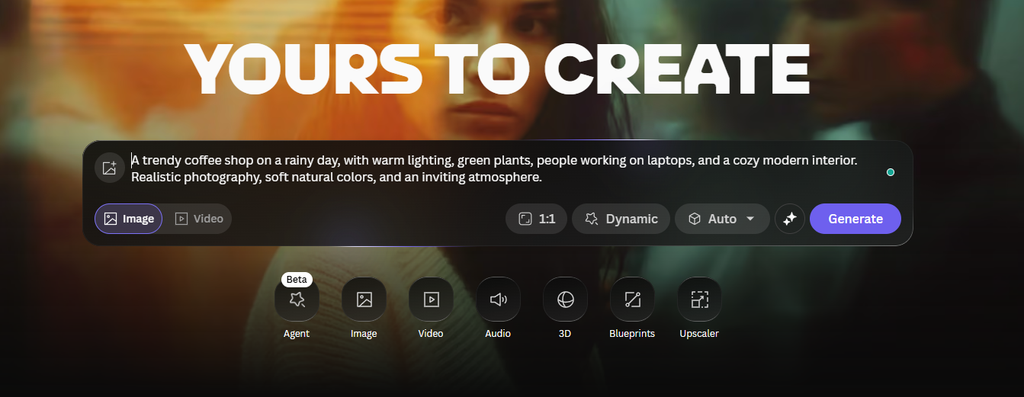
Entering the coffee shop prompt in Leonardo.AI
For this test, we used the same coffee shop prompt to see how Leonardo.AI handled the scene. Any additional settings should be recorded alongside the screenshot, since they may influence the final result.
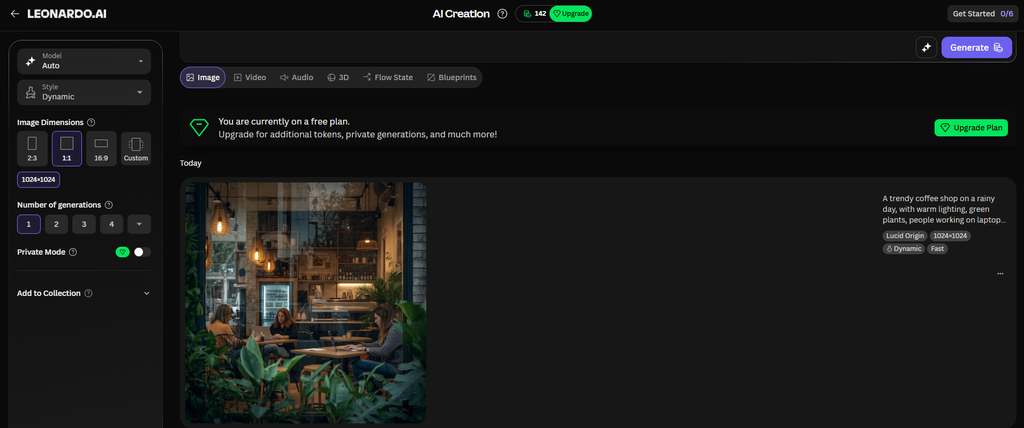
Leonardo AI generated coffee shop image
Leonardo.AI generated a good image that captured part of the cozy coffee shop atmosphere we described. The result showed three women sitting in the cafe, working on their laptops. The interior had a vintage feel, and we could also see a plant that added a touch of greenery to the scene.
However, the image focused on a zoomed-in section of the cafe rather than showing the entire setting. While it included several details from our prompt, the outside rain was not clearly visible.
Overall, Leonardo.AI produced an appealing image that captured the idea of people working in a cafe, but it missed some of the broader scene details we wanted to see.
Pricing
Leonardo.AI offers a free plan with 150 tokens per day for generating images and exploring its AI tools. Paid plans start at $12/month for Essential, with higher-tier options including Premium at $30/month and Ultimate at $60/month. Paid plans provide more monthly tokens, private image generation, and access to additional features. Annual billing may offer discounts.
Verdict: 7/10
Leonardo.AI earns a 7/10 in our test. It generated an appealing image of three women working on their laptops in a vintage-style cafe, capturing the cozy atmosphere we wanted. However, the zoomed-in composition left out much of the setting, and the rainy weather was not clearly visible. It’s a good option for creating detailed visuals, but it could do better at including every element in a specific prompt.
5. Artlist.io: Best for Creative Content Production
Artlist.io AI Image Generator page
Artlist.io offers AI-powered creative tools as part of a broader platform for content production. It may appeal to video creators, marketers, and creative teams who need visuals for digital campaigns, storytelling, and multimedia projects.
For trend-driven content, image generation can help creators explore concepts and develop visual assets before incorporating them into a larger project. The platform’s broader creative focus is worth considering if images are only one part of your content workflow.
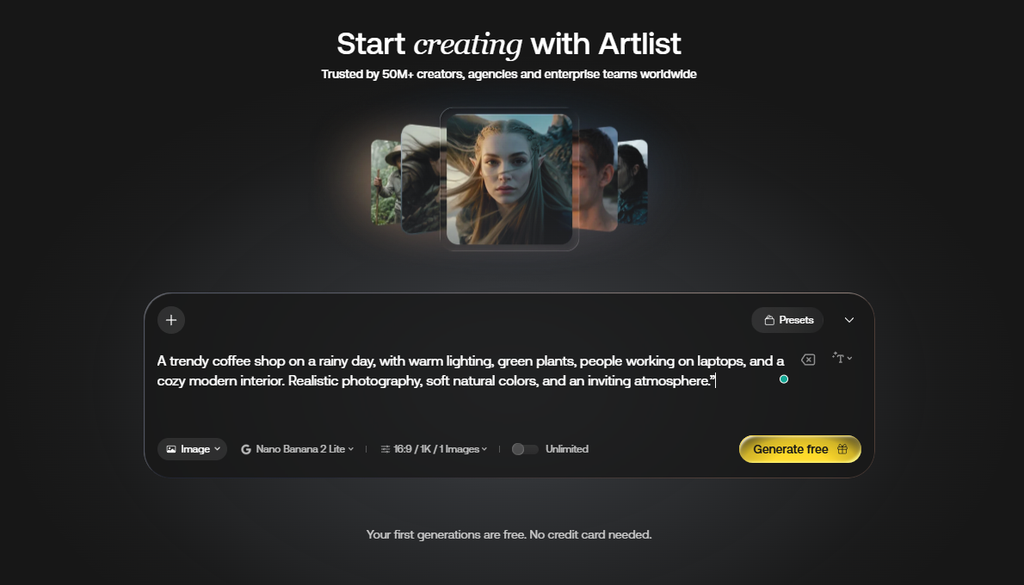
Entering the coffee shop prompt in Artlist.io
We used the same coffee shop prompt in Artlist.io to maintain consistency with the other tests. As with Leonardo.AI, note any generation settings used so readers understand the conditions behind the result.
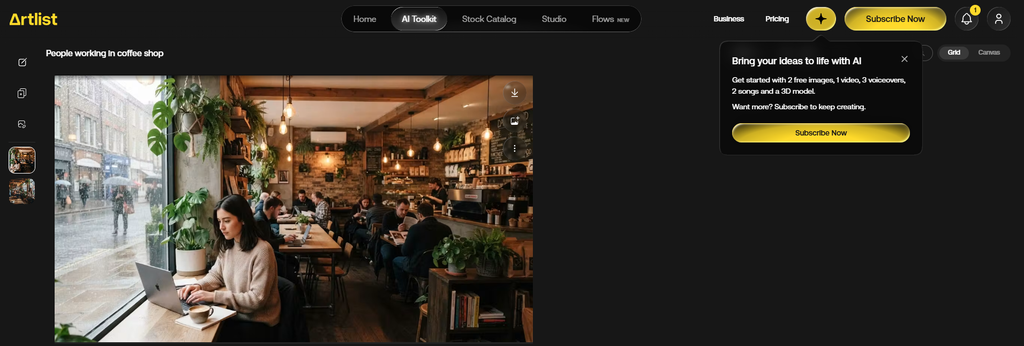
Artlist.io AI-generated coffee shop image
Artlist AI delivered one of the best results in our comparison. It followed our prompt closely, generating a packed coffee shop with people working on their laptops, reading, and enjoying the space. The interior also featured plants, while the rain was clearly visible outside the windows. Unlike some of the other tools we tested, Artlist AI captured nearly every detail we described in the prompt. The result felt lively, cozy, and realistic, making it a great fit for trend-driven social media content and marketing visuals.
Pricing
Artlist AI offers a free trial that includes 2 AI-generated images, 1 AI-generated video, 3 AI voiceovers, and 2 AI music tracks. These free generations are for testing purposes only and cannot be used in published projects.
For continued image generation, paid AI plans start at $19.99/month or $11.99/month when billed annually for the AI Starter plan, which includes 16,500 credits per month. The AI Core plan costs $39.99/month or $23.99/month with annual billing and includes 40,000 credits per month, access to over 100 AI models, and unlimited generations on select models. The AI Creator plan costs $69.99/month or $41.67/month with annual billing and includes 80,000 credits per month.
Verdict: 9/10
Artlist AI earns a 10/10 in our test for how well it followed our prompt. The generated image showed a packed coffee shop with people working on laptops, reading, and enjoying the space. It also included plants inside the cafe and clearly visible rain outside, capturing nearly every detail we requested. The result felt lively and realistic, making it a strong example of how AI image generators can turn a simple description into a detailed visual.
Conclusion
AI image generators make it easier for brands, marketers, and content creators to produce visuals for social media, advertising, and other digital projects. Each tool offers a different approach, from simple image generation to more advanced creative controls and editing features.
Our comparison showed that the results can vary even when using the same prompt. Some tools captured nearly every detail, while others missed certain elements or struggled to make changes to an existing image. That’s why it’s worth comparing image quality, ease of use, editing options, and pricing before choosing a tool.
For creators who want an easy way to turn ideas into polished visuals for their business or brand, Design.com is a great place to start, thanks to its straightforward AI Image Generator and versatile design tools.