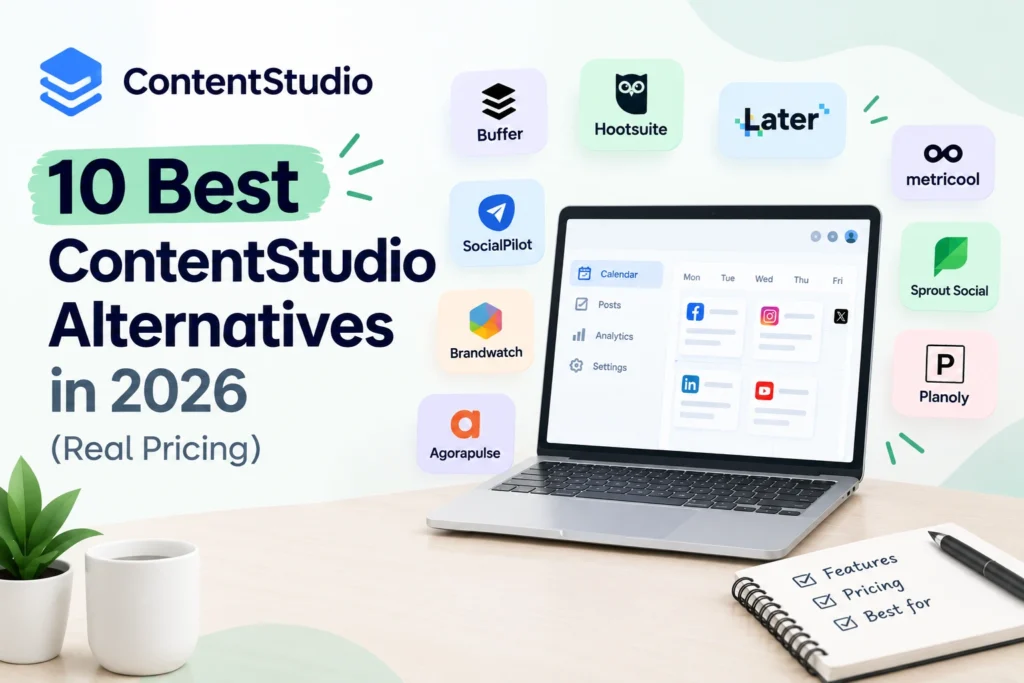
Almost every list of ContentStudio alternatives you will read was written by one of the alternatives. Blotato ranks Blotato first and its founder says so in the article. PostKit ranks PostKit. Publer’s blog concludes Publer is the obvious choice.
We do not sell a social media tool, we have no affiliate links on this page, and we are not in the rankings below. That is the only reason to read this version rather than one of theirs.
This guide covers why people actually leave, what ContentStudio really costs once you reconcile the conflicting figures, ten alternatives with verified pricing, and the one thing none of them replaces properly.
Why People Look for a ContentStudio Alternatives
Five reasons, and each points somewhere different.
No permanent free plan. ContentStudio runs on a trial rather than a free tier, so there is no low-commitment way to stay when budgets tighten. Metricool, Publer, and Buffer all offer permanent free plans.
The second half of the rate card. The entry price is competitive. What sends people shopping is the add-ons, the account floors, and features that quietly sit two tiers above the plan they signed up for. AI image caps running out mid-month is a commonly cited version of this.
The agency tier jump. Agency Unlimited sits at around $99 monthly, which is a significant step from the entry plan for a small operator managing a few clients.
Interface clutter. The all-in-one pitch means a lot of surface area, and the mobile app is limited compared with the web experience.
Missing integrations. Mastodon, Facebook Profiles, and Telegram are not supported, which matters if any of those is central to your workflow.
Work out which one applies to you before reading the list, because the right ContentStudio alternative differs completely depending on the answer.
What ContentStudio Actually Costs
Published figures conflict, so here is the reconciliation.
The entry plan appears variously as $19, $25, and $29 monthly across sources. The most likely explanation is that $19 is the annually billed rate and $25 is the monthly rate, with $29 being either an older figure or a different plan. G2 lists entry-level pricing at $25 monthly.
The tiers, as published: Standard around $19 to $25, Advanced around $49, and Agency Unlimited around $99 monthly for multi-client management, white-label reports, and unlimited workspaces.
The trial is reported as both 7 days and 14 days, with at least one source noting no card is required. That inconsistency likely reflects changes over time.
What this means practically. Check the price on ContentStudio’s own site on the day you decide, and check the order summary before confirming. Every figure on every comparison page, including this one, is a snapshot.
The G2 picture. ContentStudio holds 4.6 out of 5 across roughly 352 reviews, with 94.4 percent from small businesses. That is a solid rating, and it is worth saying plainly that people leaving are usually leaving over price structure rather than over quality.
The One Thing No ContentStudio Alternatives Replaces
Honest caveat before the list.
ContentStudio’s genuine differentiator is combining a content discovery feed with AI writing and scheduling in one dashboard. Discover, compose, schedule, analyse. For anyone whose workflow depends on finding and curating trending content, that combination is rare, and one competing publisher concedes that no alternative replicates it as cleanly.
If curation is why you use it, your realistic options are SocialBee, which comes closest on workflow, or the DIY stack of a dedicated curation tool plus a cheaper scheduler, covered at number six below. Do not expect a single cheaper tool to do all three well.
If curation is not why you use it, you are paying for a feature you do not need, and most of the list below will save you money.
The 10 Best ContentStudio Alternatives
| Tool | From | Free plan | Best for |
| Metricool | ~$20/mo annual | Yes | Analytics and reporting |
| Publer | ~$12/mo | Yes, 3 accounts | Cheapest full feature set |
| Buffer | ~$5 to $6 per channel | Yes, 3 channels | Simplicity, few channels |
| SocialBee | ~$29/mo | No | Closest workflow match |
| Vista Social | ~$79/mo | Yes, limited | Agencies wanting modern UX |
| Feedly + Buffer | ~$12 to $20/mo | Partial | Curation on a budget |
| Later | ~$25/mo | Limited | Instagram-first brands |
| Pallyy | ~$25/mo | Yes | Flat pricing, visual planning |
| Hootsuite | ~$99/mo | No | Enterprise reporting |
| Postiz | Free self-hosted | Yes | No recurring cost |
1. Metricool
Pricing: Free plan covering one brand with a monthly post cap. Starter around $20 monthly billed annually or $25 monthly for up to five brands. Advanced around $53 annually or $67 monthly, adding API access, approvals, and team roles.
What you get: Scheduling, genuinely strong analytics, competitor tracking, and paid ad reporting for Meta and TikTok alongside organic.
Where it wins: The best reporting per dollar in this category, and per-brand pricing suits anyone managing several clients.
Where it does not: No content discovery feed, and X is an add-on. Read the add-on column before committing.
The most common landing spot for people leaving ContentStudio over price, particularly if analytics mattered more than curation.
2. Publer
Pricing: Free plan for three accounts. Professional around $12 monthly for three accounts, or $5 for a single account with roughly $4 per additional account and $2 per additional member, with every tenth free. Business around $21.
What you get: Scheduling, post recycling, watermarking, AI captions and image generation, RSS feeds, and support for 13 networks including Mastodon and Telegram.
Where it wins: The lowest credible paid entry in the category, wider platform support than ContentStudio, and a genuinely usable free tier. Rated 4.8 on both Capterra and G2.
Where it does not: The per-account and per-member maths adds up faster than the headline $5 suggests, and the discovery feed is narrower.
3. Buffer
Pricing: Free for three channels with a queue cap. Paid from roughly $5 to $6 per channel.
What you get: Clean scheduling, per-channel analytics, AI caption assistance, and a free link-in-bio page.
Where it wins: Simplicity and the cleanest mobile experience. If you run three or four channels, it is the cheapest credible option.
Where it does not: Per-channel pricing scales badly past six or seven accounts, analytics depth is limited, and there is no curation or AI image generation.
4. SocialBee
Pricing: From around $29 monthly.
What you get: Category-based evergreen content queues, an AI copywriter, multi-platform scheduling, and content recycling.
Where it wins: The closest match to ContentStudio’s actual workflow, particularly the content categories and recycling model. If you liked how ContentStudio organised content, this is the switch.
Where it does not: No permanent free plan, and profile limits are tight at entry level.
5. Vista Social
Pricing: Professional around $79 monthly, Advanced around $149, Scale around $349.
What you get: Modern scheduling workflows, unified inbox, review and reputation management, listening, and reporting.
Where it wins: A 4.8 G2 rating across over a thousand reviews, and a genuinely modern interface if editor clutter is your complaint.
Where it does not: Significantly more expensive than ContentStudio’s entry tiers. Worth it for agencies, hard to justify for a solo operator.
6. Feedly Plus Buffer
Pricing: Roughly $12 to $20 monthly combined, depending on tiers.
What you get: Feedly handles content discovery and RSS curation. Buffer handles scheduling and publishing.
Where it wins: This is the honest answer for anyone whose main use of ContentStudio was the discovery feed. Two specialist tools, each better at its job, often for less than one all-in-one.
Where it does not: Two subscriptions, two interfaces, and manual movement between them. You trade convenience for capability and cost.
The most overlooked option on this list, and frequently the cheapest genuine replacement for curation-driven workflows.
7. Later
Pricing: From around $25 monthly.
What you get: Visual planning built around an Instagram grid preview, drag-and-drop calendar, user-generated content collection, and influencer tools.
Where it wins: Visual-first brands where the feed aesthetic is part of the strategy.
Where it does not: Its social set model bundles profiles in units, so multi-brand costs compound. Weaker on curation and automation.
8. Pallyy
Pricing: Around $25 monthly, flat regardless of profile count.
What you get: Scheduling, visual grid planner, bio link tool, unified inbox, and analytics.
Where it wins: Flat pricing, which is the cheapest structure once you pass five or six accounts, plus an inbox at a price where most competitors omit one.
Where it does not: Instagram-centric by design, with a lighter integration list.
9. Hootsuite
Pricing: From around $99 monthly per user.
What you get: Scheduling, unified inbox, bulk scheduling, approval workflows, and listening on higher tiers.
Where it wins: Enterprise reporting depth and governance. Rated 4.2 on G2 across over 4,700 reviews.
Where it does not: Per-seat pricing makes it the most expensive option here for small teams, and there is no free plan. Our comparison of Hootsuite alternatives covers why per-seat billing catches people out.
10. Postiz
Pricing: Free if self-hosted. Cloud plans available.
What you get: Open-source scheduling across all major platforms with no artificial account caps, plus AI assistance and team workspaces.
Where it wins: No recurring cost and complete data ownership.
Where it does not: You own the server, updates, and API troubleshooting. Only viable if someone on your team is comfortable running a container.
The Pricing Model Decides Your Bill
Four structures in this list, and the gap between them is larger than any feature difference.
Per channel (Buffer): cheapest at three or four profiles, expensive at ten.
Per account plus per member (Publer): lowest headline price, but the additions compound. Price your real account and team count, not the entry tier.
Per brand (Metricool): best for agencies and multi-brand businesses, since channels bundle inside each brand.
Flat rate (Pallyy, SocialPilot-style tools): predictable, and usually cheapest once you pass five or six accounts.
Per seat (Hootsuite): scales with team size rather than workload, and is the structure that pushes most people to look for alternatives in the first place.
The trap is leaving ContentStudio over cost and landing on a model that bills you worse at your actual shape. Count your channels, brands, and team members before choosing. Our breakdown of social media marketing tools and their pricing models explains why identical-looking tools produce very different invoices.
Which ContentStudio Alternatives Fits You
- You left over price and mainly want analytics: Metricool.
- You want maximum features for minimum spend: Publer.
- You run three or four channels and want simplicity: Buffer, possibly free.
- You valued the content categories and recycling: SocialBee.
- The discovery feed was the whole reason you subscribed: Feedly plus Buffer.
- You are an agency and the interface was the complaint: Vista Social.
- You run many accounts and want one predictable bill: Pallyy or another flat-rate tool.
- You want to spend nothing: Buffer or Publer free tiers, or Postiz self-hosted. Our roundup of free social media management tools covers what each free plan actually allows.
What to Check Before You Switch
Four things that cause regret.
Export your data first. Historical analytics and post archives do not transfer between platforms. Pull your reporting before cancelling.
Confirm your specific channels are supported on your tier. Metricool’s free plan excludes LinkedIn and X. Publer’s free tier excludes X. This is the most common post-switch complaint and it is entirely avoidable.
Test with real volume for a week. Not five sample posts. Connect everything you actually run and publish at your normal frequency, because API quirks only appear under real use.
Verify the ratings yourself. Every comparison page quotes G2 and Capterra scores selectively. Check the current figures on G2 directly, and read the one-star reviews rather than the summary.
What We Would Test at Leemjaz
From moving clients between these tools.
We count the real account number before recommending anything. The single most common mistake we see is a business switching to escape one pricing model and landing on another that bills them worse at their actual size. Per-channel looks cheap until the founder’s LinkedIn and a second Instagram arrive.
We run both tools in parallel for two weeks. It costs one extra month and catches the missing feature before cancellation, which has saved more than one client from switching back.
We separate what you use from what you pay for. When we audit a client’s ContentStudio usage, curation is often the feature they cite and rarely the feature they open. If nobody has touched the discovery feed in a month, the all-in-one premium is not buying anything.
We keep native analytics as the reference. Third-party dashboards estimate, platform insights measure. Switching tools changes your reported numbers even when nothing changed, so rebaseline rather than treating the difference as performance.
ContentStudio Alternatives FAQs
What is the best ContentStudio alternatives?
Metricool for most users, since it offers a free plan and a paid tier around $20 monthly with considerably stronger analytics. Publer is the cheapest full-featured option at roughly $12 monthly with a free tier. SocialBee is the closest match if you specifically valued ContentStudio’s content categories and recycling workflow.
Is there a free ContentStudio alternatives?
Yes. Publer’s free plan covers three accounts, Buffer’s covers three channels including LinkedIn and X, and Metricool’s covers one brand with a monthly post cap. Self-hosted Postiz is free with no account limits if you have technical capacity. ContentStudio itself offers only a trial rather than a permanent free tier.
How much does ContentStudio cost?
Published figures vary between $19 and $29 for the entry plan, most likely reflecting annual versus monthly billing, with G2 listing $25 monthly. Advanced sits around $49 and Agency Unlimited around $99 for multi-client management and white-label reports. Check the current rate on ContentStudio’s own site before deciding.
Why do people leave ContentStudio?
Mainly the pricing structure rather than the product, which holds a 4.6 G2 rating. The common complaints are the absence of a permanent free plan, add-ons and account floors that raise the effective cost, AI image caps, the jump to the $99 agency tier, and interface clutter alongside a limited mobile app.
What replaces ContentStudio’s content discovery feed?
No single cheaper tool replicates it cleanly, which competing publishers concede. SocialBee comes closest on workflow through content categories and recycling. The most cost-effective replacement is pairing a dedicated curation tool such as Feedly with a cheaper scheduler like Buffer, often for less than one all-in-one subscription.
Does switching social media tools lose my data?
Your historical analytics and post archives do not transfer, so export everything before cancelling. Scheduled posts also need rebuilding in the new tool. Your connected accounts and their native platform insights are unaffected, since those live with the platform rather than with the scheduler.
Conclusion
The right ContentStudio alternatives depends entirely on which part of the product you were actually using. If it was analytics, Metricool costs less and does more. If it was breadth of features on a budget, Publer wins. If it was the discovery feed, accept that you are replacing one tool with two and price accordingly. Count your channels, brands, and team members first, then pick the billing model that fits that shape. Doing it in the other order is how people leave one expensive tool for another.