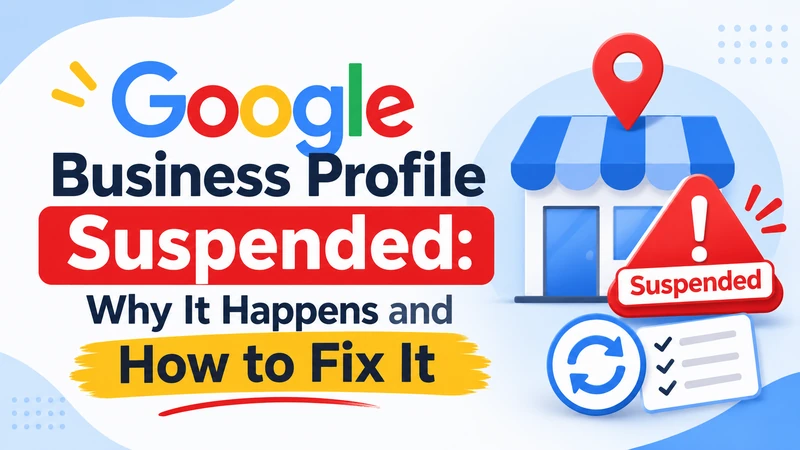
A Google Business Profile suspended notification can remove your business from Google Search and Maps, making it harder for nearby customers to find you. You can request reinstatement, but first, identify the policy issue, correct inaccurate information, and prepare evidence that proves your business is eligible to appear on Google.
What You Need to Know First
- Google suspends business profiles when they violate its eligibility or content policies.
- Incorrect addresses, keyword-stuffed business names, and duplicate listings are common risk factors.
- Fix policy violations before submitting a reinstatement appeal.
- Business registration, licenses, and utility bills can support your appeal.
- Avoid creating another listing while your original appeal is under review.
What Does a Google Business Profile Suspension Mean?
A Google Business Profile suspension means Google has restricted a business listing because it believes the profile may violate its guidelines or eligibility requirements.
Your business might disappear from Google Search and Maps, or you might lose the ability to manage your listing. The exact impact depends on the type of restriction.
For a local business, this can affect customer enquiries, phone calls, directions, bookings, and website visits.
There are three situations worth understanding:
1. Profile suspension: Google restricts the business listing itself. The business might no longer appear publicly.
2. Disabled or unverified profile: Your listing may remain visible, but you lose access to important management features.
3. Google Account restriction: Google restricts the account that owns or manages business profiles. Other listings connected to that account may also become affected.
These situations require different recovery steps. Therefore, check the restriction notice instead of assuming every missing listing has the same problem.
Why Does Google Suspend Business Profiles?
Google suspends profiles when business information, ownership, location, or other details don’t meet its requirements.
Some problems result from intentional manipulation. Others happen when business owners make changes without understanding Google’s eligibility rules.
Here are the most common issues to investigate.
1. Incorrect business name
Your profile name should represent your actual business name.
For example, suppose your registered business is Smith Plumbing. Adding extra phrases such as “Smith Plumbing Best Emergency Plumber Chicago 24/7” to improve rankings can create a policy problem.
Use the name customers recognize from your real-world branding and business documentation.
2. Ineligible business address
Address problems are another common source of trouble.
Google expects eligible businesses to maintain a genuine location where they meet customers or operate within the rules for service-area businesses.
Avoid using:
- PO boxes or remote mailboxes.
- Virtual offices without genuine business operations.
- Coworking addresses that don’t meet Google’s eligibility requirements.
- Residential addresses displayed publicly when a service-area business should hide them.
A legitimate home-based business can qualify if it meets Google’s requirements. The important distinction is whether customers can genuinely visit the location or the business travels to them.
3. Duplicate business listings
Creating multiple profiles for the same business can confuse Google and customers.
This sometimes happens when an owner creates another listing after losing access to an existing one.
Instead of creating a replacement, investigate ownership and duplicate records first.
4. Frequent or inconsistent business information changes
Changing your business name, address, phone number, or primary category can trigger additional scrutiny.
A legitimate move or rebranding isn’t automatically a violation. However, inconsistent information across your website, official records, and business listing can make verification more difficult.
5. Policy violations and suspicious management activity
Other potential problems include misleading business information, prohibited content, and account-level policy violations.
Review everyone with owner or manager access. Remove people who no longer need permission, and investigate any changes you don’t recognize.
How to Fix a Suspended Google Business Profile
The safest approach is to identify the restriction, audit the listing, correct the problem, and then submit a properly supported appeal.
Follow these steps in order.
Step 1: Check the suspension notification
Start by signing in to the Google Account associated with your listing.
Look for Google’s notification explaining the restriction. Check the available information in the Appeals Tool, including:
- The affected business profile.
- The date of the moderation decision.
- The stated reason for the restriction.
- The policy associated with the decision.
- Whether the decision is eligible for appeal.
Don’t rely only on the email notification. Review the actual profile and its restriction details.
Step 2: Review Google’s business eligibility rules
Compare your listing against Google’s official requirements.
Pay particular attention to your business name, address, operating model, and service-area settings.
For example, if you operate a plumbing company and travel to customers, your profile should reflect that service-area business model rather than presenting an unstaffed residential address as a customer-facing storefront.
You can review the official Google Business Profile guidelines and reinstatement policies before making changes.
Step 3: Correct the information that caused the problem
Once you identify a possible violation, correct it before submitting your appeal.
Use this checklist:
- Remove unnecessary keywords from the business name.
- Correct an inaccurate address.
- Hide your address if your service-area business requires it.
- Review duplicate profiles.
- Update incorrect business hours.
- Check your business category.
- Remove unauthorized managers.
- Make sure your website displays accurate business information.
Avoid changing several unrelated details without a clear reason. Your goal is to correct genuine inconsistencies, not repeatedly experiment with the listing.
Step 4: Prepare supporting documents
Evidence helps demonstrate that your business operates legitimately and that its information is accurate.
Google identifies several types of supporting documents that can strengthen an eligible appeal.
| Document | What it helps demonstrate |
| Business registration | Legal business identity |
| Business license | Authorization to operate, where applicable |
| Tax certificate | Business identity and registration details |
| Utility bill | Connection to the business location |
| Phone or internet bill | Supporting address information |
Check that the business name and address on your documents match the details in your profile.
If your business recently moved, gather documentation that supports the new location and explains the change.
For a service-area business, prepare evidence of genuine operations and service delivery where relevant.
Step 5: Submit your reinstatement appeal
Once your information is accurate and your evidence is ready, open the Google Business Profile Appeals Tool.
Follow these steps:
- Sign in using the Google Account associated with your business.
- Select the suspended profile.
- Choose the moderation decision you want to appeal.
- Review the displayed restriction details.
- Add supporting evidence when the tool offers that option.
- Explain why your business meets Google’s eligibility requirements.
- Submit the appeal and save the confirmation.
Keep your explanation factual and concise. Describe the original problem, the correction you made, and the evidence you attached.
Important: Google’s current appeal process allows only one submission for a particular decision. Prepare your information carefully before submitting.
Step 6: Track your appeal status
After submitting your request, monitor the Appeals Tool and the email associated with your profile.
Google provides statuses such as:
| Appeal status | What it means |
| Submitted | Google has received your appeal |
| Approved | The appeal was accepted |
| Not approved | Google did not accept the appeal |
| Eligible for appeal | An appeal can be submitted |
| Can’t be appealed | The displayed decision isn’t eligible for an appeal |
Don’t submit repeated appeals for the same decision while waiting for a response.
If Google rejects your reinstatement request, check whether the additional review option is available. You may be able to provide new supporting evidence that wasn’t included in your original submission.
What Should You Do If Google Rejects Your Appeal?
A rejected appeal doesn’t always mean you have no further options. Google may allow an additional review when your original reinstatement request is denied.
Before requesting another review, investigate why the first appeal failed.
Consider these actions:
- Review the decision: Check the restriction details and identify any unresolved policy concerns.
- Gather new evidence: Include documents that weren’t available or attached during your original submission.
- Check business information: Confirm that your address, legal name, website, and supporting documents are consistent.
- Explain the correction: Clearly describe what you changed and why your business qualifies.
- Use the available review option: Follow the instructions provided in Google’s Appeals Tool.
Don’t submit the same explanation repeatedly without addressing the underlying problem.
Google’s official documentation explains the additional review process and the available appeal statuses. Check the latest instructions before proceeding.
How Long Does Google Take to Reinstate a Suspended Profile?
The reinstatement timeline depends on the circumstances of the suspension and Google’s review process. There isn’t a guaranteed restoration date for every business.
Google’s documentation currently states that certain appeal reviews can take up to five business days. However, that timeframe shouldn’t be treated as a universal guarantee for every suspension or account restriction.
Here is how you should manage the waiting period:
- Check your appeal status regularly.
- Monitor your registered email address.
- Keep your supporting documents available.
- Avoid unnecessary profile edits.
- Don’t create another listing for the same business.
If the review takes longer than expected, use the available Google Business Profile support channels rather than submitting duplicate requests.
Real Example: How a Local Business Could Recover Its Listing
Consider an illustrative example of a plumbing company operating in Dallas, Texas.
The company has a legitimate office but also provides services at customers’ homes. Its owner previously added several location-based keywords to the business name and displayed an address that customers couldn’t visit.
After receiving a suspension notice, the owner investigates the listing.
The following example shows how the recovery process could work.
Illustrative business recovery scenario
Business
Dallas plumbing company
Original problem
Name and address issues
Corrections
2 main profile changes
Evidence prepared
3 documents
Recovery actions
- The owner removes unnecessary keywords from the business name.
- The owner corrects the address and service-area settings.
- The business gathers its registration, license, and utility documentation.
- The owner submits an appeal explaining the corrections.
- The owner monitors the decision through Google’s Appeals Tool.
Illustrative scenario, not a verified client result
The important lesson is that the owner doesn’t simply ask Google to restore the listing. The owner first addresses the possible policy violations and then provides evidence.
This makes the appeal more informative and gives Google relevant information to assess the business.
Common Mistakes That Can Make a Suspension Worse
The biggest recovery mistake is submitting an appeal before understanding the original problem. Rushing the process can leave important policy violations unresolved.
Avoid these mistakes when dealing with a suspended listing.
Creating a new profile
A second listing for the same business can create duplicate-profile problems. Google specifically advises against creating another Business Profile while an appeal is under review.
Submitting incomplete evidence
A business registration document may not be enough to explain an address issue. Include relevant evidence that supports the specific circumstances of your business.
Ignoring the actual policy violation
Changing your business description won’t solve a problem involving an ineligible address. Identify the relevant policy before making changes.
Repeatedly submitting appeals
Multiple requests don’t automatically improve your chances. Google provides an additional review option for certain denied requests, so follow the available process instead.
Using inaccurate business information
Your website, official records, and Google listing should represent the same legitimate business. Avoid adding locations or contact details that you cannot substantiate.
Paying for guaranteed reinstatement
Be cautious of agencies or individuals promising guaranteed approval. Nobody outside Google can guarantee that a suspended listing will be restored.
How to Prevent Another Google Business Profile Suspension
Preventing another Google Business Profile suspended situation starts with accurate information and consistent account management.
Once your listing returns, make compliance part of your regular local SEO routine.
Use these practices:
- Keep your business name consistent with your real-world branding.
- Maintain accurate opening hours and contact information.
- Update your address when your business genuinely relocates.
- Follow Google’s service-area business requirements.
- Remove duplicate listings through the appropriate process.
- Review account owners and managers regularly.
- Avoid misleading descriptions, categories, and business information.
- Keep copies of registration documents and other supporting evidence.
You should also review your local search visibility periodically. Your listing is only one part of your local SEO presence.
Your website, service pages, business information, and customer reviews all contribute to how potential customers discover and evaluate your company.
For more practical guidance, explore local SEO strategies for small businesses and identify ways to strengthen your visibility beyond Google Maps.
How Leemjaz Can Help With Local SEO
A suspended listing can disrupt your local marketing efforts, but recovery is only one part of maintaining visibility. Leemjaz helps businesses improve their local search presence through SEO audits, Google Business Profile optimization, website improvements, and location-focused content. Our approach focuses on accurate business information, relevant local keywords, and useful website content. We can also help identify weaknesses in your wider organic search strategy so your business isn’t dependent on a single source of visibility.
Explore our organic SEO services to understand how a stronger search strategy can support your business.
Frequently Asked Questions
1. Why did Google suspend my Business Profile?
Google may suspend your profile because of inaccurate business information, an ineligible address, keyword stuffing, duplicate listings, or other policy violations. Account-level restrictions can also affect connected profiles. Check the restriction notice and the associated policy before changing your listing.
2. How do I get my suspended Google Business Profile back?
Correct the policy violations, gather supporting documents, and submit an appeal through Google’s Business Profile Appeals Tool. Include relevant business registration, licenses, or utility bills where appropriate. Monitor your appeal status and respond through the available review process.
3. How long does Google take to reinstate a suspended Business Profile?
The timeline varies depending on the suspension and review process. Google’s documentation states that certain appeal reviews can take up to five business days. This isn’t a guaranteed timeline for every case, so monitor the Appeals Tool and your email for updates.
4. Can I create a new Google Business Profile after suspension?
You shouldn’t create another profile for the same business while your appeal is under review. Doing so can create duplicate listings and additional policy complications. Focus on resolving the original restriction and use Google’s reinstatement process instead.
5. What happens if Google rejects my reinstatement appeal?
If Google rejects your appeal, review the decision and determine whether an additional review is available. You may be able to provide new supporting documents or information that wasn’t included previously. Correct any remaining policy issues before requesting another review.
Where to Go From Here
A suspended listing doesn’t necessarily mean your business has permanently lost its place on Google. Start by identifying the policy issue, correcting the information, and preparing relevant documents before submitting an appeal. Avoid duplicate profiles and repeated requests that don’t address the original problem. Most importantly, keep your business information accurate and follow Google’s eligibility requirements to protect your local search presence.