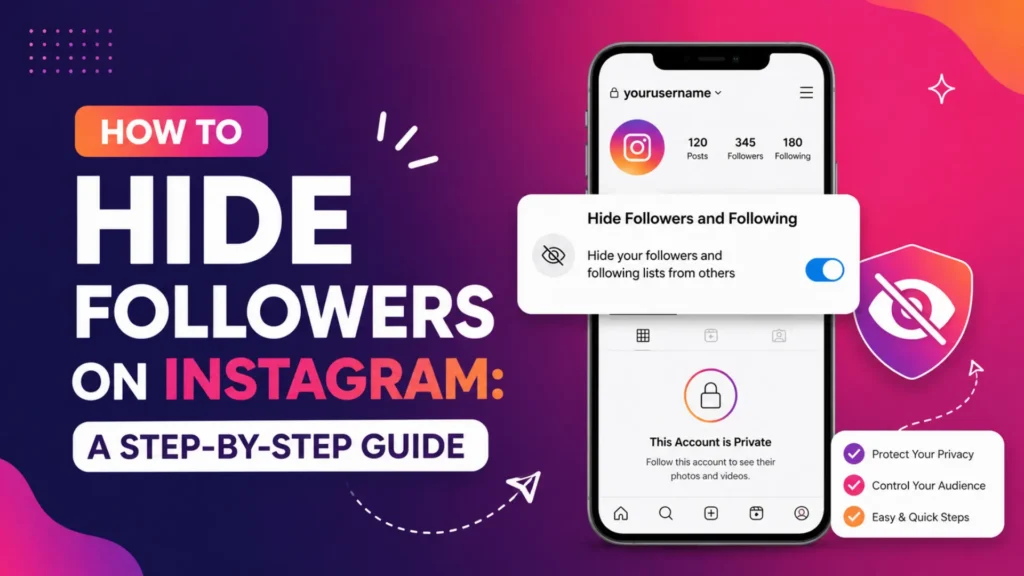
Instagram has become one of the most popular social media platforms, with millions of users sharing their lives, ideas, and businesses. As a result, privacy has become a significant concern for many users. One of the most common privacy issues is the visibility of followers and following lists. If you’re wondering how to hide Instagram followers, you’re not alone. Whether you’re looking to protect your privacy, avoid unwanted attention, or manage your relationships more carefully, the ability to hide your followers list on Instagram is a key feature.
In this guide, we will cover everything you need to know about hiding your followers on Instagram, including the available options, the limitations, and best practices for managing your privacy on the platform.
Why Do You Want to Hide Your Followers on Instagram?
Before we dive into the methods of hiding your followers list, it’s essential to understand why you might want to hide your followers. Here are some common reasons:
- Privacy Concerns: If you don’t want everyone to see who you follow or who follows you, hiding your followers list can give you more control over your online presence.
- Avoiding Unwanted Attention: If you’re concerned about specific individuals or groups seeing your followers list, you can restrict their visibility by using various privacy settings.
- Protecting Personal Relationships: Keeping certain followers hidden can prevent awkward situations, such as with family or friends who might not be comfortable with certain connections.
- Instagram’s Limited Privacy Options: While Instagram offers privacy settings, they don’t provide a way to completely hide your followers list, making it necessary to use workarounds.
Can You Hide Your Followers on Instagram?
Private Account
The most basic way to limit visibility is by setting your Instagram account to private. Here’s what it entails:
- Visibility of Followers: Only users who follow you can see your posts and followers list.
- Non-Followers: If someone isn’t following you, they won’t be able to see your following or followers list.
- Limitations: Even with a private account, your followers can still see the full list of people you’re following and those who follow you.
While a private account is a good option for privacy, it doesn’t fully hide your followers list from your followers.
Alternatives to Hide Followers
Instagram doesn’t provide a direct feature to completely hide your followers list, but there are a few alternatives to help manage visibility:
- Restricting Followers: You can restrict specific users without blocking them, making their interactions more limited without removing them entirely from your followers list.
- Blocking Specific Users: Blocking someone will prevent them from seeing your posts, stories, and followers list altogether, but it also stops any communication.
How to Hide Your Following List on Instagram from Followers
While Instagram doesn’t allow a feature to hide your following list directly from your followers, you can control it through:
- Private Account: Setting your account to private ensures that only approved followers can see your following list.
- Blocking Specific Users: If there are particular users you don’t want seeing in your following list, you can block them. Blocking prevents users from seeing any part of your profile, including your following list.
How to Hide Your Following List on Instagram Without a Private Account
If you prefer not to set your account to private, there is no built-in feature to completely hide your following list. However, you can use the following methods:
- Restrict Specific Users: Restricting a user limits their ability to interact with your posts and stories, though they’ll still be able to see your following list if they have access to your profile.
- Blocking Users: Blocking a user completely removes their access to your profile, including your following list. This is a more extreme option but ensures your privacy.
How to Hide Followers on Instagram Business Account
Business accounts on Instagram work the same way as personal accounts in terms of privacy settings. Instagram does not provide a way to hide the followers list on business accounts, but here’s what you can do:
- Switch to Private: Just like personal accounts, setting a business account to private will limit who can see your posts and followers.
- Restrict Followers: You can restrict specific users from interacting with your posts and stories, but this won’t hide your follower list from others.
Steps to Restrict Followers on a Business Account:
- Go to the follower’s profile.
- Tap the three dots in the top-right corner of their profile.
- Select Restrict.
This will limit their interactions, but your followers list remains visible.
How to Hide Followers on Instagram Story
If you’re more concerned about who sees your Instagram Stories rather than your posts or followers list, Instagram provides an easy solution:
- Go to your Profile.
- Tap the three lines in the upper-right corner and select Settings.
- Tap Privacy, then Story.
- Under Hide Story From, select the users you want to exclude.
This feature allows you to limit who views your stories without blocking or unfollowing users.
How to Hide Followers on Instagram Meta Verified
If you’re a Meta Verified user, you still have access to the same privacy features as other users, but with some added tools:
- Enhanced Privacy Options: As a verified user, you have more control over who sees your content and who can interact with your account. Although Instagram does not provide a direct option to hide your followers list, you can still restrict followers or hide specific stories to maintain privacy.
- Business Tools for Verified Accounts: If you’re managing a business account, Meta Verified provides tools for moderating comments and interactions, giving you greater control over your followers and their engagement with your content.
What Happens When You Hide Your Followers on Instagram?
When you hide your followers or restrict visibility, several things may happen:
- Impact on Engagement: Limiting who can see your followers list may reduce engagement as fewer people will be able to interact with your content.
- Followers May Get Confused: If followers notice they can’t see your posts or followers list, they may wonder if they’ve been blocked or restricted.
- Better Control: The upside is that you gain better control over your followers and interactions, offering a more private and secure Instagram experience.
- Profile Views: Instagram has introduced a Profile Views feature that lets users see who has visited their profile. However, this feature is only available for your Stories, and you cannot see who views your actual profile directly unless they interact with your content.
Common Myths About Hiding Followers on Instagram
There are a few myths that need to be cleared up when it comes to hiding followers on Instagram:
- Myth 1: Hiding Followers Means They Can’t See Your Posts: Hiding your followers list only limits visibility of the list itself, not your posts.
- Myth 2: Third-Party Apps Can Hide Followers: No, third-party apps cannot hide your followers. Instagram’s built-in privacy settings are the only available options.
- Myth 3: Blocking Someone Fully Hides All Interaction: Blocking someone removes their ability to see your content, but it also cuts off all communication. This may not always be the ideal solution if you only want to limit visibility.
Best Practices for Managing Your Instagram Privacy Settings
To maintain a balance between privacy and engagement, follow these best practices:
- Use a Private Account: Always set your account to private if you’re concerned about who can see your followers and posts.
- Review Followers Regularly: Periodically check your followers and remove anyone you no longer want to have access to your content.
- Limit Comments and Messages: Control who can comment on your posts or send you messages to ensure a more private and secure Instagram experience.
FAQs: How to Hide Instagram Followers
1. How to Hide Instagram Followers?
To hide Instagram followers, set your account to private. This limits visibility to only your followers. You can also block or restrict specific users for more control.
2. Can I Hide My Followers on Instagram Without a Private Account?
No, Instagram doesn’t offer a way to hide followers without making your account private. You can restrict or block users to limit their access.
3. How to Hide My Following List on Instagram?
Setting your account to private hides your following list from non-followers. Alternatively, block users to restrict access to your profile, including your following list.
4. How to Hide Followers on Instagram Business Account?
Business accounts cannot fully hide followers. You can switch to private or restrict/block users to limit visibility but the follower list remains accessible.
5. Will Instagram Notify Someone if I Hide My Followers?
No, Instagram doesn’t notify users if you hide your followers list or make privacy changes like restricting or blocking.
Conclusion: Should You Hide Your Followers on Instagram?
While Instagram doesn’t offer a way to fully hide your followers list, the platform provides several features to help you control who sees your followers and content. By setting your account to private, only your approved followers can view your posts and follower list. You can also restrict specific users, limiting their ability to interact with your content without blocking them entirely. Additionally, using the Close Friends feature allows you to share stories with a select group of people, giving you more control over who sees your content. These options help you maintain privacy and control over your Instagram profile.
Related Articles You Might Like:
- Find Instagram by Phone Number: Complete Guide
- Free Instagram Followers in 2025: The Ultimate Guide
- Instagram Adding Profile Views: What It Means and Why It Matters
- Best Time to Post on Instagram for Maximum Engagement
- How to Reset the Instagram Algorithm in 2025: A Complete Guide