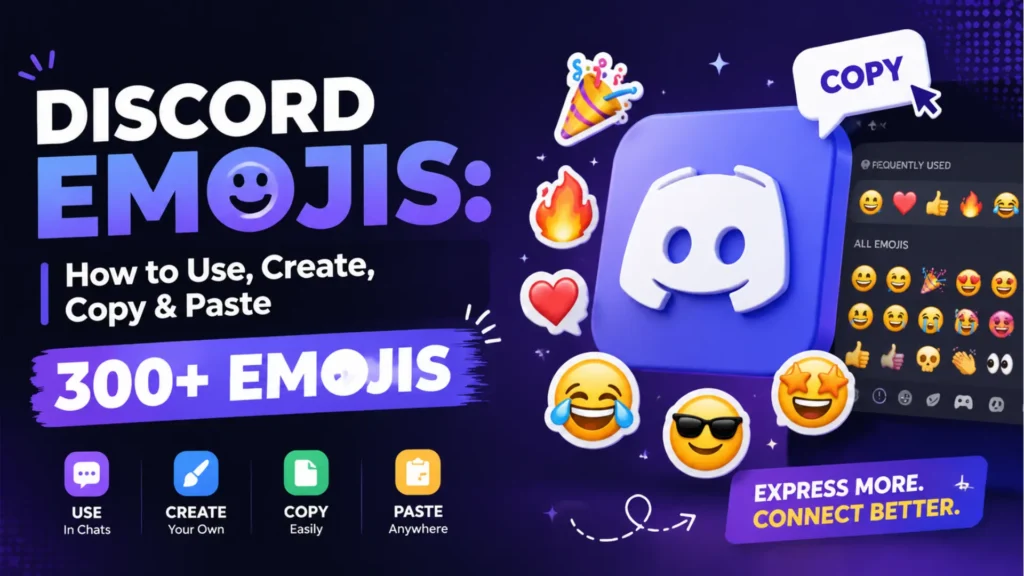
Discord emojis are one of the most popular and expressive features on the platform. They allow users to react to messages, showcase personality, and add fun to every conversation. Whether you are creating custom server branding, using animated emoji packs, or simply reacting to friends, emojis make communication more engaging and meaningful. In this guide, you will learn everything about Discord emojis including how they work, how to use them, how to upload your own, and how to create animated versions. We also provide a complete list of the most popular emojis with their meanings and Discord codes. This guide is designed to be comprehensive, up-to-date, and packed with value for beginners and experienced users alike. By the end, you will have all the tools and knowledge to make the most of Discord emojis in your servers and chats.
What Are Discord Emojis? (Complete Breakdown)
Discord emojis can be divided into three categories:
1. Standard Unicode Emojis
- These are the emojis on your keyboard (😊❤️🔥).
- Work everywhere: Discord, iPhone, Android, Windows, etc.
- No limits or Nitro required.
2. Custom Discord Emojis
- Uploaded manually to a Discord server.
- Can be static (PNG) or animated (GIF)
- Show unique branding and meme culture.
- Only usable in the server unless you have Discord Nitro.
3. Animated Discord Emojis
- Moving GIF-style emojis (e.g., party parrot, animated Pepe).
- Nitro required to use outside the server they belong to.
How Discord Emojis Work (Full Explanation)
You can use emojis in:
- Text channels
- Direct Messages
- Threads
- Voice-channel chat
- Bots + reactions
Using emojis in Discord:
- Click the emoji picker
- Type : and the emoji name (:smile:)
- Press Tab to autocomplete
Restrictions without Nitro
Without Discord Nitro:
- You cannot use emojis from other servers
- You cannot use animated emojis
How to Add Custom Emojis to Discord (Step-by-Step)
1. Requirements
- You need the Manage Emojis permission
- Images must be ≤ 256 KB
- Recommended size: 128×128 px
2. Upload Steps
Desktop:
- Go to your server
- Click Server Settings
- Choose Emoji
- Click Upload Emoji
- Name it (this becomes the emoji code)
- Mobile:
Server → 3 dots → Settings → Emoji → Upload
Where to Put Custom Emojis in Discord
You upload them here:
Server Settings → Emoji
Inside this panel you can:
- Rename emojis
- Delete emojis
- Reorder emojis
- Organize animated vs. static
How to Create Discord Emojis (Static & Animated)
Best Tools
Tips
- Use transparent PNGs for cleaner emojis
- Keep text big and readable
- Use thick outlines or bold colors
- Make animated emojis small and simple
- Keep total file size under 256KB
Best Websites for Discord Emoji Packs
- Emoji.gg
- Discord.st
- Getemoji.com (Unicode)
- Kapwing
- Animated meme emoji packs (Pepe, Woah, Trollface, etc.)
Check usage licenses before uploading copyrighted content.
Discord Nitro Emoji Perks
With Discord Nitro, you can:
- Use emojis from ANY server
- Use animated emojis everywhere
- Get higher-quality emoji uploads
- Get exclusive emoji packs
Non-Nitro users only use emojis inside the server they belong to.
Troubleshooting Emojis Not Working
Common Issues
- “Emoji not showing”: You lack permission
- “Cannot use animated emoji”: No Nitro
- “Emoji too large”: File exceeds 256KB
- Mobile keyboard not loading emojis
- Server-specific emojis appearing as text → no Nitro
Creative Ways to Use Discord Emojis
- Meme reactions
- Custom server branding
- Role name emojis
- Channel name emojis
- Animated hype emojis
- Aesthetic emoji themes
- Kawaii, anime, gaming sets
To complete your Discord presence, use our Discord Bio Template Generator to craft a bio that reflects your style and emoji choices.
The Big Discord Emoji List: Meanings + Codes (Copy & Paste Ready)
Below is a curated list of the most-used Discord emoji copy and paste options, organized by type. Each includes:
✔ Meaning
✔ Emoji Code (Discord format)
😀 Common Emotion Emojis
| Emoji | Meaning | Discord Code |
| 😀 | Happy / Positive | :grinning: |
| 😃 | Big smile | :smiley: |
| 😄 | Very happy | 🙂 |
| 😁 | Excited / Beaming | 😀 |
| 😆 | Laughing | :laughing: |
| 😅 | Nervous laugh | :sweat_smile: |
| 😂 | Laughing hard | :joy: |
| 🤣 | ROFL | :rofl: |
| 🙂 | Friendly smile | :slight_smile: |
| 🙃 | Sarcasm / upside-down | :upside_down: |
| 😉 | Wink / teasing | 😉 |
| 😊 | Warm smile | :blush: |
| 😇 | Innocent | :innocent: |
| 😍 | Love / admiration | :heart_eyes: |
| 🤩 | Star-struck | :star_struck: |
| 😘 | Kiss | :kissing_heart: |
| 😗 | Light kiss | :kissing: |
| 😚 | Affection | :kissing_closed_eyes: |
| 😙 | Gentle affection | :kissing_smiling_eyes: |
| 😋 | Yummy / playful | :yum: |
| 😛 | Playful / teasing | :stuck_out_tongue: |
| 😜 | Joking / silly | :stuck_out_tongue_winking_eye: |
| 🤪 | Crazy face | :zany_face: |
| 😝 | Extreme silliness | :stuck_out_tongue_closed_eyes: |
| 🤑 | Money face | :money_mouth: |
| 🤗 | Hug / friendly | :hugs: |
| 🤭 | Oops / shy laugh | :face_with_hand_over_mouth: |
| 🤫 | Shh / secret | :shushing_face: |
| 🤔 | Thinking | :thinking: |
| 🤨 | Suspicious / skeptical | :face_with_raised_eyebrow: |
| 😐 | Neutral | :neutral_face: |
| 😑 | Unamused / flat | :expressionless: |
| 😶 | Speechless | :no_mouth: |
| 😏 | Smirk | :smirk: |
| 😒 | Disappointed | :unamused: |
| 🙄 | Eye roll | :rolling_eyes: |
| 😬 | Nervous / awkward | :grimacing: |
| 🤥 | Lying | :lying_face: |
| 😌 | Relieved | :relieved: |
| 😔 | Sad / thoughtful | :pensive: |
| 😪 | Sleepy | :sleepy: |
| 🥱 | Bored / yawning | :yawning_face: |
| 😴 | Sleeping | :sleeping: |
| 😷 | Sick / mask | :mask: |
| 🤒 | Fever / ill | :face_with_thermometer: |
| 🤕 | Hurt / bandaged | :face_with_head_bandage: |
| 🤢 | Disgusted | :nauseated_face: |
| 🤮 | Vomiting | :face_vomiting: |
| 🤧 | Sneezing | :sneezing_face: |
| 😵 | Dizzy | :dizzy_face: |
| 😵💫 | Spiral eyes / confused | :face_with_spiral_eyes: |
| 🥴 | Woozy / drunk | :woozy_face: |
| 😎 | Cool | :sunglasses: |
| 🤓 | Nerd | :nerd: |
| 🫠 | Melting / awkward | :melting_face: |
| 🥹 | Holding back tears | :face_holding_back_tears: |
| 😭 | Crying hard | :sob: |
| 😢 | Sad / tearful | 😥 |
| 😤 | Frustrated | :triumph: |
| 😠 | Angry | :angry: |
| 😡 | Rage | :rage: |
| 🤬 | Swearing / censored | :face_with_symbols_over_mouth: |
| 😈 | Evil grin | :smiling_imp: |
| 👿 | Angry devil | :imp: |
| 💀 | Dead / funny | :skull: |
| ☠️ | Extreme death | :skull_and_crossbones: |
🔥 Hype, Meme & Cool Emojis
| Emoji | Meaning | Discord Code |
| 🔥 | Fire / awesome | :fire: |
| 💯 | Perfect / facts | :100: |
| 👀 | Watching / interested | :eyes: |
| 🤡 | Clown / silly | :clown: |
| 🚀 | To the moon / hype | :rocket: |
| 💥 | Explosion / hype | :boom: |
| 🧠 | Big brain / smart | :brain: |
| 🗿 | Moyai meme | :moyai: |
| 😼 | Smug cat | :smirk_cat: |
| 😹 | Laughing cat | :joy_cat: |
| 😺 | Happy cat | :smiley_cat: |
| 🤙 | Shaka / cool | :call_me: |
| 🆒 | Cool badge / trendy | 😎 |
| 👑 | King / queen | :crown: |
| 🫵 | Pointing at you | :pointing_at_viewer: |
🎀 Bow Emojis & Aesthetic Emojis
| Emoji | Meaning | Discord Code |
| 🎀 | Pink bow / cute | :ribbon: |
| 💝 | Heart with bow / gift | :gift_heart: |
| 🎁 | Gift / surprise | :gift: |
| 🏹 | Bow & arrow | :bow_and_arrow: |
| 👗 | Dress / cute | :dress: |
| 👒 | Hat with bow | :womans_hat: |
| ✨ | Sparkles | :sparkles: |
| 🌸 | Blossom | :cherry_blossom: |
| 🌙 | Moon aesthetic | :crescent_moon: |
| 🧸 | Teddy bear | :teddy_bear: |
| 🍡 | Dango snack | :dango: |
| 🪐 | Planet aesthetic | :ringed_planet: |
| 🌈 | Rainbow | :rainbow: |
| 🫧 | Bubbles | :bubbles: |
| 🌼 | Flower | :blossom: |
❤️ Love & Support Emojis
| Emoji | Meaning | Discord Code |
| ❤️ | Love | :heart: |
| 💛 | Yellow heart | :yellow_heart: |
| 💚 | Green heart | :green_heart: |
| 💙 | Blue heart | :blue_heart: |
| 💜 | Purple heart | :purple_heart: |
| 🖤 | Black heart | :black_heart: |
| 🤍 | White heart | :white_heart: |
| 🧡 | Orange heart | :orange_heart: |
| 💕 | Two hearts | :two_hearts: |
| 💖 | Sparkly heart | :sparkling_heart: |
| 💗 | Growing heart | :heartpulse: |
| 💘 | Heart arrow | :cupid: |
| 💞 | Revolving hearts | :revolving_hearts: |
| 🤗 | Hug | :hugs: |
| 🫂 | Group hug / support | :people_hugging: |
🎉 Celebration Emojis
| Emoji | Meaning | Discord Code |
| 🎉 | Party popper | :tada: |
| 🎊 | Confetti | :confetti_ball: |
| 🎈 | Balloon | :balloon: |
| 🥳 | Party face | :partying_face: |
| 🍾 | Champagne | :champagne: |
| 🎆 | Fireworks | :fireworks: |
| 🎇 | Sparkler | :sparkler: |
🎮 Gaming Emojis
| Emoji | Meaning | Discord Code |
| 🎮 | Gaming | :video_game: |
| 🕹️ | Joystick | :joystick: |
| 👾 | Retro gaming | :space_invader: |
| ⚔️ | Battle / RPG | :crossed_swords: |
| 🛡️ | Shield / defense | :shield: |
| 🔫 | FPS games | :gun: |
| ⭐ | Power-up / star | :star: |
| 🧩 | Puzzle | :jigsaw: |
🐶 Animals & Nature Emojis
| Emoji | Meaning | Discord Code |
| 🐶 | Dog | :dog: |
| 🐱 | Cat | :cat: |
| 🦊 | Fox | :fox: |
| 🐻 | Bear | :bear: |
| 🐼 | Panda | :panda_face: |
| 🐸 | Frog | :frog: |
| 🐵 | Monkey | :monkey_face: |
| 🦁 | Lion | :lion: |
| 🐯 | Tiger | :tiger: |
| 🐨 | Koala | :koala: |
| 🐔 | Chicken | :chicken: |
| 🦆 | Duck | :duck: |
| 🐧 | Penguin | :penguin: |
| 🦉 | Owl | :owl: |
| 🐙 | Octopus | :octopus: |
| 🐠 | Tropical fish | :tropical_fish: |
| 🐢 | Turtle | :turtle: |
| 🦋 | Butterfly | :butterfly: |
| 🐝 | Bee | :bee: |
| 🦄 | Unicorn | :unicorn: |
| 🐴 | Horse | :horse: |
| 🐺 | Wolf | :wolf: |
💻 Tech & Server Management Emojis
| Emoji | Meaning | Code |
| ⚙️ | Settings | :gear: |
| 🔧 | Tool | :wrench: |
| 🛠️ | Tools | :hammer_and_wrench: |
| 💬 | Chat | :speech_balloon: |
| 📌 | Pin | :pushpin: |
| 📁 | Folder | :file_folder: |
| 💾 | Save | :floppy_disk: |
| 💻 | Laptop | :computer: |
| 🖥️ | Desktop | :desktop: |
| 📱 | Mobile | :iphone: |
| 🔒 | Lock | :lock: |
| 🔓 | Unlock | :unlock: |
| ⚡ | Fast / power | :zap: |
| 📡 | Network | :satellite: |
FAQs
1. How do I create custom Discord emojis?
Use tools like Canva or Photoshop, export at 128×128px, keep under 256KB, and upload in Server Settings → Emoji.
2. Why can’t I use certain Discord emojis?
They belong to a server you’re not in OR require Discord Nitro to use outside that server.
3. What size should Discord emojis be?
The recommended size is 128×128 px at under 256 KB.
4. Can I use animated emojis without Nitro?
Only inside the server where they were uploaded. Nitro is needed for cross-server use.
5. Where do I upload emojis in Discord?
Go to Server Settings → Emoji → Upload Emoji.
Conclusion
Discord emojis are more than just fun images they bring life and personality to every conversation. They let you express emotions, reactions, and humor in ways words alone cannot. Understanding emoji meanings and codes helps you communicate more clearly and creatively. Custom and animated emojis allow servers to reflect their unique culture and style. Using emojis thoughtfully can make chats more engaging and interactive for everyone. They help build community and connection by adding a personal touch to messages. Mastering Discord emojis unlocks a more expressive, lively, and enjoyable experience on the platform. For a larger collection of bow-themed emojis, check out our Bow Emojis guide where you can copy and paste even more cute and stylish designs.
Create the Perfect Discord Bio with Our Free Tool
Mastering emojis is just one way to personalize your Discord. For a full profile upgrade, try our Discord Bio Template Generator and make your bio as expressive as your emojis.