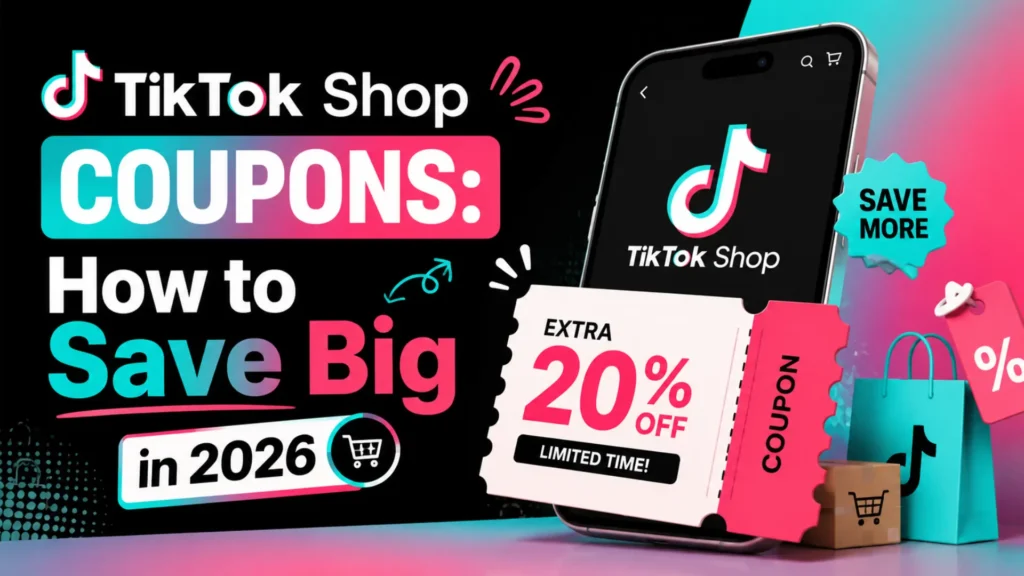
I used to spend hours searching Google for TikTok Shop coupons, only to find they were either expired or required a $500 minimum purchase. Honestly, I was about to give up on in-app shopping.
Nowadays, generic codes like SAVE20 are no longer available. TikTok has shifted to a “Claim-First” model, where discounts are hidden within the app’s interface rather than shared as text. If you don’t know where to click, you’re literally leaving money on the table.
Based on my own experience hunting for deals, this guide is your roadmap. I’ve analyzed the latest 2026 algorithm shifts to show you exactly how to trigger the biggest vouchers and ensure they actually apply to your cart.
The 2026 TikTok Shop Coupon Center: Where to Find the Hidden Deals
The biggest mistake shoppers make is looking for a text box to enter a code. In 2026, TikTok Shop has moved entirely to a voucher system. You must “claim” the voucher before it becomes active in your cart.
Here is the fastest path to the secret Coupon Center:
- Open the App & Go to the Shop Tab: Tap the shopping bag icon at the bottom of your screen.
- Locate the “Vouchers” Icon: Look in the top-right corner of the Shop page. You will see a small, often pulsing, icon labeled “Vouchers” or “Coupons.”
- Claim Everything: Do not be selective. Click “Claim” on every available coupon. Some are account-specific, and many have limited quantities before they disappear for the day.
The “Hidden” Coupons inside Creator Profiles
Many sellers hide vouchers directly on their store profile, not in the general Coupon Center.
- Click on any product.
- Click on the Seller’s Name to go to their store homepage.
- Often, a banner will appear at the top of the store page offering an extra 10–20% off for “Following” the store.
Using TikTok Affiliate Content to Trigger Discounts
You don’t just have to find coupons; yotiu can trigger them through engagement. Many TikTok Affiliate creators have exclusive deals embedded in their content.
- How to Trigger Affiliate Deals: Instead of searching for a product in the general shop, search for a video review of that product.
- The Secret: Creators often have a “Flash Deal” or a “Follower Discount” that only activates if you click the yellow shopping bag directly from their video, not from the main shop search.
Finding Tiktok shop Coupons through Ads
TikTok wants you to shop, so they frequently run TikTok Ads that include automatic coupons.
- The Hack: When you spot a shopping ad on your For You Page (FYP) for a product you’re interested in, click on it. Even if you don’t make an immediate purchase, this action frequently activates a “New Customer” coupon that is then saved to your account’s voucher center.
Re-target Strategy: If you engage with a product ad but don’t buy, TikTok will often show you another ad for the same product, this time with a higher-value voucher (e.g., 40% off) to encourage you to complete the purchase.
How to Stack TikTok Shop Coupons for 80% Off
This is the “pro level” of TikTok shopping. Most users stop after applying one voucher. To get the absolute lowest price, you must stack three different types of discounts at checkout.
TikTok’s algorithm allows specific combinations. Here is the hierarchy of savings:
1. The Shop-Wide Voucher (Creator Content)
Before doing anything else, go to the seller’s profile and follow them. This often triggers an immediate 10–15% voucher. Next, check if the product you want is tagged in a creator’s video; clicking through that video often activates a Creator-Exclusive Flash Deal.
2. The Platform Coupon (Coupon Center)
Go to the Coupon Center (remember, under the shopping basket icon) and claim the largest platform-wide coupon available. This is usually a dollar-off amount (e.g., “$10 off orders over $40”).
3. Using Payment Method Incentives to Get TikTok Shop Coupons
During the final checkout screen, check the “Payment Method” section. TikTok frequently partners with services like Apple Pay, Klarna, or specific credit card issuers to offer an additional $5–$10 off just for using their service.
If your total doesn’t drop to the expected price, check the “Shipping” line. Many “free shipping” coupons are only valid if you use a specific payment method.
Troubleshooting: Why Your TikTok Shop Coupon Isn’t Working
If you claimed a voucher but it isn’t applying at checkout, don’t panic. TikTok’s system is notoriously finicky. Here are the top three reasons your discount isn’t showing up and how to fix them:
1. You Haven’t Met the Minimum Spend
Most high-value coupons (like 30% off) require a minimum purchase amount before tax and shipping.
- The Fix: Add a low-cost item from the same shop to your cartto push your total over the threshold.
2. Coupon Stacking Restrictions
You cannot stack two vouchers from the same category. For example, you cannot use a “10% off” store coupon and a “15% off” store coupon on the same order.
- The Fix: Use the largest percentage-off coupon and save the other one for a future purchase. (You can stack a shop voucher with a platform-wide payment coupon, however.
3. The Voucher is “Store-Specific.”
Some coupons in your “Coupon Center” only work for specific stores, usually listed as “TikTok Shop Mall” verified sellers.The Fix: Check the voucher details in your “My Vouchers” folder to see which stores it applies to.
The “Abandoned Cart” & Referral Hacks (Extra Savings)
If you have already claimed the standard vouchers, there are two more ways to trigger hidden discounts that most coupon aggregators ignore.
1. The 24-Hour Cart Abandonment Strategy
TikTok’s algorithm tracks engagement closely. If you add high-value items to your cart, go to the final payment screen, and then close the app, you are flagged as a “high-intent, price-sensitive” user.
- The Hack: Do not clear your cart. Within 24–48 hours, TikTok often sends a push notification with a “Come Back” voucher (typically 10–15% off) to encourage you to complete the purchase.
2. The Referral “Purple Ticket” Program
This is currently the highest-value coupon method, offering up to $70 in credits.
- The Hack: Open the Shop tab and look for the referral banner. Send your unique link to a family member or friend who doesn’t have a TikTok Shop account. When they make their first purchase, you both receive high-value vouchers credited to your accounts.
Shop Smarter:
The days of simply typing SAVE50 at checkout are behind us. TikTok Shop has evolved, and to get the best deals in 2026, you need to be strategic about where you click and how you combine offers.
By manually claiming vouchers in the Shop tab, using creator-exclusive deals during Live streams, and triggering “abandoned cart” rewards, you can consistently save 50–80% on viral products.