If you have been searching for a free AI tool to generate images, animate photos, or create short videos without hitting a paywall after five minutes, Unlucid AI has probably shown up in your research.
It is one of the few genuinely free AI creative tools in 2026 that lets you start generating content immediately without entering a credit card. The platform runs entirely in your browser, supports multiple image styles, includes basic video animation, and takes a notably relaxed approach to content restrictions compared to tools like Midjourney or Adobe Firefly.
But free does not automatically mean good. And “fewer restrictions” does not automatically mean better results.
This review covers exactly what Unlucid AI does, what the gem-based pricing actually costs, where the tool genuinely performs well, where it falls short, and whether it makes sense for your specific use case. We tested it directly, so you do not have to guess.
What is Unlucid AI?
Unlucid AI is a browser-based creative platform that uses artificial intelligence to help users generate images from text prompts, edit existing photos, and animate still images into short video clips.
It is not a business analytics tool. It is not a CRM. It is not a data processing platform. It is a creative content tool aimed at social media creators, hobbyists, marketers, and anyone who wants to produce visual content quickly without design skills or expensive software.
The platform’s defining characteristic is creative freedom. Where tools like Canva AI, Adobe Firefly, and Midjourney apply strict content filters, Unlucid AI operates with far fewer restrictions. This makes it particularly popular among creators who want to produce NSFW, fantasy, or experimental content that mainstream tools would reject.
Want to see it yourself? Unlucid AI is free to try and you don’t need a card. Grab your free gems here.
How Does Unlucid AI Work?
The entire platform runs in your web browser. There is nothing to download and no installation required. You create a free account, receive your daily gem allocation, and start generating.
The workflow is straightforward:
- Choose your creation mode: Image Generator, Image Editor, or Video AI Effects
- Upload an image or type a text prompt, depending on the mode
- Select your preferred style, effect, or parameters
- Spend gems to generate the output
- Download or export your finished image or video
The gem system is the engine that powers every action on the platform. Free users receive between 5 and 10 gems per day by logging in. Each image generation or video effect costs between 5 and 10 gems, depending on the complexity and resolution of the output. Light users can sustain regular creative work on the free allocation. Heavy users or anyone producing content at volume will need to purchase gem packs.
Key Features of Unlucid AI
Image Generation
Unlucid AI converts text prompts into images across a range of styles, including:
- Realistic photography style
- Cartoon and illustrated
- 3D render
- Anime
- Pencil sketch
You type a prompt describing what you want to see, select a style, and the AI generates the image. The platform also supports seed control, which lets you lock a specific randomness value to reproduce consistent results across multiple generations. You can also upload a reference image to guide the AI toward a specific visual direction.
In testing, simple prompts with clear subjects produced usable results most of the time. More complex scenes with multiple elements or specific lighting requirements were less reliable, often requiring two or three attempts before producing something acceptable. User reports across forums and review communities suggest a usable output rate of roughly 60 to 70 percent, which means you expect some wasted gems on attempts that miss the mark.
Image Editing
The editing tools let you modify existing images without professional software:
- Remove unwanted objects or people from a photo using a brush tool and a text prompt describing what to remove
- Add new elements or replace existing ones
- Change clothing styles or colors
- Apply artistic transformations to re-style an entire image
- Upscale images to improve resolution and facial detail clarity
These tools are well-suited for quick social media edits and casual creative work. For precise professional editing where exact pixel control matters, they will not replace Photoshop.
Video Generation & Animation
This is the feature most people use Unlucid AI for. The platform lets you take a still image and apply animated effects to turn it into a short video clip. There are over 15 preset effects available, including:
- Fly
- Squish
- Dance
- Transform
- Zoom
- Smash
Each effect animates your image in a specific way. The Dance effect, for example, creates a swaying motion effect on portraits. The Zoom effect creates a cinematic camera push. These animations are template-driven, meaning you are selecting from preset motion patterns rather than building custom animations.
The results work well for social media content, Instagram Reels, TikTok clips, and presentation assets where short, eye-catching motion is more important than precise creative control. They are not designed for professional video production.
Uncensored Creative Freedom
- Minimal Restrictions: Enjoy greater creative freedom compared to filtered AI editors, allowing for more experimental and expressive content creation.
- Diverse Content Support: Create a wide range of content, including NSFW, fantasy, and abstract visuals, catering to various artistic needs.
Freemium Model & Monetization
- Gems System: Receive daily free gems to access features or purchase additional gems for more extensive usage.
- Monetization Opportunities: Creators can monetize their work through affiliate links, premium content, or platform partnerships, turning passion projects into income streams.
Creative Freedom and Content Policy
The most talked-about aspect of Unlucid AI is its permissive content policy. The platform allows the generation of NSFW content, fantasy themes, and abstract visuals that standard AI tools reject. This is the primary reason the platform has built a community of users who feel restricted by Midjourney’s rules or Adobe Firefly’s family-safe filters.
This freedom comes with a caveat: the absence of content filters does not guarantee quality. Several independent security auditors have noted that Unlucid AI’s trust signals are weaker than those of established platforms. The domain is relatively new, ownership information is not prominently displayed, and the privacy policy does not clearly explain how uploaded images are stored or whether they are used for model training. For personal creative experiments, this is manageable. For uploading proprietary images or sensitive client work, it is a legitimate concern worth reviewing before committing.
Key Capabilities and Applications of Unlucid AI
Unlucid AI is more than just a tool for analysis; it’s a versatile platform with applications across several industries. Here’s how it’s helping businesses:
- Business & Marketing:
Unlucid AI can automate customer insights, helping businesses target marketing efforts more effectively. By analyzing customer data, it can predict behavior patterns, improve engagement, and optimize strategies for better ROI. - Healthcare:
In the healthcare sector, Unlucid helps in medical data analysis by identifying trends and making predictive insights. This enables faster, more accurate diagnoses and assists healthcare professionals in providing better patient care. - Finance:
The financial world benefits from Unlucid AI’s ability to analyze vast amounts of data to detect fraud, assess risk, and optimize investment portfolios. It empowers financial institutions to stay ahead of the competition while reducing losses. - Logistics & Supply Chain:
Unlucid AI can predict demand fluctuations, optimize supply chains, and improve operational efficiency, all of which help businesses reduce costs and enhance customer satisfaction.
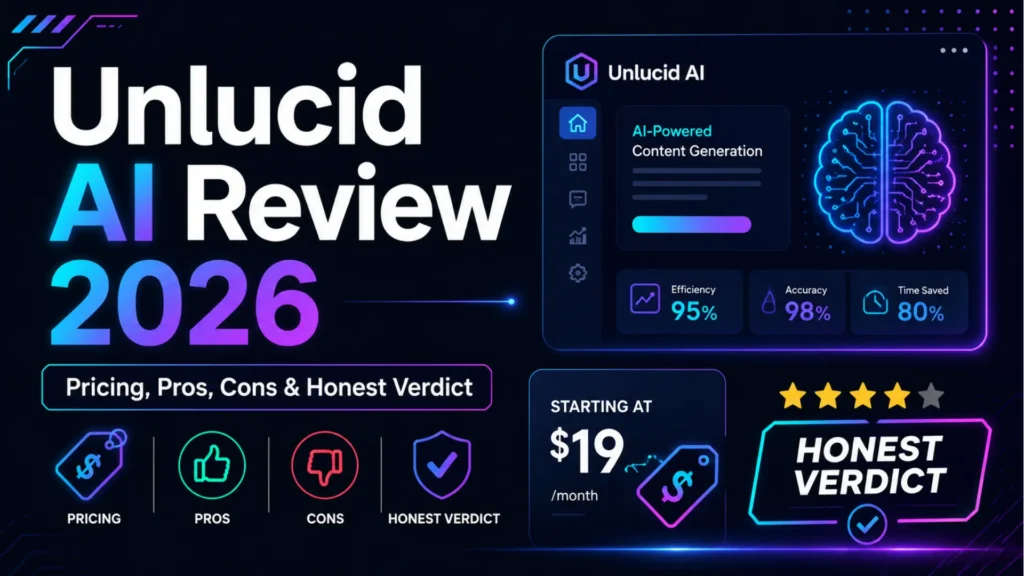
Unlucid AI Pricing: Exactly What It Costs
Unlucid AI uses a gem-based credit system with no monthly subscription. Here is the complete pricing breakdown:
Free daily gems: Every account receives free gems daily by logging in. Most sources report between 5 and 10 free gems per day, depending on current platform promotions. Each image or video generation costs 5 to 10 gems. Light users can operate entirely within the free daily allocation.
Paid gem packs (no subscription required):
| Gem Pack | Price | Cost Per Gem |
|---|---|---|
| 120 Gems | $8.99 | $0.07 per gem |
| 450 Gems | $29.99 | $0.07 per gem |
| 1,250 Gems | $59.99 | $0.05 per gem |
Gems do not expire and roll over between sessions, so there is no pressure to use them within a billing cycle. You buy once and spend at your own pace.
You get free gems every day just for logging in. Try it first, buy gems later only if you need them. Start here.
What does this mean in practice?
If each image costs 10 gems and you buy the 120-gem pack for $8.99, you are paying roughly $0.75 per image. At 1,250 gems for $59.99, that drops to about $0.48 per image. For casual social media content production, that is competitive. For bulk commercial production where you need dozens of images per day with consistent quality, it becomes expensive relative to subscription-based tools that offer more predictable output.
The free daily allocation of 5 to 10 gems gives you one or two generations per day to test the platform without spending anything.
Unlucid AI Pros and Cons
What Unlucid AI Does Well
Free to start with no credit card. You can create an account and generate real content without entering any payment information. The daily gems are genuinely useful for light use.
Beginner accessible. There is no learning curve to navigate. Creating your first image takes under three minutes from account creation. The interface does not overwhelm you with technical settings.
One platform for images and videos. Most tools at this price point do either image generation or video effects. Unlucid combines both in one place, which reduces the number of tools you need to manage.
Browser-based on any device. Works on desktop and mobile without installation. You can generate content from anywhere with a browser.
No subscription lock-in. You buy gems when you need them and stop when you do not. There is no monthly charge draining your account during quiet periods.
Content freedom. For creators who work in styles that mainstream AI tools refuse to support, this is a genuine advantage with no real alternative at this price point.
Where Unlucid AI Falls Short
Inconsistent output quality. User reports consistently indicate that roughly 30 to 40 percent of generations produce unusable results. Multiple attempts on the same prompt can produce very different outcomes. This means you spend more gems than expected to get one good image.
Template-driven video effects limit creativity. The video animations are preset effects applied to your image. You cannot control speed, motion path, timing, or specific animation parameters. Once you have seen all 15+ effects, the options feel repetitive.
Weak trust and transparency signals. The platform is relatively new. Ownership information is not prominently listed, the privacy policy does not clearly state how uploads are handled, and several independent site audit tools rate the domain with lower trust scores than established platforms. This is worth knowing before uploading anything sensitive.
Not suitable for professional production. The output quality is fine for social media and experimental creative work. It is not reliable enough for client deliverables, commercial campaigns, or any workflow where consistent, high-quality results are required every time.
Gem costs add up for heavy users. Light creators can sustain themselves on daily free gems. Anyone generating more than two or three pieces of content per day will need to buy gem packs regularly, and the per-gem cost is not cheap once you factor in the attempts wasted on poor outputs.
Unlucid AI vs. Competitors
How does Unlucid AI compare to other AI platforms in the market? Here’s a quick comparison:
- Unlucid AI vs IBM Watson:
IBM Watson offers powerful AI tools, especially for large enterprises, but it is more accessible to businesses of all sizes. Its focus on ease of use and integration makes it ideal for smaller companies looking to leverage AI automation without a steep learning curve. - Unlucid AI vs Google AI:
While Google AI excels in large-scale data processing, Unlucid AI is tailored for businesses seeking intuitive, easy-to-implement solutions. It’s more adaptable to smaller-scale operations and offers pre-built models for specific industries. - Unlucid AI vs Microsoft Azure AI:
Azure AI provides extensive tools for enterprise-scale projects, but Unlucid AI is a more cost-effective solution for startups and small businesses looking for specific applications in automation and predictive analytics.
Who Should Use Unlucid AI?
Good fit:
- Social media creators who need quick animated content for Reels or TikTok
- Hobbyists exploring AI image generation for the first time
- Creators who want uncensored content that mainstream tools do not allow
- Anyone testing AI image tools before committing to a paid subscription
- Marketers needing quick concept visuals or moodboard content
Not a good fit:
- Professional designers who need consistent, reliable output
- Agencies producing client deliverables where quality must be predictable
- Businesses uploading proprietary images or sensitive material
- Creators who need advanced animation control beyond preset effects
- Anyone who needs more than 1 to 2 generations per day without a budget for gem packs
Is Unlucid AI Safe to Use?
This is one of the most common questions people search for, and it deserves an honest answer rather than a promotional one.
For casual creative use where you are generating images from text prompts and downloading results, the platform is functional and the risk is low. Millions of users have used it without incident.
The genuine concern is around data handling. Unlucid AI does not clearly explain in its current policy documentation how long uploaded images are stored on their servers, whether uploaded content is used to train their AI models, or who owns the generated outputs. For personal creative experiments, this ambiguity is manageable. For uploading images of clients, faces, proprietary brand assets, or confidential visual material, the lack of transparency is a real consideration.
Several independent web security checkers flag the domain with lower trust scores due to limited operational transparency and the relatively short domain history. This does not mean the site is dangerous. It means it has not yet built the kind of verified trust track record that established platforms like Adobe, Runway, or Midjourney have.
The practical advice: use it freely for personal creative work. Think twice before uploading anything you would not want stored on an unknown server.
Unlucid AI vs Competitors: Quick Comparison
| Feature | Unlucid AI | Midjourney | Adobe Firefly | Runway |
|---|---|---|---|---|
| Free plan | Yes (daily gems) | No | Yes (limited) | Yes (limited) |
| Content restrictions | Minimal | Strict | Very strict | Moderate |
| Image quality | Moderate | Excellent | Very good | Very good |
| Video generation | Yes (basic effects) | No | Limited | Yes (advanced) |
| Best for | Casual, uncensored | Professional art | Brand-safe marketing | Professional video |
| Starting cost | Free / $8.99 gems | $10/month | Free / $4.99/month | Free / $15/month |
How to Get Started With Unlucid AI (Step by Step)
Step 1: Go to unlucid.ai in your browser. No download is needed.
Step 2: Create a free account using your email address or a social login option.
Step 3: Log in daily to claim your free gems. Make this a habit before you start generating anything to maximize your free allocation.
Step 4: Choose your starting mode. For first-time users, the Image Generator is the easiest entry point. Select it from the main dashboard.
Step 5: Type a clear, specific prompt. “A woman walking through a neon-lit Tokyo street at night, realistic photography style” will produce better results than “woman in city.” The more detail you give the AI, the less guessing it has to do.
Step 6: Select your preferred style from the options available.
Step 7: Generate and review. If the first attempt is not what you wanted, adjust the prompt before trying again rather than just regenerating with identical inputs.
Step 8: For video effects, navigate to the Video AI section, upload your generated image, and select an effect from the effects library. Preview before spending gems to confirm it is what you want.
20 Best Alternatives to Unlucid AI for AI Video and Image Generation
If Unlucid AI does not quite fit your needs, these alternatives cover different use cases. We have organized them by what they do best rather than ranking them as direct competitors, because the right tool depends entirely on what you are trying to create.
1. Veo 3.1 by Google
- Key Features: Generates cinematic videos with realistic backgrounds, motion, and sound. Offers scene manipulation and camera control.
- What It Does: Transforms simple input (e.g., images, text) into high-quality, dynamic videos with detailed edits and transitions.
- Pricing: Free with Google’s API and services.
- Free Trial: Yes, free access via Google’s Vertex AI and Flow.
- Access: Google Cloud
2. Runway Gen-4 Turbo
- Key Features: Advanced AI for video generation, including real-time object manipulation, style transfer, and camera angle adjustments.
- What It Does: It enables professional-quality video creation and editing, offering fine control over video content and scenes.
- Pricing: Starts at $15 per month.
- Free Trial: Yes, 7-day free trial with limited features.
- Access: Runway
3. Dream Machine by Luma Labs
- Key Features: AI video generator with high realism, motion consistency, and style adjustments. Allows for character-driven video creation.
- What It Does: Generates videos from text prompts or images, maintaining motion fluidity and style consistency.
- Pricing: Free for basic features; premium versions start at $19/month.
- Free Trial: Yes, with limited functionality.
- Access: Luma Labs
4. Kling 2.0 Master
- Key Features: Open-source video generation with highly realistic motion and scene quality.
- What It Does: Allows developers to generate high-quality videos from simple inputs, ideal for customizing or experimenting with video content.
- Pricing: Free open-source access.
- Free Trial: N/A (Open-source).
- Access: Hugging Face
5. Firefly Video by Adobe
- Key Features: Text-to-video and image-to-video conversion with seamless integration into Adobe’s Creative Cloud.
- What It Does: Converts text descriptions and images into high-quality videos with advanced creative options for professional users.
- Pricing: Starts at $9.99/month.
- Free Trial: Yes, 7-day free trial for Creative Cloud services.
- Access: Adobe Firefly
6. Pika Labs
- Key Features: AI-driven character consistency and creative video generation tools.
- What It Does: Specializes in creating videos that maintain character consistency over time, perfect for storytelling or branded content.
- Pricing: Free for basic usage; paid options from $15/month.
- Free Trial: Yes, limited free trial.
- Access: Pika Labs
7. Haiper AI
- Key Features: Budget-friendly video generation with experimental features and creative tools.
- What It Does: Offers a range of AI-powered video editing and generation tools at an affordable price, making it accessible for hobbyists and beginners.
- Pricing: Free for basic access; subscription plans start at $12/month.
- Free Trial: Yes, free trial with limited features.
- Access: Haiper AI
8. Vidoe AI
- Key Features: Converts images into short videos quickly. Offers basic video creation tools.
- What It Does: Transforms static images into moving video clips with minimal input and effort.
- Pricing: $10 per video or a $20/month subscription for unlimited access.
- Free Trial: Yes, 1 free video per month.
- Access: Video AI
9. Viggle
- Key Features: AI-powered motion capture and stylized video animation.
- What It Does: Converts footage into stylized animations quickly, ideal for creative professionals looking to enhance video content.
- Pricing: Subscription starts at $15/month.
- Free Trial: Yes, 14-day free trial.
- Access: Viggle
10. Vyond
- Key Features: Cloud-based animation and video creation platform with AI tools for quick video generation.
- What It Does: Enables users to create animated explainer videos, marketing videos, and presentations.
- Pricing: Starts at $299/year for essential features.
- Free Trial: Yes, 14-day free trial.
- Access: Vyond
11. ImagineArt by Vyro.ai
- Key Features: AI-powered multi-modal platform for creating videos, images, music, and voice media.
- What It Does: Allows users to generate creative media from multiple sources, including text and images.
- Pricing: Free for basic access; premium plans start at $29.99/month.
- Free Trial: Yes, free 7-day trial with limited features.
- Access: Vyro AI
12. Colossyan
- Key Features: AI-driven avatars and video generation with lip-syncing and scene customization.
- What It Does: Creates AI avatars with lifelike lip-syncing and scene customization for educational, training, and marketing videos.
- Pricing: $29/month for a personal plan.
- Free Trial: Yes, free plan with limited video credits.
- Access: Colossyan
13. Stable Video Diffusion
- Key Features: Open-source AI tool for generating videos from text prompts.
- What It Does: Transforms text-based prompts into dynamic video clips, with full customization options for developers.
- Pricing: Free with open-source access.
- Free Trial: N/A (Open-source).
- Access: GitHub
14. AnimateDiff
- Key Features: Plug-and-play framework for animating text-to-image models.
- What It Does: Allows users to animate models created from text-to-image generators, preserving consistency across frames.
- Pricing: Free for initial use; donation-based for extended features.
- Free Trial: N/A (Open-source).
- Access: GitHub
15. MagicAnimate
- Key Features: Diffusion-based framework for animating human images with temporal consistency.
- What It Does: Adds animation to human images, maintaining consistency across movements and frames.
- Pricing: Free for basic usage; advanced plans from $19/month.
- Free Trial: Yes, 5 free animations/month.
- Access: arXiv
16. LTX Studio by Lightricks
- Key Features: AI video-generation tool with storyboard-based authoring and shot composition control.
- What It Does: Helps users create professional videos with full control over each shot, from script to final cut.
- Pricing: $24.99/month.
- Free Trial: Yes, 14-day free trial with limited features.
- Access: Lightricks
17. Veo 2 by Google
- Key Features: High-quality video generation with realistic motion and transitions.
- What It Does: Enables video creation from simple inputs with impressive realism, suitable for professional use.
- Pricing: Free with Google’s services.
- Free Trial: Yes, free with no hidden charges.
- Access: Google Cloud
18. Hailuo I2V-01-Director
- Key Features: AI model for video generation with directorial control over scenes and shots.
- What It Does: Provides directors with the ability to manipulate scenes and control video content at a granular level.
- Pricing: Paid access, subscription from $12/month.
- Free Trial: Yes, free trial with limited video generation credits.
- Access: Hailuo AI
19. PixVerse V4.5
- Key Features: Advanced video generation platform offering high-quality results with enhanced editing features.
- What It Does: Generates and enhances videos with customizable settings and high-quality output.
- Pricing: Subscription starts at $15/month.
- Free Trial: Yes, 7-day free trial with limited access.
- Access: PixVerse
20. SoulGen
- Key Features: Text-to-video tool with customizable options for creative freedom, including uncensored video generation.
- What It Does: Transforms text prompts into fully customized videos, giving users full control over video content.
- Pricing: Subscription from $10/month.
- Free Trial: Yes, limited free credits.
- Access: SoulGen
Conclusion
Unlucid AI earns its place as one of the most accessible free AI creative tools available in 2026. The daily free gem model means you can generate real content without any financial commitment. The browser-based setup removes all technical barriers. The image and video capabilities, while not professional grade, are genuinely useful for social media content and casual creative work.
The limitations are real and worth understanding before committing. Output quality is inconsistent. The template-based video effects are fun but limited. Trust signals are weaker than established platforms. And heavy users will burn through gem packs faster than expected if a significant portion of generations miss the mark.
For the specific audience this tool is built for, which is casual creators, beginners exploring AI tools, and anyone who wants uncensored creative freedom at zero upfront cost, it delivers on its promise. For professional creative work or commercial production, the alternatives in this review will serve you better.
The right move is to start with the free daily gems, test it on your actual use case, and decide from real experience rather than from anyone else’s review including this one.
Frequently Asked Questions
Is Unlucid AI free?
Yes, Unlucid AI is free to use with a daily gem allocation. Every account receives between 5 and 10 free gems per day by logging in. Each image or video generation costs 5 to 10 gems. Light users can generate one or two pieces of content per day at no cost. For higher volume, gem packs start at $8.99 for 120 gems.
Is Unlucid AI safe?
For casual creative use, it is functional and low risk. The main concern is that the platform does not clearly explain how uploaded images are stored or whether they are used for model training. Avoid uploading sensitive, proprietary, or personal images until the privacy policy becomes more transparent. Several independent web security checkers rate the domain with lower trust scores than established platforms, primarily due to limited operational transparency.
How do I get more gems on Unlucid AI for free?
Log in every single day. The daily login bonus is your main source of free gems. Some users report that following Unlucid AI on social media or completing platform onboarding tasks can unlock bonus gems, though these promotions change frequently. Check the official gems page on unlucid.ai for current free gem opportunities.
Can I use Unlucid AI on my phone?
Yes. The platform is entirely browser-based and works on both desktop and mobile browsers without any app download required.
What is the difference between Unlucid AI and Runway?
They serve very different users. Unlucid AI is a free, beginner-friendly tool for casual creative use with minimal content restrictions. Runway is a professional-grade AI video platform used by creative agencies and filmmakers, with far more precise control, better output quality, and a starting price of $15 per month. If you need professional-quality video for client work, Runway is the stronger choice. If you want free experimentation without content filters, Unlucid is the more accessible option.
What image styles does Unlucid AI support?
Unlucid AI supports realistic photography style, cartoon and illustrated, 3D render, anime, and pencil sketch. You select your preferred style when configuring your generation prompt.
Are Unlucid AI outputs copyright-free?
Generally, yes for personal use, though you should check the current terms on the official site before using outputs for commercial purposes. AI-generated image copyright is still an evolving legal area in most countries, so confirm the current policy directly before using outputs in paid commercial campaigns.
Why does Unlucid AI produce bad results sometimes?
User reports suggest a usable output rate of 60 to 70 percent. Complex prompts with multiple elements, specific lighting, or detailed scenes are harder for the AI to render accurately than simple, clear subject descriptions. Improving your prompt specificity is the most effective way to reduce failed generations.
Looking for help choosing the right AI tools for your marketing stack? The Leemjaz team works with businesses across industries to identify and implement the right digital tools for their goals. Contact us here.