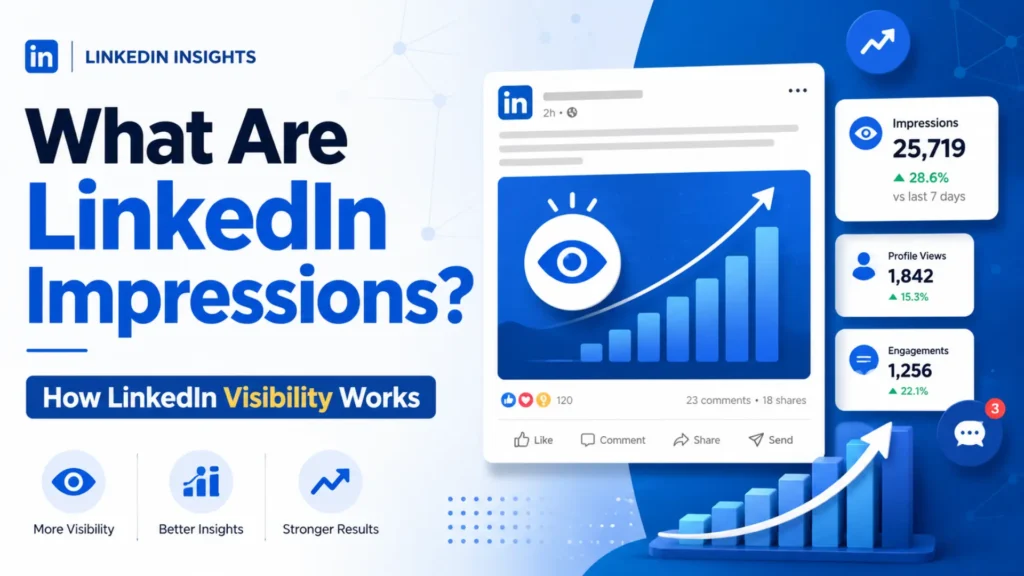
If you’re serious about growing on LinkedIn, one metric you cannot ignore is LinkedIn impressions. Whether you’re a personal brand, freelancer, marketer, or business owner, understanding what are impressions on LinkedIn can completely change how you create and distribute content.
In this detailed guide, I’ll explain what are LinkedIn impressions, how they work, why they matter, and how you can increase them using proven SEO and platform-based strategies. This blog is written from a professional SEO perspective, optimized naturally for ranking while still sounding human and practical.
What Are Impressions on LinkedIn?
LinkedIn impressions mean the total number of times your content appears on someone’s screen.
This includes:
- Posts
- Images
- Videos
- Carousels
- Articles
- Sponsored content
So, if someone sees your post in their feed, even for a second, that counts as one impression. Important point:
An impression does not mean someone liked, commented, or clicked. It only means your content was displayed.
This is why people often ask:
- what are impressions in LinkedIn?
- what are LinkedIn post impressions?
The answer is always the same: visibility, not engagement.
What Are LinkedIn Post Impressions?
LinkedIn post impressions specifically refer to how many times one individual post has appeared in feeds.
For example:
- If your post appears 3 times to the same person → 3 impressions
- If it appears once to 500 different people → 500 impressions
This is why post impressions on LinkedIn can be higher than your number of followers.
How LinkedIn Measures Impressions
LinkedIn tracks impressions using its internal feed algorithm. Every time your post is:
- Loaded in the feed
- Displayed on desktop or mobile
- Shown via hashtags or search
- Displayed through shares or reposts
it counts as an impression.
Impressions vs Views (Very Important)
Many people confuse these two:
| Metric | Meaning |
| Impressions | How many times content was shown |
| Views | Someone actively clicked or watched |
So if you’re wondering what are impressions on LinkedIn vs views, remember:
- Impressions = passive
- Views = active
Types of LinkedIn Impressions
1. Organic Impressions
These come naturally when LinkedIn shows your content to:
- Your connections
- Followers
- People browsing hashtags
- People engaging with similar content
Organic impressions are driven by:
- Content quality
- Engagement
- Relevance
- Consistency
2. Paid Impressions
These come from:
- Sponsored posts
- LinkedIn ads
- Boosted content
You pay LinkedIn to increase impressions beyond your network.
Why Are LinkedIn Impressions Important?
Many people think impressions are a vanity metric. That’s wrong.
1. Impressions = Visibility
No impressions → no engagement → no leads.
Before anyone:
- Likes
- Comments
- Shares
- Clicks
They must see your content first.
2. Brand Awareness
High impressions mean:
- More people recognize your name
- More exposure for your business
- Stronger authority over time
This is crucial if you’re building:
- A personal brand
- A service-based business
- A B2B presence
3. Content Performance Analysis
If you see:
- High impressions + low engagement → content isn’t resonating
- Low impressions → algorithm or timing issue
- Rising impressions → content strategy is working
Understanding what are LinkedIn impressions helps you fix the right problem.
Factors That Affect LinkedIn Impressions
Content Quality
High-value content gets pushed further. This includes:
- Practical tips
- Personal experiences
- Educational posts
- Strong hooks
Posting Consistency
Posting 3–5 times per week keeps you visible. Inconsistent posting kills impressions.
Timing
Best times for impressions:
- Weekdays
- 8–10 AM
- 12–1 PM
Network & Followers
Bigger network = higher potential impressions.
But even small accounts can get massive reach with good content.
Hashtags & Keywords
Using relevant hashtags helps LinkedIn understand who should see your post.
Example:
- #LinkedInMarketing
- #PersonalBranding
- #ContentStrategy
Engagement Signals
Likes, comments, and shares boost impressions exponentially.
The first 60–90 minutes after posting matter the most.
How to Increase LinkedIn Impressions (Proven Methods)
1. Write Strong Hooks
Your first 2 lines decide everything.
If people stop scrolling → impressions increase.
2. Use Visual Content
Images and videos usually get:
- Higher impressions
- Longer view time
- Better engagement
3. Encourage Interaction
Ask questions. Invite opinions. Start conversations.
4. Post Consistently
A predictable posting schedule trains the algorithm.
5. Engage Before & After Posting
Commenting on other posts before publishing boosts early reach.
LinkedIn Impressions vs Reach: What’s the Difference?
This is one of the most common SEO questions.
| Metric | Definition |
| Impressions | Total number of displays |
| Reach | Unique people who saw it |
A single person can generate multiple impressions.
So if you’re asking:
- what are impressions in LinkedIn compared to reach?
Think:
- Reach = people
- Impressions = exposure frequency
Common Myths About LinkedIn Impressions
High Impressions = Success
No. Engagement and conversions matter more.
Only Big Accounts Get Impressions
Wrong. Small creators go viral every day.
Impressions Automatically Bring Leads
Impressions create awareness, not sales. Content quality converts.
How to View LinkedIn Profiles Without Being Notified
On LinkedIn, profile view notifications depend on your Profile Viewing Options.
Step-by-Step: Turn On Private Mode
- Log in to LinkedIn
- Click on your profile picture (top right corner)
- Click Settings & Privacy
- Go to the Visibility tab
- Select Profile viewing options
- Choose Private mode
Once enabled, you can view profiles anonymously, and the other person will not know you viewed their profile.
What the Other Person Sees
When you use Private Mode, the profile owner will see something like:
- “Someone viewed your profile”
- No name
- No headline
- No company details
Your identity stays completely hidden.
Important Things You Should Know
1. You Also Lose Visibility
When Private Mode is ON:
- You cannot see who viewed your profile
- You only see limited viewer stats
This is LinkedIn’s trade-off for privacy.
2. Free vs Premium Accounts
- Free account: You must stay in Private Mode to remain anonymous
- Premium account: Same rule applies, but you still get some analytics benefits
There is no way to stay anonymous and still see full profile viewers at the same time.
Final Thoughts: Why LinkedIn Impressions Matter
Understanding what are impressions on LinkedIn helps you measure one thing that matters most first: visibility. Impressions show how often your content appears in front of people, which is the foundation for engagement, profile visits, and growth. If your LinkedIn impressions are increasing, it means your content is being distributed effectively. If they are low, it is a sign to improve content quality, consistency, timing, or relevance. Simply put, LinkedIn impressions tell you whether your voice is being seen on the platform. Focus on impressions first, then optimize for engagement. That is how sustainable growth on LinkedIn happens.
FAQs
What are impressions on LinkedIn?
Impressions on LinkedIn are the number of times your content appears on users’ screens, even if they do not interact with it.
What are LinkedIns impressions?
LinkedIn impressions measure how often your posts, videos, or articles are displayed across the platform.
What are post impressions on LinkedIn?
Post impressions on LinkedIn show how many times a specific post has appeared in users’ feeds.
What are impressions in LinkedIn analytics?
In LinkedIn analytics, impressions indicate total content visibility before engagement occurs.
What are LinkedIn post impressions vs reach?
Impressions count total displays, while reach counts unique users who saw the post.
Are LinkedIn impressions important?
Yes, impressions are important because without visibility, engagement and results cannot happen.
Further Reading
- Want to improve your profile visibility even more? Learn how to write a strong LinkedIn headline that attracts profile views and leaves a clear first impression.
- Using the right LinkedIn hashtags can significantly increase your post impressions and reach. Explore how to choose and use hashtags effectively for better discoverability.
- Curious if upgrading is worth it? Our detailed guide on LinkedIn Premium explains its features, benefits, and whether it makes sense for your goals.