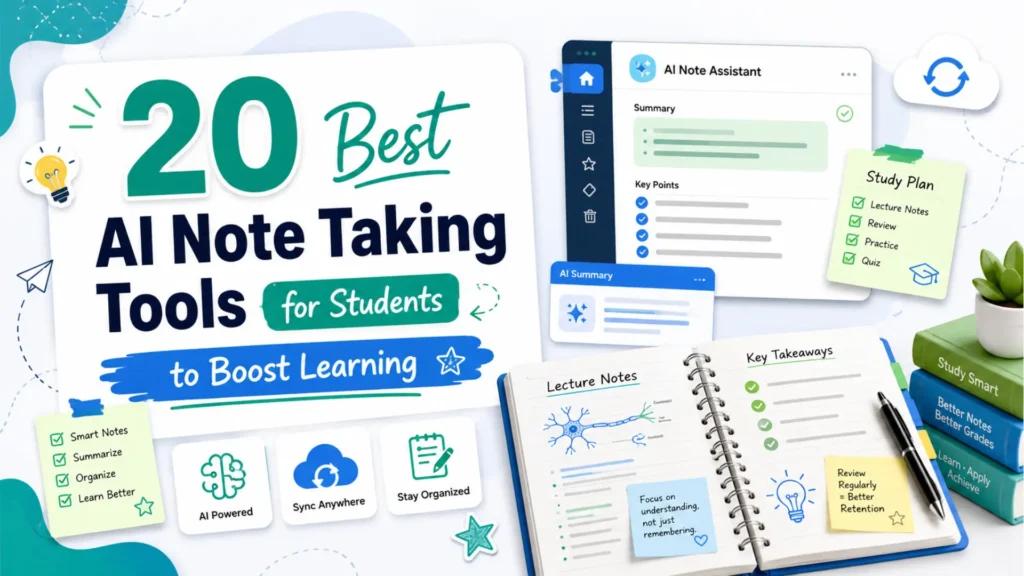
Taking effective notes is an essential part of a student’s learning process. However, traditional methods can be time consuming and often lack the organization needed for easy review. That’s where AI note taking tools for students come in. These tools use artificial intelligence to help students capture, organize, and review notes more efficiently, saving time and improving the accuracy of the information. With so many options available, how do you choose the best AI tool for your needs? In this guide, we’ll break down the key features, benefits, and top tools, so you can find the one that works best for your study routine.
What Are AI Note Taking Tools and How Do They Benefit Students?
Definition of AI Note Taking Tools
AI note-taking tools are software applications that use artificial intelligence to help students take, organize, and manage their notes. These tools can transcribe spoken words into text, summarize lengthy content, and categorize notes automatically for easy access.
Core Benefits of AI Note Taking for Students
- Enhanced Efficiency: AI tools allow you to capture more information in less time compared to traditional methods. Whether you’re attending a lecture or participating in a study group, these tools streamline the note taking process.
- Improved Organization: AI automatically organizes your notes by topic, making it easy to keep everything in order and find specific information when you need it.
- Searchability: With AI powered search functions, you can easily find key terms or concepts in your notes, even if you’ve taken pages of notes over several weeks.
- Accuracy: AI transcription tools reduce human error, especially in fast-paced environments, ensuring that no important details are missed during lectures.
- Focus on Content: With AI handling the note taking, you can focus more on understanding and engaging with the content, rather than worrying about writing down every detail.
Key Features to Look for in AI Note Taking Tools for Students
Real Time Transcription and Summarization
AI tools can transcribe lectures and discussions in real time, converting speech to text as it’s spoken. This feature is ideal for students who may struggle to take notes quickly or want to make sure they don’t miss important points. Additionally, AI tools often summarize lengthy notes into bite-sized summaries for easier review.
Automatic Organization and Categorization
AI tools can automatically tag, categorize, and organize notes based on specific topics, keywords, or dates. This ensures that your notes remain well-organized and easily accessible for future use. Whether you need to review specific topics or concepts, the organization system is designed to help.
Searchable Notes
One of the standout features of AI note taking tools is the ability to search for specific terms or topics within your notes. Rather than flipping through pages of handwritten notes, AI-powered tools let you quickly find the information you’re looking for using keywords or phrases.
Collaboration and Sharing Features
Some AI note-taking tools support real-time collaboration, allowing students to work together on shared notes. This is perfect for group projects or study sessions, where multiple students can add notes, ask questions, or offer insights in real time.
Top AI Note Taking Tools for Students
1. Notion
Notion offers customizable templates and task management integration. Its AI-powered summarization helps students focus on key points and stay organized.
Free Plan: Unlimited pages and blocks, with 1,000 blocks for file uploads.
2. Otter.ai
Otter.ai excels in real-time transcription and automatic summarization, perfect for capturing online lectures and meetings.
Free Plan: 600 minutes of transcription per month, with a limit of 40 minutes per file.
3. Sonix
Sonix is known for its transcription accuracy and multilingual support. Time-stamped transcriptions make it easy to track specific points in audio or video content.
Free Plan: 30-minute free trial to test transcription services.
4. Microsoft OneNote
OneNote integrates with other Microsoft tools, offering handwriting recognition, voice-to-text, and robust search functionality for organizing notes.
Free Plan: Unlimited notebooks and devices sync across platforms.
5. Evernote
Evernote uses AI to organize and search through notes. It’s great for both simple and complex note-taking, making it easy to store everything from class notes to personal research.
Free Plan: 60MB upload limit per month, with sync across two devices.
6. Google Keep
A simple tool for quick note-taking with voice-to-text transcription and AI-backed tagging for better organization.
Free Plan: Unlimited notes with basic features and integration with Google Drive.
7. Zoho Notebook
Zoho offers multimedia note-taking with automatic tagging and AI features for easier search and organization of your notes.
Free Plan: Unlimited notes and multimedia uploads, with no restrictions on usage.
8. Coda
Coda allows students to combine documents and spreadsheets. It offers AI-driven features to structure notes more dynamically.
Free Plan: 1,000 blocks for content storage, and 100MB file storage.
9. Quip
A collaborative tool combining word processing and spreadsheets, Quip’s AI-driven organization helps students manage notes more effectively.
Free Plan: Limited to 5 users per document with essential note-taking features.
10. Bear
Bear provides minimalistic note-taking with AI-based tagging and search functionality for easy organization. Supports Markdown.
Free Plan: Free for basic usage, with syncing across one device.
11. Simplenote
Simplenote is perfect for quick, simple note-taking with AI for better categorization and search.
Free Plan: Unlimited note storage, with syncing across devices.
12. Miro
Miro is a whiteboard tool that features AI-driven note categorization and allows for collaboration on group projects.
Free Plan: Limited to 3 editable boards with basic features for collaboration.
13. Notability
Notability offers voice-to-text transcription and organizational tools for students using diverse media, including handwritten notes.
Free Plan: Basic features with limited cloud storage.
14. Nimbus Note
Nimbus is versatile for text, images, and voice notes. Its AI features help students organize and search their notes quickly.
Free Plan: 100MB monthly uploads and sync across devices.
15. Roam Research
Roam helps students organize their notes in a graph format, fostering deeper connections between ideas with AI features.
Free Plan: Basic plan with limited features for personal use.
16. Trello
Though primarily a task manager, Trello uses AI to organize study materials and track assignments.
Free Plan: Unlimited boards and cards with limited integrations.
17. Workflowy
A simple tool for creating hierarchical lists of notes, Workflowy’s AI-driven features help structure and organize ideas efficiently.
Free Plan: 250 items per month with syncing across two devices.
18. JotterPad
JotterPad is a minimalist writing app with AI to assist students in organizing text and keeping notes tidy.
Free Plan: Basic text editor with limited cloud storage.
19. Scrivener
Scrivener is ideal for detailed, long-form note-taking, with AI features for organizing research, notes, and drafts.
Free Plan: Free 30-day trial for full functionality.
20. Apple Notes
Apple Notes is built into all Apple devices and features AI for text recognition and note tagging, with seamless syncing across iCloud-enabled devices.
Free Plan: Completely free, with syncing across iCloud-enabled devices.
How to Choose the Best AI Note Taking Tool for Your Study Style
Assessing Your Study Needs
Understanding your learning style is key to choosing the right AI note taking tool. If you prefer audio-based learning, tools like Otter.ai are ideal. If you’re someone who likes to organize notes visually, Notion may be a better choice with its customizable templates.
Considerations for Different Study Styles
- Auditory Learners: AI tools that focus on transcription, like Otter.ai or Sonix, are perfect for those who learn by listening.
- Visual Learners: Tools like Notion or Microsoft OneNote, which offer structured note templates and visual aids, are ideal for those who learn best through organization and diagrams.
Device Compatibility
Ensure that the AI note-taking tool you choose is compatible with the devices you use most often. Notion, OneNote, and Evernote are excellent for syncing across various platforms like PC, tablet, and mobile, providing access to your notes wherever you are.
Is AI Note Taking Right for Every Student? Pros and Cons
Pros of AI Note Taking Tools
- Time Saving: AI tools reduce the time spent manually writing notes, allowing more time for studying and reviewing.
- Improved Accuracy: AI transcription ensures that no details are missed, especially in fast-paced lectures or noisy environments.
- Better Organization: Automatic categorization and tagging keep your notes organized and easy to navigate.
Cons of AI Note Taking Tools
- Potential Over-Reliance on Technology: Students may become too dependent on AI tools, which could reduce their ability to take effective manual notes.
- Accuracy Concerns: Some AI tools may struggle with accents, jargon, or poor-quality audio, leading to inaccurate transcriptions.
- Privacy Issues: Cloud-based tools can raise security and privacy concerns, especially with sensitive academic content.
Future Trends: How AI Note Taking Tools Will Evolve for Students
Personalized AI Notes
In the future, AI tools will become even more personalized, adapting to each student’s learning style and preferences. These tools may automatically generate personalized study guides, quizzes, or flashcards based on the notes taken.
Integration with Virtual Classrooms
As online education continues to grow, AI note taking tools will increasingly integrate with virtual learning platforms like Zoom, Google Meet, and Microsoft Teams. This will allow for seamless transcription and summarization directly within the platform.
AI Powered Study Assistants
AI note-taking tools are likely to evolve into full-fledged study assistants. These tools could not only take notes but also provide personalized study suggestions, reminders, and revision schedules based on a student’s progress.
FAQs about AI Note Taking Tools for Students
1. What are AI note taking tools?
AI note taking tools use artificial intelligence to help students transcribe lectures, organize notes, and summarize content. These tools automate the process, making note taking faster and more accurate.
2. How do AI note taking tools benefit students?
AI tools save time by transcribing lectures in real time, summarizing key points, and organizing notes. This helps students focus on understanding the content instead of worrying about capturing every detail.
3. Which AI note taking tool is the best for students?
Popular options include:
- Otter.ai: Great for real time transcription and virtual classes.
- Notion: Ideal for customizable notes and task management.
- Evernote: Best for smart search and note organization.
4. Are AI note taking tools free?
Many tools offer free versions with basic features. For example, Otter.ai offers limited transcription minutes, and Notion provides a free plan for note taking and task management.
5. Can AI note taking tools handle multiple languages?
Yes, some AI tools, like Sonix, support multiple languages. Others, like Otter.ai, also offer language options, but it’s important to check specific language compatibility before use.
Conclusion: The Future of AI Note Taking Tools for Students
AI note taking tools for students can really transform your study routine. They help save time, boost accuracy, and keep your notes neatly organized, so you can focus more on learning. By choosing the right tool for your needs, you can make your note taking process quicker and more efficient. With AI helping you, you’ll be able to study smarter, not harder. These tools make studying feel less like a chore and more like an opportunity to engage with the material. So, start using AI today and see how it can simplify and improve your academic journey.
Further Reading: Enhance Your AI Content
For more tips on improving your AI-generated content and making it sound more human, check out our guide on the best tools to humanize AI text. Or, if you’re curious about how to make ChatGPT undetectable, we’ve got you covered there too!
Your blog is a treasure trove of valuable insights and thought-provoking commentary. Your dedication to your craft is evident in every word you write. Keep up the fantastic work!